AI Blog Writer

MasterSuiteAI

MasterSuiteAI: All-in-one SaaS AI platform for smarter productivity & high-quality content creation—features, pricing, reviews & top alternatives.

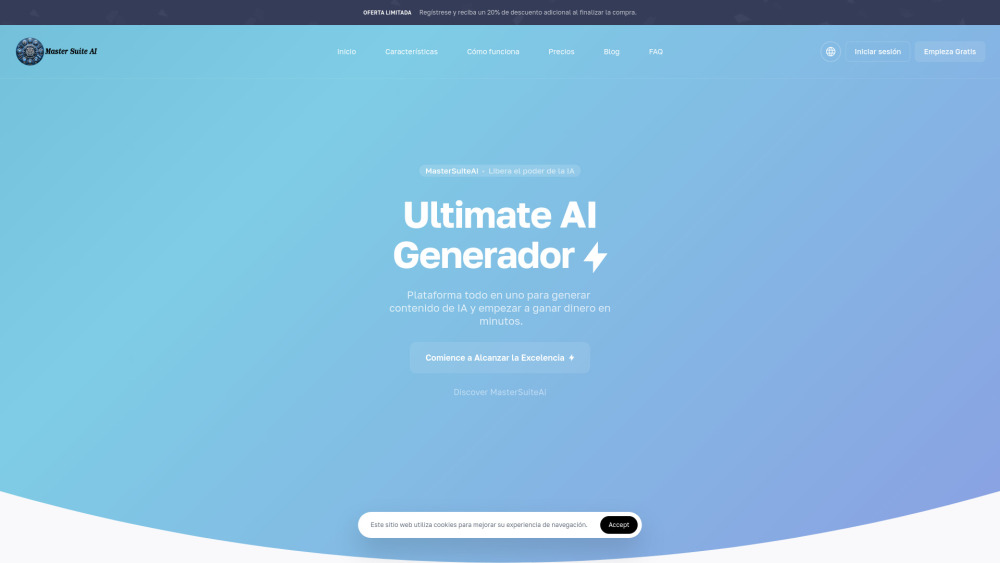
MasterSuiteAI website preview

MasterSuiteAI Website screenshot

Introducing MasterSuiteAI: Your Unified AI Command Center

MasterSuiteAI is a next-generation, all-in-one AI platform engineered to unify productivity acceleration and intelligent content creation under a single, intuitive interface. Combining generative text, visual synthesis, structured data interpretation, and cross-lingual intelligence, it empowers professionals, marketers, creators, and teams to work faster, think deeper, and deliver higher-impact results—without switching between fragmented tools.

Getting Started with MasterSuiteAI

Launch MasterSuiteAI in seconds—no complex setup required. After signing in, choose your use case (write, design, analyze, or translate), describe your goal in plain language, and refine outputs in real time using smart presets, tone controls, and iterative editing tools.

Power at Your Fingertips: Core Capabilities

Smart AI Writer — Context-aware, brand-aligned text generation

Visual Studio AI — Prompt-to-image, style transfer, and asset optimization

Insight Engine — Natural-language data querying, trend spotting, and report automation

Global Mode — Native multilingual generation, translation, and localization support

Where MasterSuiteAI Makes an Impact

Draft high-conversion copy for blogs, email campaigns, landing pages, and SEO-optimized content—in minutes.

Design eye-catching banners, infographics, social thumbnails, and presentation assets—no design skills needed.

Turn spreadsheets, dashboards, and CRM exports into actionable insights with conversational analytics.

Product source: MasterSuiteAI official website. Check the provider for current plans, limits and availability.

FAQ

MasterSuiteAI questions and answers

Product context and practical checks for evaluating MasterSuiteAI.

What is MasterSuiteAI used for?

MasterSuiteAI: All-in-one SaaS AI platform for smarter productivity & high-quality content creation—features, pricing, reviews & top alternatives.

How do I get started with MasterSuiteAI?

Launch MasterSuiteAI in seconds—no complex setup required. After signing in, choose your use case (write, design, analyze, or translate), describe your goal in plain language, and refine outputs in real time using smart presets, tone controls, and iterative editing tools.

Which capabilities are described for MasterSuiteAI?

Smart AI Writer — Context-aware, brand-aligned text generationVisual Studio AI — Prompt-to-image, style transfer, and asset optimizationInsight Engine — Natural-language data querying, trend spotting, and report automationGlobal Mode — Native multilingual generation, translation, and localization support

What should I compare before choosing a MasterSuiteAI plan?

Check MasterSuiteAI’s current pricing page for included usage, renewal terms and any credit charges. Compare the cost of a usable result, including retries, rather than assuming that account registration includes free usage.

What inputs should I prepare for a MasterSuiteAI trial?

Look for text prompts, image references, masks or sketches as appropriate. Compare composition control, supported upload types and the ability to revise a selected area.

How can I check the quality of a MasterSuiteAI result?

Inspect text, hands, edges, reflections and repeated objects at full size. Check that important product or brand details survive editing.

Which export options should I check in MasterSuiteAI?

Compare pixel dimensions, transparency, file formats and any enlargement options. Confirm that the downloaded result works in your design or publishing software.

What is a practical way to test MasterSuiteAI against alternatives?

Prepare a brief with a subject, composition, lighting and required output size. Test a first generation and a targeted revision to see how much control you retain.

What should I review before uploading material to MasterSuiteAI?

Read the provider’s rules on access, retention, deletion and use of uploaded material. Start with a non-confidential sample that you have permission to use.

Where is the official MasterSuiteAI website?

The website linked from this profile is https://mastersuiteai.com. Use the provider’s own documentation, account area and support channels to confirm current product details.

Visit MasterSuiteAI