Masonry AI: No-Code AI Agents for Workflow Automation & Productivity

Masonry AI: Automate workflows & boost productivity with intelligent AI agents—no-code, scalable, and built for masons.

Visit Website
Masonry AI: No-Code AI Agents for Workflow Automation & Productivity
Directory : AI Productivity Tools, AI Task Management, AI Document Extraction, AI Agent, AI Assistant, AI Workflow

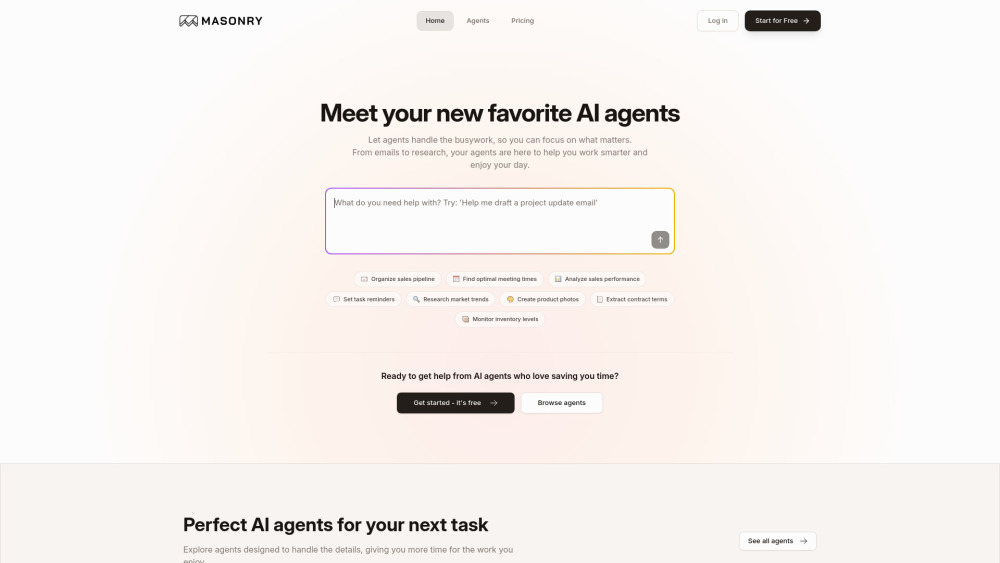
Masonry AI Website screenshot

Introducing Masonry AI: No-Code AI Agents for Smarter Workflows

Masonry AI redefines productivity by empowering teams to build, deploy, and orchestrate AI agents—without writing a single line of code. It’s not just automation—it’s intelligent collaboration at scale. With Masonry, you describe what you need in plain English, and the platform instantly assembles purpose-built AI agents to execute complex workflows across your tools, data, and teams.

How Masonry AI Works — Effortlessly

Launching an AI-powered workflow takes seconds: type a natural language instruction (e.g., “Summarize last week’s sales emails and update the pipeline in Google Sheets”), select relevant agents, and hit run. Masonry dynamically coordinates specialized AI agents—each trained for a distinct function—to handle multi-step tasks end-to-end. Whether you're syncing CRM updates, generating marketing visuals, parsing legal contracts, or orchestrating cross-app notifications, it all happens autonomously—no coding, no APIs, no handoffs.

Masonry AI’s Key Capabilities

No-code AI agent builder — drag, connect, deploy

Multi-agent orchestration — chain, parallelize, and conditionally route tasks

Smart task delegation — assign actions to the right agent based on context

Native integrations — Gmail, Google Calendar, Google Sheets, Slack, Stripe, and more

Document intelligence — extract insights, classify clauses, summarize long-form content

Visual AI — generate, edit, and enhance images from text prompts

Real-time web research — fetch, verify, and synthesize up-to-date information

Custom agent studio — design domain-specific agents with your business logic

Real-World Applications of Masonry AI

Auto-update CRM records from inbound sales emails

Propose conflict-free meeting slots across time zones and calendars

Transform quarterly reports into executive dashboards in Sheets

Send personalized Slack alerts when inventory drops below threshold

Scan competitor websites and surface pricing & feature shifts

Generate high-res product mockups for e-commerce listings

Highlight key obligations and deadlines from NDAs and SOWs

Reconcile Stripe payments with accounting entries in real time

Draft follow-up sequences based on email sentiment and response history

Auto-schedule calendar invites with agenda, notes, and pre-reads attached

Populate Google Sheets with live data pulled from internal databases or APIs

Post daily sales summaries to designated Slack channels with charts

Create secure, one-click payment links for recurring client invoices

Frequently Asked Questions

What makes Masonry AI different from traditional automation tools?

Which AI agents come out-of-the-box?

Can I create agents that understand my proprietary processes?

Is there a free tier or trial available?

How are usage credits calculated—and what counts toward consumption?

FAQ from Masonry AI

What is Masonry AI?

Masonry AI is a no-code platform that lets anyone design, combine, and deploy AI agents to automate multi-step workflows—across apps, documents, and data—using everyday language instead of code.

How do I get started with Masonry AI?

After signing up, choose from prebuilt agents or start with a prompt like “Organize my leads from Gmail into a Google Sheet with priority scoring.” Masonry interprets your intent, selects appropriate agents, and runs the full workflow—with optional human-in-the-loop review.

What is Masonry?

Masonry is the operating system for AI collaboration: a visual, intuitive interface where users compose intelligent workflows by connecting purpose-built AI agents—no technical expertise required.

What types of AI agents are available on Masonry?

Out-of-the-box agents include Document Analyzer, Email Handler (Gmail), Calendar Scheduler, Spreadsheet Operator, Image Creator, Slack Communicator, Stripe Manager, and Web Researcher—each optimized for accuracy, speed, and secure data handling.

Can I get custom AI agents for my specific needs?

Absolutely. Through Masonry’s Custom Agent Studio, you can define unique triggers, inputs, outputs, and logic—or work directly with their engineering team to embed proprietary models, compliance rules, or legacy system connectors.

How does Masonry’s pricing work?

The Pro plan ($20/month) includes 2,000 monthly credits and access to all core agents. Enterprise plans offer unlimited credits, SLA guarantees, private agent hosting, and dedicated onboarding. Everyone begins with 500 complimentary credits—no credit card needed.

How are credits used on Masonry?

Each agent interaction consumes credits based on complexity: simple text responses use fewer credits; document analysis, image generation, or multi-step cross-app workflows use more. Credits reset monthly and never expire unused.