Table of contents
Makefilm: AI Video Creation, Smart Editing & Instant Summarization
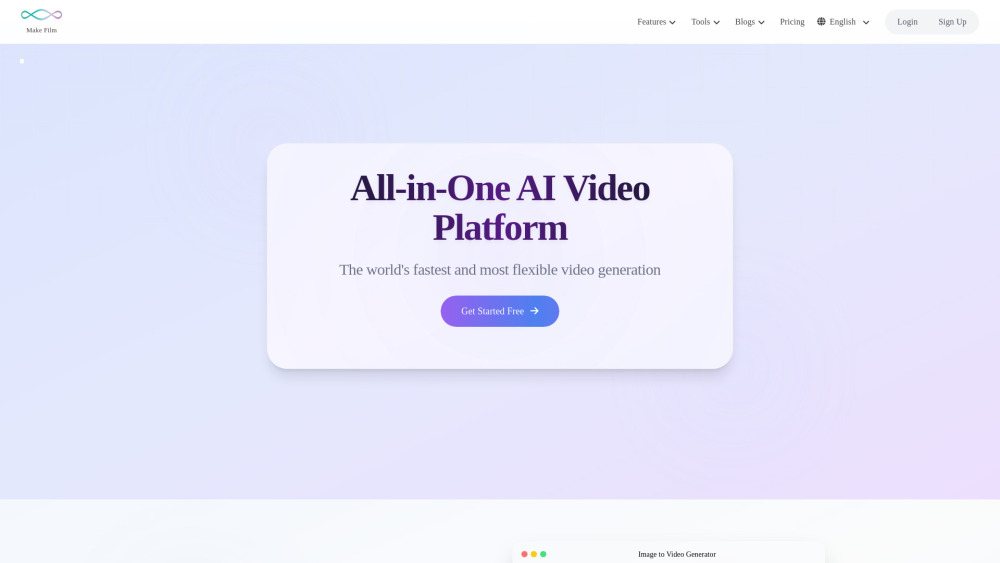
Makefilm: All-in-one AI video platform for effortless creation, smart editing, and instant summarization—powerful, intuitive, and built for creators.
Directory : Image to Video, Text to Video, AI Video Generator, AI Voice Generator, AI Video Summarizer, AI Subtitle Generator, AI Watermark Remover
What Is Makefilm?
Makefilm is an intelligent, browser-based AI video operating system — engineered to turn ideas into polished, share-ready videos in seconds. Unlike fragmented tools or clunky desktop software, Makefilm unifies generative AI, precision editing, and real-time insight extraction into one secure, intuitive interface. Whether you're a marketer scripting a product demo, an educator distilling lecture footage, or a creator repurposing long-form content for TikTok, Makefilm delivers studio-quality output without technical overhead — powered by cutting-edge multimodal AI trained for visual fidelity, linguistic nuance, and contextual awareness.
How Does Makefilm Work?
Using Makefilm is seamless: choose your goal → input your source (text prompt, image, URL, or uploaded video) → click “Generate” or “Process”. Behind the scenes, proprietary AI models handle everything — from motion synthesis and lip-synced voice generation to temporal caption alignment and semantic summarization. No rendering queues, no manual timelines, no export delays. Every workflow is optimized for speed and accuracy, with results delivered directly in your browser — ready to download, embed, or share across platforms.
Makefilm’s Core Features
Smart Video Generation: Text-to-Video & Image-to-Video
Lifelike AI Voiceovers — Multilingual & Emotion-Aware
Auto-Captions with Speaker Diarization & Translation
One-Click Video Summarization — Key Points, Timestamps & Highlights
Intelligent In-Video Object Removal (Text, Logos, Watermarks)
Cross-Platform Video Downloaders (YouTube, TikTok, Instagram, Facebook, LinkedIn)
AI-Powered Manga & Anime Art Generation (Characters, Panels, Stories)
Real-World Use Cases for Makefilm
Launch compelling product explainers — just describe your offering in plain English.
Bring static infographics, sketches, or product photos to life as animated social clips.
Convert hour-long webinars or academic talks into scannable, actionable summaries.
Produce accessible, multilingual voiceovers for e-learning modules or explainer reels.
Auto-generate SRT/VTT files with speaker labels, punctuation, and language switching.
Clean up downloaded videos before repurposing — erase watermarks, subtitles, or overlays.
Instantly transform YouTube tutorials or interviews into vertical Shorts or Reels.
Design custom manga-style avatars, storyboards, and dialogue-driven panels — no drawing skills needed.
Frequently Asked Questions (FAQ)
-
What Defines an All-in-One AI Video Platform?
-
Do I Need to Install Any Software?
-
Can I Monetize Videos Created With Makefilm?
-
How Does Makefilm Safeguard My Data & Content?
-
How Fast Are Video Generation & Processing Times?
-
Are There Usage Limits on My Plan?
-
Is Makefilm Optimized for Mobile Devices?
-
Support & Contact Information
For help with billing, technical issues, or refund requests, visit our official Contact Us page.
-
About Makefilm
Company Name: MakeFilm
Legal Entity: MakeFilm Technologies Inc.
Headquarters: Remote-first team serving users globally.
Learn more about our mission, values, and AI ethics policy on the About Us page. -
Makefilm Login
Access your dashboard instantly: https://www.makefilm.ai/en/login
-
Makefilm Sign Up
Start creating in under 30 seconds: https://www.makefilm.ai/en/signup
-
Makefilm Pricing Plans
Compare features, quotas, and AI model access: https://www.makefilm.ai/pricing
-
Makefilm on Facebook
Download Facebook videos cleanly & legally: Facebook Video Downloader
-
Makefilm on YouTube
Extract high-res YouTube clips without ads or branding: YouTube Video Downloader
-
Makefilm on TikTok
Grab trending TikTok videos — watermark-free & MP4-ready: TikTok Video Downloader
-
Makefilm on LinkedIn
Save professional LinkedIn videos for offline review or repurposing: LinkedIn Video Downloader
-
Makefilm on Instagram
Remove Instagram watermarks & auto-crop to Reels format: Instagram Watermark Remover
FAQ from Makefilm
What is Makefilm?
Makefilm is an intelligent, cloud-native AI video platform that merges generative creativity with editorial precision — enabling anyone to create, refine, and understand video content at unprecedented speed and scale.
How to use Makefilm?
Select a tool, supply your input (text, image, link, or file), and let Makefilm’s AI orchestrate the rest — from frame-level animation to semantic summarization — all within your browser.
What Is An All-In-One AI Video Platform?
It’s a unified environment where AI video generation, smart editing, multilingual localization, accessibility enhancement, and content intelligence converge — eliminating app-switching, compatibility headaches, and workflow fragmentation.
Am I Required to Download Software?
No. Makefilm runs entirely in modern browsers — zero downloads, zero installations, zero local processing. Your device only needs internet access and a current version of Chrome, Edge, or Safari.
Can I Make Money from Videos I Create on Makefilm?
Absolutely. All outputs are royalty-free for commercial use — including monetized YouTube channels, paid courses, client deliverables, and NFT-based digital art (subject to platform terms).
How is my data privacy protected on Makefilm?
Your uploads and prompts are processed in SOC 2 Type II–certified infrastructure. Optional end-to-end encryption ensures your raw assets never leave your device unencrypted — and all data is automatically purged after 24 hours unless retained per your plan settings.
What is the delay on the video?
Most tasks complete in under 15 seconds — even full-length video summarization or 60-second text-to-video renders. Complex workflows (e.g., 10-min HD video + multi-language captions + voiceover) typically finish in under 90 seconds.
Are there any limits on the number of videos I can create?
Yes — but intelligently tiered. The Free plan includes 3 video generations/month. Lite allows 8, Pro unlocks 32, and Enterprise offers unlimited priority processing with dedicated API access.
Is Makefilm mobile-friendly?
Yes. Fully responsive design supports iOS and Android devices. While some advanced tools (e.g., fine-grained caption editing) are optimized for desktop, core functions — like summarization, downloading, and watermark removal — work flawlessly on smartphones and tablets.
AI content creationAI Voice GeneratorText-to-Videovideo toolsAI caption generatorAI video editingaudio toolsAI video generatorvideo summarizerAI storytellingdigital storytellingAI script writingAI video platformAI clothes removerText removermedia conversionimage-to-videoAI Girl Generatorwatermark removerVideo DownloaderAutomated video productionAI Image to VideoYouTube to MP3YouTube to MP4AI Manga CreationAI Character DesignAI DirectorAI Movie MakerScript to Video AIAI Generated MoviesAI Film ProductionOnline Video ConverterAI Graphic NovelsAI Comic CreationAI Hentai Generator