Text&ampWriting

Mailteorite

Create conversion-ready SaaS, newsletter, and welcome emails in seconds with Mailteorite AI. Use simple prompts and

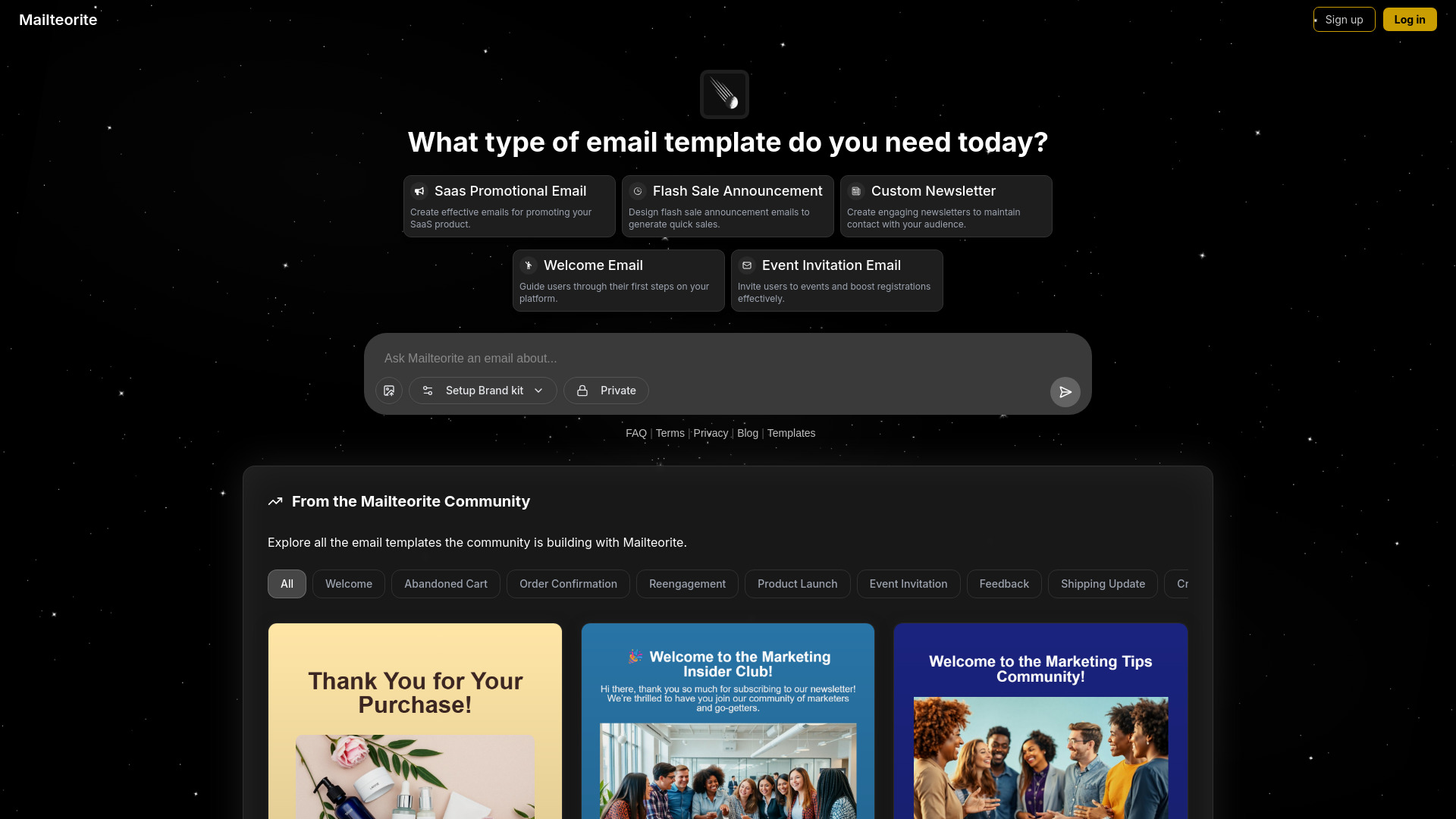
Mailteorite website preview

What is Mailteorite?

Mailteorite is an AI-powered email creation platform designed for SaaS teams, marketers, developers, and independent creators who need polished campaigns without spending hours on design or HTML development. By turning plain-language instructions into structured email layouts, Mailteorite helps users produce promotional messages, product updates, automated workflows, and newsletters with less manual effort. Its intelligent builder combines responsive design principles, persuasive content structure, and practical email marketing patterns to create templates that look professional across desktop and mobile inboxes.

How to Use Mailteorite

Creating an email with Mailteorite begins with choosing the type of communication you want to build. You can start with a SaaS announcement, product launch, promotional offer, welcome email, event message, newsletter, or transactional use case. Then describe your goals in a natural-language prompt, including the audience, message, tone, call to action, and preferred visual direction. Mailteorite uses that information to generate a complete email concept with organized sections, persuasive copy, and responsive formatting.

After the first version is created, review the structure and adjust the prompt or content to refine the result. Add your logo, brand colors, typography, links, and campaign details through the customization tools. You can also use the template gallery to explore different layouts and adapt ideas for your own audience. Once the design matches your requirements, export the finished HTML and move it into your preferred email marketing platform or development workflow.

Key Features of Mailteorite

  • Prompt-Based Email Builder: Explain the campaign you want in everyday language and let the AI shape the content hierarchy, visual structure, messaging style, and call-to-action placement for you.
  • SaaS Campaign Templates: Build product announcements, feature releases, onboarding emails, upgrade prompts, customer education sequences, and other messages commonly used by software companies.
  • Newsletter Creation Tools: Assemble recurring newsletters with sections for articles, company updates, product news, featured resources, announcements, and community content while keeping the layout easy to scan.
  • Brand Customization: Apply brand colors, logos, fonts, button styles, and other visual details so that generated emails maintain a recognizable identity across different campaigns.
  • Responsive HTML Output: Export email-ready code designed to adapt to different screen sizes and support dependable presentation in popular inboxes and email service providers.

These capabilities help teams shorten the distance between an idea and a ready-to-send campaign. Marketers can produce more variations for testing, developers can reduce repetitive template work, and founders can create credible communications without hiring a designer for every email. The result is a more efficient process for planning, building, reviewing, and deploying email content.

Why Choose Mailteorite?

Mailteorite brings strategy, copy direction, and visual production into one AI-assisted workspace. Traditional email creation often requires several separate tools and repeated handoffs between marketers, designers, and developers. Mailteorite gives smaller teams a faster way to turn a campaign brief into a usable email while still leaving room for human editing and brand decisions. Its prompt-driven workflow is especially useful when you know what you want to communicate but do not want to begin with a blank canvas or manually assemble every section.

The platform is also suited to teams that need a steady flow of customer communication. SaaS businesses can maintain a library of product and lifecycle messages, while newsletter publishers can develop consistent editions without rebuilding their structure each time. Generated layouts can be refined for different audiences, offers, and stages of the customer journey. With exportable templates and reusable brand settings, Mailteorite fits into existing marketing operations and supports both quick one-off campaigns and repeatable email programs.

Use Cases and Applications

SaaS companies can use Mailteorite to create onboarding sequences, release announcements, trial conversion campaigns, feature education emails, and monthly product newsletters. A team launching a new dashboard feature, for example, can describe the benefit, target audience, and desired action in a prompt and receive a starting layout that includes an introduction, supporting explanation, visual emphasis, and a clear button. Marketing teams can then adapt that same concept for different customer segments or stages of the funnel.

Newsletter creators can use the builder to organize editorial content into attractive, repeatable formats. Sections can be arranged for curated links, founder notes, industry insights, customer stories, product updates, or upcoming events. E-commerce businesses can create sale announcements, new-arrival messages, and cart recovery campaigns, while agencies can develop client-specific templates more efficiently. Developers may also use Mailteorite for account confirmations, password recovery messages, billing notices, and other transactional communications that need a clean and trustworthy presentation.

For startups and indie hackers, the platform provides a practical way to maintain professional communication while resources are limited. Instead of delaying a launch email because the design is unfinished, a small team can generate a working draft, personalize the message, and export it for delivery. This makes Mailteorite useful throughout the customer lifecycle, from attracting an initial subscriber to supporting an established user with timely product information.

Product source: Mailteorite official website. Check the provider for current plans, limits and availability.

FAQ

Mailteorite questions and answers

Product context and practical checks for evaluating Mailteorite.

What is Mailteorite used for?

Create conversion-ready SaaS, newsletter, and welcome emails in seconds with Mailteorite AI. Use simple prompts and

How do I get started with Mailteorite?

Creating an email with Mailteorite begins with choosing the type of communication you want to build. You can start with a SaaS announcement, product launch, promotional offer, welcome email, event message, newsletter, or transactional use case. Then describe your goals in a natural-language prompt, including the audience, message, tone, call to action, and preferred visual direction. Mailteorite uses that information to generate a complete email concept with organized sections, persuasive copy, and responsive formatting.After the first version is created, review the structure and adjust the prompt or content to refine the result. Add your logo, brand colors, typography, links, and campaign details through the customization tools. You can also use the template gallery to explore different layouts and adapt ideas for your own audience. Once the design matches your requirements, export the finished HTML and move it into your preferred email marketing platform or development workflow.

Which capabilities are described for Mailteorite?

Prompt-Based Email Builder: Explain the campaign you want in everyday language and let the AI shape the content hierarchy, visual structure, messaging style, and call-to-action placement for you. SaaS Campaign Templates: Build product announcements, feature releases, onboarding emails, upgrade prompts, customer education sequences, and other messages commonly used by software companies. Newsletter Creation Tools: Assemble recurring newsletters with sections for articles, company updates, product news, featured resources, announcements, and community content while keeping the layout easy to scan. Brand Customization: Apply brand colors, logos, fonts, button styles, and other visual details so that generated emails maintain a recognizable identity across different campaigns. Responsive HTML Output: Export email-ready code designed to adapt to different screen sizes and support dependable presentation in popular inboxes and email service providers. These capabilities help teams shorten the distance between an idea and a ready-to-send campaign. Marketers can produce more variations for testing, developers can reduce repetitive template work, and founders can create credible communications without hiring a designer for every email. The result is a more efficient process for planning, building, reviewing, and deploying email content.

What projects can I evaluate Mailteorite for?

SaaS companies can use Mailteorite to create onboarding sequences, release announcements, trial conversion campaigns, feature education emails, and monthly product newsletters. A team launching a new dashboard feature, for example, can describe the benefit, target audience, and desired action in a prompt and receive a starting layout that includes an introduction, supporting explanation, visual emphasis, and a clear button. Marketing teams can then adapt that same concept for different customer segments or stages of the funnel.Newsletter creators can use the builder to organize editorial content into attractive, repeatable formats. Sections can be arranged for curated links, founder notes, industry insights, customer stories, product updates, or upcoming events. E-commerce businesses can create sale announcements, new-arrival messages, and cart recovery campaigns, while agencies can develop client-specific templates more efficiently. Developers may also use Mailteorite for account confirmations, password recovery messages, billing notices, and other transactional communications that need a clean and trustworthy presentation.For startups and indie hackers, the platform provides a practical way to maintain professional communication while resources are limited. Instead of delaying a launch email because the design is unfinished, a small team can generate a working draft, personalize the message, and export it for delivery. This makes Mailteorite useful throughout the customer lifecycle, from attracting an initial subscriber to supporting an established user with timely product information.

How does Mailteorite handle prompt-based email builder?

Prompt-Based Email Builder: Explain the campaign you want in everyday language and let the AI shape the content hierarchy, visual structure, messaging style, and call-to-action placement for you.

How does Mailteorite handle saas campaign templates?

SaaS Campaign Templates: Build product announcements, feature releases, onboarding emails, upgrade prompts, customer education sequences, and other messages commonly used by software companies.

What should I compare before choosing a Mailteorite plan?

Check Mailteorite’s current pricing page for included usage, renewal terms and any credit charges. Compare the cost of a usable result, including retries, rather than assuming that account registration includes free usage.

What inputs should I prepare for a Mailteorite trial?

Compare support for source documents, style instructions, outlines and length limits. Check whether citations link to real material rather than merely looking like references.

How can I check the quality of a Mailteorite result?

Verify names, dates, quotations and factual claims against the original sources. Edit tone, remove repetition and make sure the text answers the intended reader’s question.

Where is the official Mailteorite website?

The website linked from this profile is https://mailteorite.com. Use the provider’s own documentation, account area and support channels to confirm current product details.

Visit Mailteorite