Table of contents
MagicaLCore: Code-Free iPad AI Image Classifier Builder 🚀
MagicaLCore: Build & train AI image classifiers on iPad—zero coding required. Drag, drop, and deploy in minutes! 🚀
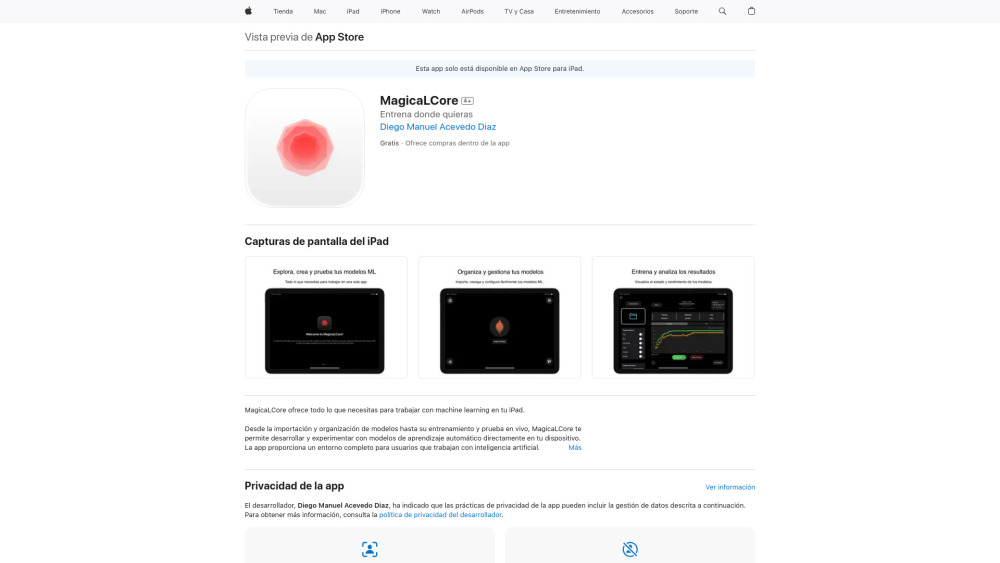
Introducing MagicaLCore: Code-Free iPad AI Image Classifier Builder 🚀
MagicaLCore redefines on-device AI development — transforming your iPad into a portable, intuitive machine learning studio. With zero coding required, it empowers educators, designers, researchers, and curious creators to build, train, and deploy custom image classifiers using only their own photos. From concept to camera-ready inference, every step happens natively on iPad — leveraging Apple Silicon’s Neural Engine for fast, private, offline training and real-time prediction. No cloud dependencies, no Python notebooks, no setup headaches — just drag, snap, train, and classify.
Getting Started in Seconds
Launch MagicaLCore, select or capture sample images directly from your Photos library or iPad camera, then assign them to intuitive visual categories (e.g., “Healthy Leaves,” “Damaged Tiles,” “Vintage Posters”). The app automatically preprocesses data, selects optimal on-device training parameters, and trains your model in minutes — all while preserving full privacy and device autonomy. Instantly test with live camera feed or uploaded images, fine-tune performance using built-in accuracy metrics, and export your trained classifier as a Core ML package ready for integration into Swift apps, Shortcuts, or automation workflows.
Why MagicaLCore Stands Out
Truly code-free — no syntax, no SDKs, no terminal
End-to-end ML workflow: labeling → training → validation → export
Real-time inference with low-latency camera streaming
One-tap model export (Core ML, .mlmodel) with metadata & confidence thresholds
Visual project dashboard: track datasets, versions, and performance history
Apple Silicon-optimized: full M-series chip acceleration + A16+ support
Built-in analytics: confusion matrix, precision/recall curves, per-class accuracy
Offline-first design — all processing happens locally, securely, and privately
Who’s Using MagicaLCore?
Classroom educators building hands-on AI literacy projects
Field biologists identifying species from habitat snapshots
Retail designers prototyping visual search tools for product catalogs
Accessibility innovators creating personalized recognition aids
Hobbyists and makers launching AI-powered IoT or AR experiments — starting from iPad
Frequently Asked Questions
-
Which iPads support MagicaLCore?
-
Do I need programming experience to get results?
-
Can I see predictions as I move the iPad around — like an AI viewfinder?
FAQ from MagicaLCore
What is MagicaLCore?
MagicaLCore is a groundbreaking iPad-native application that lets anyone — regardless of technical background — design, train, and deploy production-grade image classification models using only personal photos and intuitive visual tools. It eliminates traditional ML barriers by unifying data curation, neural network training, evaluation, and export into one seamless, privacy-first experience optimized for Apple Silicon.
How to use MagicaLCore?
Start by curating labeled image sets using your iPad’s camera or photo library. Tap to create categories, drag-and-drop images, then press “Train.” MagicaLCore handles preprocessing, architecture selection, and optimization behind the scenes — delivering a validated model in minutes. Test instantly via live camera preview, review confidence scores and misclassifications, and export your model with one tap for use in Xcode, Swift Playgrounds, or third-party automation tools.
What devices are compatible with MagicaLCore?
MagicaLCore runs on iPadOS 18.0 or later and requires an iPad powered by Apple Silicon (M1, M2, M3, or newer) or the A16 Bionic chip (iPad mini 6th gen and later). These chips provide the necessary Neural Engine performance and memory bandwidth for efficient on-device training.
Is coding necessary to use MagicaLCore?
Not at all. MagicaLCore replaces code with context-aware gestures, visual labeling interfaces, and guided workflows — making AI development accessible to students, artists, scientists, and professionals who want to harness machine learning without learning to program.
Can I test my machine learning models in real-time with MagicaLCore?
Absolutely. Its ultra-low-latency inference engine delivers frame-by-frame classification directly through the iPad camera — turning your device into an interactive AI sensor. You’ll see bounding overlays, class labels, and confidence percentages overlaid in real time, with instant feedback as lighting, angle, or subject changes.