Writing Assistants

Magic Keys

Unlock the power of effortless typing with Magic Keys: AI prompts & snippets platform. Say goodbye to writer's block and type with ease!

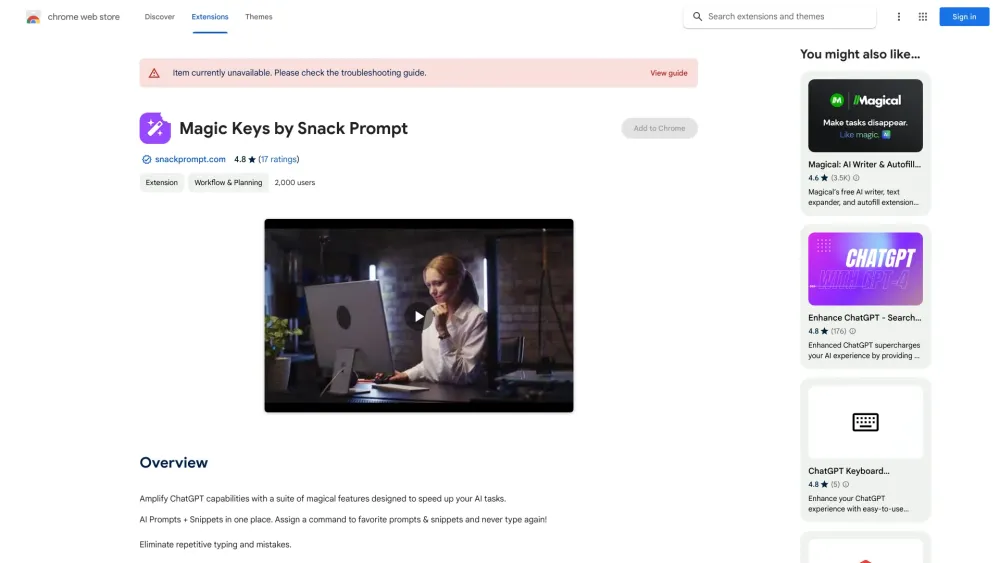
Magic Keys website preview

Magic Keys by Snack Prompt - Chrome Extension Website screenshot

Introducing Magic Keys : AI Prompts & Snippets for Effortless Typing

Enhance your productivity with Magic Keys, the ultimate platform for AI prompts and snippets. Say goodbye to repetitive typing and errors as Magic Keys eliminates the need for manual input. With customizable shortcuts and seamless usage, this innovative Chrome extension revolutionizes the way you type.

Effortless Typing Made Easy

Magic Keys by Snack Prompt AI Chrome Extension simplifies your workflow by providing a centralized hub for all your AI prompts and snippets. No more wasting time on repetitive typing or making errors. Save your favorite prompts and snippets on the platform and assign shortcuts for quick and effortless access. With Magic Keys, you can streamline your typing experience and boost your productivity like never before.

How to Use Magic Keys

Using Magic Keys is a breeze. Simply save your AI prompts and snippets on the platform and assign customized shortcuts. No more need to type repeatedly or search for the right content. Access your saved prompts instantly and effortlessly. Customize hotkeys for prompt triggers and enjoy the convenience of automation for all your typing tasks. Magic Keys empowers you to work smarter, not harder.

Unleash the Power of Magic Keys

Effortless AI Prompts and Snippets Storage

Customizable Hotkeys for Prompt Shortcuts

Integration with Popular LLMs

One-Stop Solution for Organizing and Discovering

Seamless Usage Across the Internet

Magic Keys by Snack Prompt AI Chrome Extension offers a range of powerful features to enhance your typing experience. Store all your AI prompts and snippets effortlessly in one place. Customize hotkeys for prompt shortcuts and access them with a single keystroke. Seamlessly integrate with popular language models like ChatGPT, Bard, Claude, and more. Discover and organize new prompts to enrich your personal library. Say goodbye to repetitive typing and hello to efficient, effortless typing with Magic Keys.

Unlock the Possibilities

Save and Access AI Prompts and Snippets

Boost Productivity with Shortcuts

Discover and Curate New Prompts

Magic Keys by Snack Prompt AI Chrome Extension opens up a world of possibilities. Save and access AI prompts and snippets from ChatGPT, Bard, Claude, Dall-e, Midjourney, Grok, and more. Increase your productivity by leveraging efficient usage of shortcuts. Discover, curate, and bookmark new prompts to enrich your personal library. Magic Keys empowers you to unlock your full potential and achieve more with less effort.

Product source: Magic Keys official website. Check the provider for current plans, limits and availability.

FAQ

Magic Keys questions and answers

Product context and practical checks for evaluating Magic Keys.

What is Magic Keys used for?

Unlock the power of effortless typing with Magic Keys: AI prompts & snippets platform. Say goodbye to writer's block and type with ease!

How do I get started with Magic Keys?

Using Magic Keys is a breeze. Simply save your AI prompts and snippets on the platform and assign customized shortcuts. No more need to type repeatedly or search for the right content. Access your saved prompts instantly and effortlessly. Customize hotkeys for prompt triggers and enjoy the convenience of automation for all your typing tasks. Magic Keys empowers you to work smarter, not harder.

What should I compare before choosing a Magic Keys plan?

Check Magic Keys’s current pricing page for included usage, renewal terms and any credit charges. Compare the cost of a usable result, including retries, rather than assuming that account registration includes free usage.

What inputs should I prepare for a Magic Keys trial?

Compare support for source documents, style instructions, outlines and length limits. Check whether citations link to real material rather than merely looking like references.

How can I check the quality of a Magic Keys result?

Verify names, dates, quotations and factual claims against the original sources. Edit tone, remove repetition and make sure the text answers the intended reader’s question.

Which export options should I check in Magic Keys?

Check export to plain text, Markdown, documents or your publishing system. Formatting, headings and working links matter when moving a draft into production.

What is a practical way to test Magic Keys against alternatives?

Use a real brief and a short source document. Compare factual accuracy, structure and editing time rather than accepting the longest or most confident draft.

What should I review before uploading material to Magic Keys?

Read the provider’s rules on access, retention, deletion and use of uploaded material. Start with a non-confidential sample that you have permission to use.

How can I check whether Magic Keys fits my existing workflow?

List the steps before and after using Magic Keys, including preparation, review and export. Test that complete sequence and check whether handoffs require manual conversion or another paid service.

Where is the official Magic Keys website?

The website linked from this profile is https://chromewebstore.google.com/detail/magic-keys-by-snack-promp/ibcmobjkpcabelpfkeohflbhjeojhfdk. Use the provider’s own documentation, account area and support channels to confirm current product details.

Visit Magic Keys