AI Content Generator

LowTech AI

LowTech AI: Simple, powerful AI tools for non-techies—ideal for writers, students, managers, and more. Harness AI effortlessly!

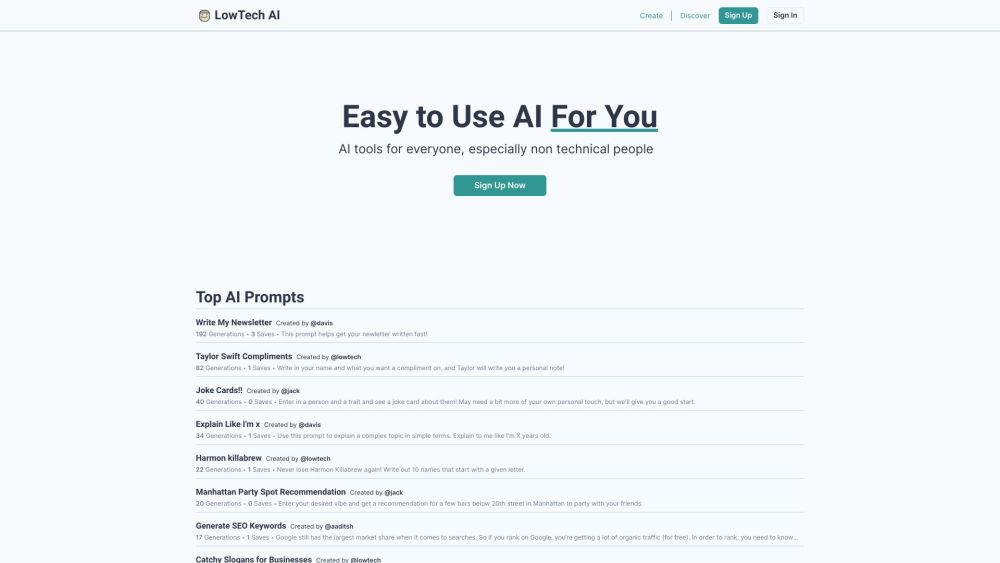
LowTech AI website preview

LowTech AI Website screenshot

Introducing LowTech AI

LowTech AI is a revolutionary platform designed to provide simple and intuitive AI tools for professionals and students who may not have a technical background. Offering powerful AI functionalities supported by Prompts, it serves a wide array of users including writers, managers, teachers, students, and legal professionals.

Getting Started with LowTech AI

To begin using LowTech AI, all you need to do is sign up or log in. After accessing your account, you can explore, create, and utilize a variety of AI tools. Each tool comes with clear instructions and straightforward inputs, making it accessible for everyone. Users can personalize existing tools or build new ones from scratch, and sharing these tools is made easy with the generation of shareable links.

Key Features of LowTech AI

User-friendly AI tools with easy-to-follow instructions

Customizable options for enhancing and creating new AI tools

Simple sharing capabilities via shareable links

AI tools powered by Prompts for various professional fields

Intuitive interface designed for non-technical users

Practical Applications of LowTech AI

Summarize complex documents

Draft professional emails

Find synonyms for any word

Compose creative poems

Rephrase sentences for clarity

Analyze the tone and sentiment of emails

Prepare speeches for special occasions

Generate SEO keywords

Evaluate resumes for key skills

Write code for specific integrations

Study marketing techniques in different regions

Break down legal rulings into key points

Develop lesson plans on various subjects

Create song lyrics

And much more...

Product source: LowTech AI official website. Check the provider for current plans, limits and availability.

FAQ

LowTech AI questions and answers

Product context and practical checks for evaluating LowTech AI.

What is LowTech AI used for?

LowTech AI: Simple, powerful AI tools for non-techies—ideal for writers, students, managers, and more. Harness AI effortlessly!

How do I get started with LowTech AI?

To begin using LowTech AI, all you need to do is sign up or log in. After accessing your account, you can explore, create, and utilize a variety of AI tools. Each tool comes with clear instructions and straightforward inputs, making it accessible for everyone. Users can personalize existing tools or build new ones from scratch, and sharing these tools is made easy with the generation of shareable links.

Which capabilities are described for LowTech AI?

User-friendly AI tools with easy-to-follow instructionsCustomizable options for enhancing and creating new AI toolsSimple sharing capabilities via shareable linksAI tools powered by Prompts for various professional fieldsIntuitive interface designed for non-technical users

What projects can I evaluate LowTech AI for?

Summarize complex documentsDraft professional emailsFind synonyms for any wordCompose creative poemsRephrase sentences for clarityAnalyze the tone and sentiment of emailsPrepare speeches for special occasionsGenerate SEO keywordsEvaluate resumes for key skillsWrite code for specific integrationsStudy marketing techniques in different regionsBreak down legal rulings into key pointsDevelop lesson plans on various subjectsCreate song lyricsAnd much more... About LowTech AI Company name: LowTech AI. Log in to LowTech AI https://lowtech.ai/signin Sign up for LowTech AI https://lowtech.ai/signup Follow LowTech AI on LinkedIn https://www.linkedin.com/company/lowtech-ai Follow LowTech AI on Twitter https://twitter.com/lowtechai

What should I compare before choosing a LowTech AI plan?

Check LowTech AI’s current pricing page for included usage, renewal terms and any credit charges. Compare the cost of a usable result, including retries, rather than assuming that account registration includes free usage.

What inputs should I prepare for a LowTech AI trial?

Compare support for source documents, style instructions, outlines and length limits. Check whether citations link to real material rather than merely looking like references.

How can I check the quality of a LowTech AI result?

Verify names, dates, quotations and factual claims against the original sources. Edit tone, remove repetition and make sure the text answers the intended reader’s question.

Which export options should I check in LowTech AI?

Check export to plain text, Markdown, documents or your publishing system. Formatting, headings and working links matter when moving a draft into production.

What is a practical way to test LowTech AI against alternatives?

Use a real brief and a short source document. Compare factual accuracy, structure and editing time rather than accepting the longest or most confident draft.

Where is the official LowTech AI website?

The website linked from this profile is https://lowtech.ai. Use the provider’s own documentation, account area and support channels to confirm current product details.

Visit LowTech AI