AI Product Description Generator

Looppanel

Looppanel: Streamline UX research with top-tier transcripts, shareable video clips, live notes, and Zoom integration. Optimize your user insights today!

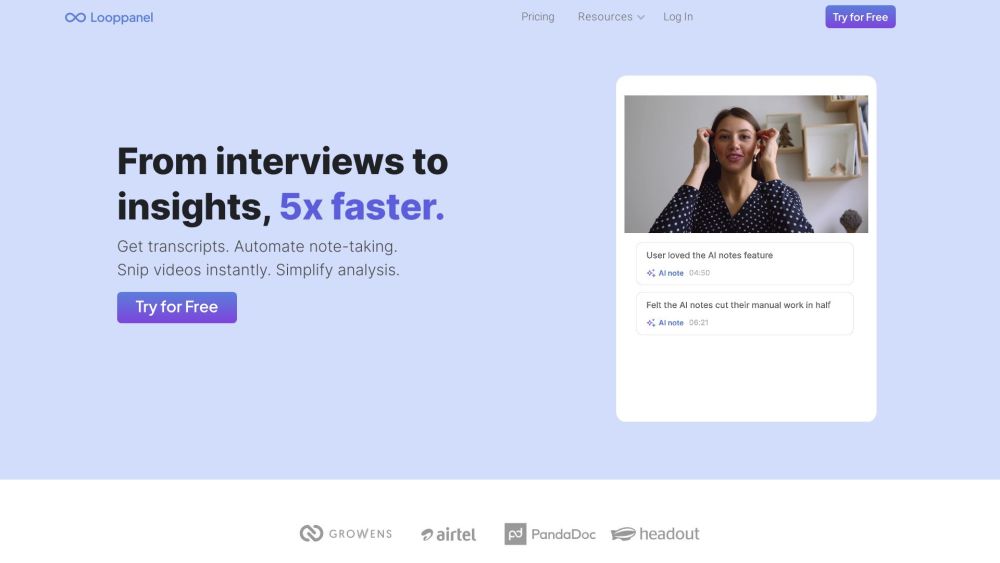
Looppanel website preview

Looppanel Website screenshot

What is Looppanel?

Looppanel is an advanced user research platform designed to enhance UX research workflows. It offers high-quality transcription services, shareable video clips, real-time note-taking, and smooth Zoom integration to streamline your research processes.

How to use Looppanel?

Getting started with Looppanel is straightforward. Sign up for an account and link it with your Zoom. Looppanel will automatically record your calls, transcribe them, and compile all your research data in one centralized hub. Use the AI-powered note-taker during interviews, create clips of key insights, and collaborate with your team effortlessly. Looppanel makes analyzing and presenting your findings simpler and more effective.

Looppanel's Core Features

Looppanel includes these essential features: - Transcriptions in multiple languages - AI-powered real-time note-taking - Time-stamped notes highlighting key moments - Team collaboration tools - Instant video clip creation - Video clip embedding across various platforms - Easy sharing of report summaries via links

Looppanel's Use Cases

Looppanel is ideal for teams of all sizes to optimize their UX research analysis. It benefits UX researchers, product managers, designers, and anyone engaged in user research. Common use cases include: - Conducting and analyzing user interviews - Monitoring user behavior and interactions - Pinpointing pain points and improvement areas - Collaborating with team members during analysis - Generating detailed reports and presentations based on research insights

Product source: Looppanel official website. Check the provider for current plans, limits and availability.

FAQ

Looppanel questions and answers

Product context and practical checks for evaluating Looppanel.

What is Looppanel used for?

Looppanel: Streamline UX research with top-tier transcripts, shareable video clips, live notes, and Zoom integration. Optimize your user insights today!

How do I get started with Looppanel?

Getting started with Looppanel is straightforward. Sign up for an account and link it with your Zoom. Looppanel will automatically record your calls, transcribe them, and compile all your research data in one centralized hub. Use the AI-powered note-taker during interviews, create clips of key insights, and collaborate with your team effortlessly. Looppanel makes analyzing and presenting your findings simpler and more effective.

Which capabilities are described for Looppanel?

Looppanel includes these essential features: - Transcriptions in multiple languages - AI-powered real-time note-taking - Time-stamped notes highlighting key moments - Team collaboration tools - Instant video clip creation - Video clip embedding across various platforms - Easy sharing of report summaries via links

What projects can I evaluate Looppanel for?

Looppanel is ideal for teams of all sizes to optimize their UX research analysis. It benefits UX researchers, product managers, designers, and anyone engaged in user research. Common use cases include: - Conducting and analyzing user interviews - Monitoring user behavior and interactions - Pinpointing pain points and improvement areas - Collaborating with team members during analysis - Generating detailed reports and presentations based on research insights Looppanel Support Email & Customer Service Contact For customer support, contact Looppanel at: [email protected] Looppanel Company Looppanel is a product of Obtan Technologies Inc. Looppanel Login Login to your Looppanel account here: https://app.looppanel.com/login Looppanel Sign Up Sign up for Looppanel here: https://app.looppanel.com/signup?source=home Looppanel Pricing Find out about Looppanel's pricing plans: https://www.looppanel.com/pricing

What should I compare before choosing a Looppanel plan?

Find out about Looppanel's pricing plans: https://www.looppanel.com/pricing Confirm current prices and allowances on the provider’s website before purchasing.

What inputs should I prepare for a Looppanel trial?

Compare text prompts, reference frames, source footage and audio support. Check duration, aspect ratio and whether the tool lets you keep a subject consistent between shots.

How can I check the quality of a Looppanel result?

Watch the entire clip for motion errors, distorted objects, changing identities, lip-sync problems and abrupt transitions. Inspect the downloaded file as well as the preview.

Which export options should I check in Looppanel?

Check export resolution, frame rate, aspect ratio, audio tracks and watermark rules. A good preview is not a substitute for an export that fits your publishing channel.

What is a practical way to test Looppanel against alternatives?

Use a short shot with one subject and one camera movement. Keep the prompt and duration constant, then compare usable seconds and the number of regenerations.

Where is the official Looppanel website?

The website linked from this profile is https://www.looppanel.com. Use the provider’s own documentation, account area and support channels to confirm current product details.

Visit Looppanel