AI Builder

Looka Logo Maker

Design your perfect logo with Looka Logo Maker. Our AI-powered tool combines your preferences to create a custom logo you'll love. Try it now!

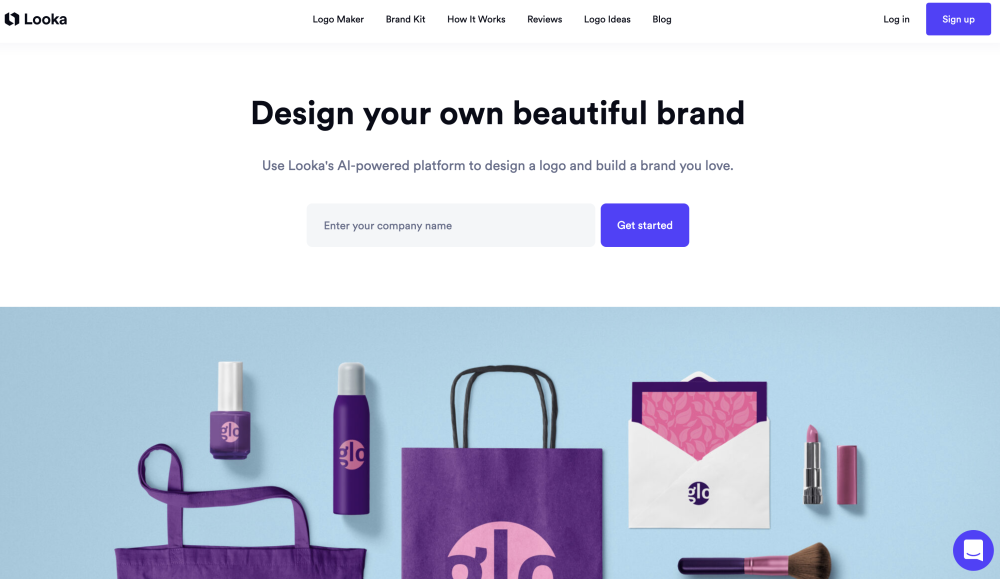
Looka Logo Maker website preview

Looka Logo Maker Website screenshot

What is Looka Logo Maker?

Looka Logo Maker is an innovative tool that merges your creative inputs with cutting-edge Artificial Intelligence, allowing you to design a custom logo that truly represents your brand. This AI-powered platform offers a seamless experience, making professional logo design accessible to everyone.

How to Use Looka Logo Maker?

Using Looka Logo Maker is simple and intuitive. Start by providing your design preferences, including your preferred style, colors, and symbols. The AI will then generate a range of logo options for you to choose from. You can further customize your selected logo until it perfectly matches your vision, ensuring a final product that you're proud of.

Core Features of Looka Logo Maker

AI-Driven Logo Creation

Looka's AI technology intelligently suggests design elements based on your inputs, helping you create a logo that stands out.

Extensive Template Customization

Choose from a variety of customizable templates, which you can modify to suit your brand's unique identity.

Vast Selection of Fonts and Icons

Explore a wide array of fonts and icons to find the perfect combination that reflects your brand's style.

Color Palette Flexibility

Customize the color scheme of your logo to ensure it aligns with your brand's visual identity.

User-Friendly Drag-and-Drop Interface

Design your logo with ease using Looka's intuitive drag-and-drop interface, perfect for users of all skill levels.

Who Can Benefit from Looka Logo Maker?

Small Businesses

Perfect for small business owners looking to establish a professional brand identity without breaking the bank.

Entrepreneurs

Ideal for entrepreneurs who need a quick, yet professional, logo for their new ventures.

Startups

Startups can leverage Looka's tools to create a logo that stands out in a competitive market.

Freelancers

Freelancers can design a logo that represents their personal brand, helping them stand out to potential clients.

  • Looka Logo Maker Support Email & Customer Service

    For customer support, please contact Looka Logo Maker at [email protected]. For more contact details, visit the contact us page.

  • About Looka Logo Maker Company

    Looka Inc. is the company behind Looka Logo Maker. Learn more about the company on the about us page.

  • Looka Logo Maker Login

    Access your account through the Looka Logo Maker login page: https://looka.com/#loginModal.

  • Looka Logo Maker Sign Up

    Sign up for Looka Logo Maker at: https://looka.com/#signupModal.

  • Follow Looka Logo Maker on Social Media

    Stay connected with Looka Logo Maker through their social media channels:

Product source: Looka Logo Maker official website. Check the provider for current plans, limits and availability.

FAQ

Looka Logo Maker questions and answers

Product context and practical checks for evaluating Looka Logo Maker.

What is Looka Logo Maker used for?

Design your perfect logo with Looka Logo Maker. Our AI-powered tool combines your preferences to create a custom logo you'll love. Try it now!

How do I get started with Looka Logo Maker?

Using Looka Logo Maker is simple and intuitive. Start by providing your design preferences, including your preferred style, colors, and symbols. The AI will then generate a range of logo options for you to choose from. You can further customize your selected logo until it perfectly matches your vision, ensuring a final product that you're proud of.

Which capabilities are described for Looka Logo Maker?

AI-Driven Logo CreationLooka's AI technology intelligently suggests design elements based on your inputs, helping you create a logo that stands out.Extensive Template CustomizationChoose from a variety of customizable templates, which you can modify to suit your brand's unique identity.Vast Selection of Fonts and IconsExplore a wide array of fonts and icons to find the perfect combination that reflects your brand's style.Color Palette FlexibilityCustomize the color scheme of your logo to ensure it aligns with your brand's visual identity.User-Friendly Drag-and-Drop InterfaceDesign your logo with ease using Looka's intuitive drag-and-drop interface, perfect for users of all skill levels.

What should I compare before choosing a Looka Logo Maker plan?

Check Looka Logo Maker’s current pricing page for included usage, renewal terms and any credit charges. Compare the cost of a usable result, including retries, rather than assuming that account registration includes free usage.

What inputs should I prepare for a Looka Logo Maker trial?

Look for text prompts, image references, masks or sketches as appropriate. Compare composition control, supported upload types and the ability to revise a selected area.

How can I check the quality of a Looka Logo Maker result?

Inspect text, hands, edges, reflections and repeated objects at full size. Check that important product or brand details survive editing.

Which export options should I check in Looka Logo Maker?

Compare pixel dimensions, transparency, file formats and any enlargement options. Confirm that the downloaded result works in your design or publishing software.

What is a practical way to test Looka Logo Maker against alternatives?

Prepare a brief with a subject, composition, lighting and required output size. Test a first generation and a targeted revision to see how much control you retain.

What should I review before uploading material to Looka Logo Maker?

Read the provider’s rules on access, retention, deletion and use of uploaded material. Start with a non-confidential sample that you have permission to use.

Where is the official Looka Logo Maker website?

The website linked from this profile is https://looka.com. Use the provider’s own documentation, account area and support channels to confirm current product details.

Visit Looka Logo Maker