Table of contents
Littlebird : Personalized AI Reading Your Mind, Not Just Prompts
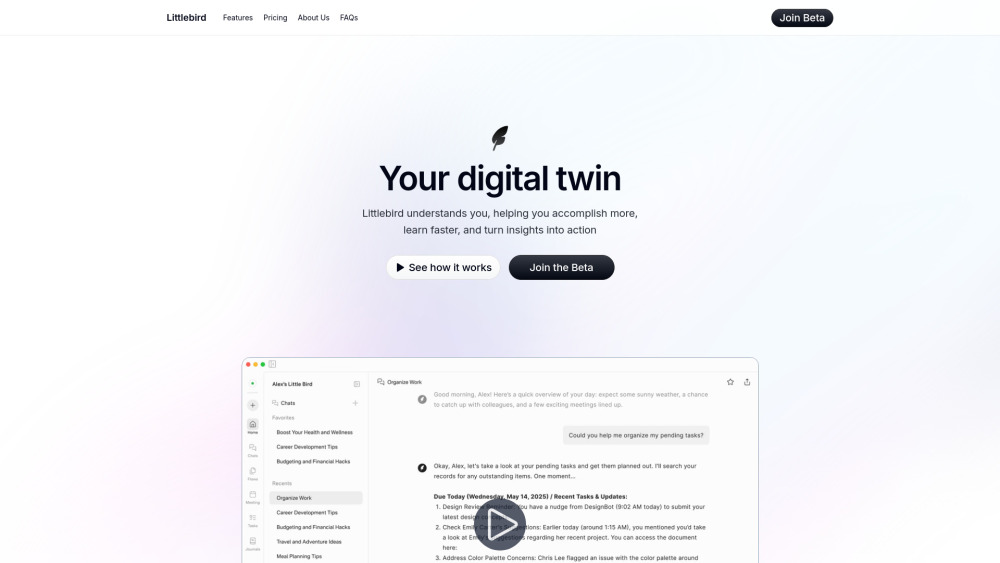
Littlebird: Your always-on, context-aware AI—reads your mind, not just prompts. Truly personalized. Truly intuitive.
Directory : AI Productivity Tools, AI Meeting Assistant, AI Note Taker, AI Assistant, AI Copilot, AI Monitor, AI Report Generator
What is Littlebird?
Littlebird isn’t just another AI that waits for prompts—it’s a quietly intuitive, always-present companion that reads your intent *before* you type. By observing your real-time digital behavior—not through surveillance, but through respectful, on-screen context awareness—it builds a living understanding of how you think, work, and prioritize. It doesn’t guess; it *grasps*. From distilling dense reports into actionable insights to anticipating your next step in a project or meeting, Littlebird delivers intelligence that feels native—not injected.
How to use Littlebird?
Install Littlebird in under a minute, complete a lightweight, privacy-first onboarding, and let it settle into your workflow—no commands needed. As you navigate your day, Littlebird learns from what’s *visible*, *active*, and *relevant* on your screen: the document you’re editing, the Slack thread you’re scrolling, the spreadsheet you’re filtering. Then, it surfaces value—whether that’s a concise summary in your Daily Journal, an auto-prioritized task list, or a gentle nudge before a deadline. It doesn’t interrupt—you invite it in, when and how you choose.
Littlebird's Core Features
Mindful Chat—Conversations That Remember Your Context
Daily Journal—A Reflective Snapshot, Not Just a Log
Priority Pulse—Tasks Suggested by Behavior, Not Algorithms Alone
Routine Builder—Design Reports That Match Your Rhythm
Meeting Memory—Transcriptions Anchored to Intent, Not Just Audio
Littlebird's Use Cases
Zero-Delay Recall When Stakes Are High
Prep & Follow-Up That Feels Like Second Nature
Journaling That Deepens Insight—Not Just Habit
Task Coaching That Adapts to *Your* Workflow Style
FAQ from Littlebird
-
What makes Littlebird “mind-reading”—and why is it different?
-
How does Littlebird interpret my intent without invasive tracking?
-
Can I fine-tune what Littlebird pays attention to—or ignore entirely?
-
Does Littlebird replace my tools—or elevate them silently?
-
What happens if I’m handling confidential or sensitive work?
-
Where does my data live—and who truly owns it?
-
When will Littlebird be available beyond macOS?
-
Littlebird Support Email & Customer Service Contact & Refund Policy
For personalized assistance, visit the contact us page().
-
Littlebird Company
Littlebird Company name: .
Littlebird Company address: .
Learn more about our mission and values at the about us page().
-
Littlebird Login
-
Littlebird Sign up
FAQ from Littlebird
What is Littlebird?
Littlebird is an always-on, context-native AI assistant that operates at the OS level—not as a chatbot waiting for input, but as an intelligent observer that interprets your active screen to anticipate needs, surface insights, and simplify complexity—all with uncompromising privacy and user sovereignty.
How to use Littlebird?
After a frictionless install and brief setup, Littlebird begins learning *only* from what you’re actively viewing and interacting with—no background scanning, no hidden permissions. You’ll notice its value not in flashy alerts, but in timely summaries, intuitive task suggestions, and journal entries that feel like they were written by someone who truly knows your rhythm.
What makes Littlebird “mind-reading”—and why is it different?
“Reading your mind” here means inferring intent from behavior—not psychic powers. When you open a research paper while drafting a proposal, Littlebird recognizes the pattern and preps relevant citations. When you revisit a client’s email thread before a call, it surfaces key points *before* you ask. It’s predictive intelligence rooted in observable context—not speculation.
How does Littlebird interpret my intent without invasive tracking?
Littlebird sees only what’s rendered in your foreground window—no access to system files, clipboard history, microphone, camera, or incognito tabs. It analyzes layout, text flow, interaction patterns, and temporal context—but never stores raw screenshots or keystrokes. Its model runs locally where possible, and all processing respects your explicit boundaries.
Can I fine-tune what Littlebird pays attention to—or ignore entirely?
Yes—granular per-app toggles let you enable or disable context awareness for any application. You can also pause collection instantly via menu bar or keyboard shortcut. Littlebird learns *with* you—not despite you—and adapts as your priorities shift.
Does Littlebird replace my tools—or elevate them silently?
Neither. Littlebird works *alongside* your existing stack—no integrations required. Because it observes your screen, it understands your tools organically: it knows you’re using Notion for notes, Figma for design, and Zoom for calls—not because it’s connected, but because it *sees* you using them. It becomes the connective tissue between apps, not another app to manage.
What happens if I’m handling confidential or sensitive work?
Littlebird includes a “Focus Mode” that disables all context collection with one click—ideal for legal reviews, HR discussions, or personal finance. You retain full visibility into what’s being observed, and every data point can be reviewed, edited, or deleted from your personal dashboard.
Where does my data live—and who truly owns it?
Your data stays encrypted and local by default. Cloud sync (opt-in) uses zero-knowledge encryption—meaning even we cannot access your content. You own every byte. Export, anonymize, or erase your entire history anytime—no gatekeeping, no retention clauses.
When will Littlebird be available beyond macOS?
macOS is our foundation—designed for deep, secure system integration. Windows and Linux versions are in active development, with public betas expected in Q1 2026. We’re prioritizing fidelity over speed, ensuring the same privacy-first, context-aware experience across platforms.