AI Content Generator

Lexica

Lexica: A powerful search engine utilizing Stable Diffusion technology for lightning-fast, precise search results. Discover the future of search today!

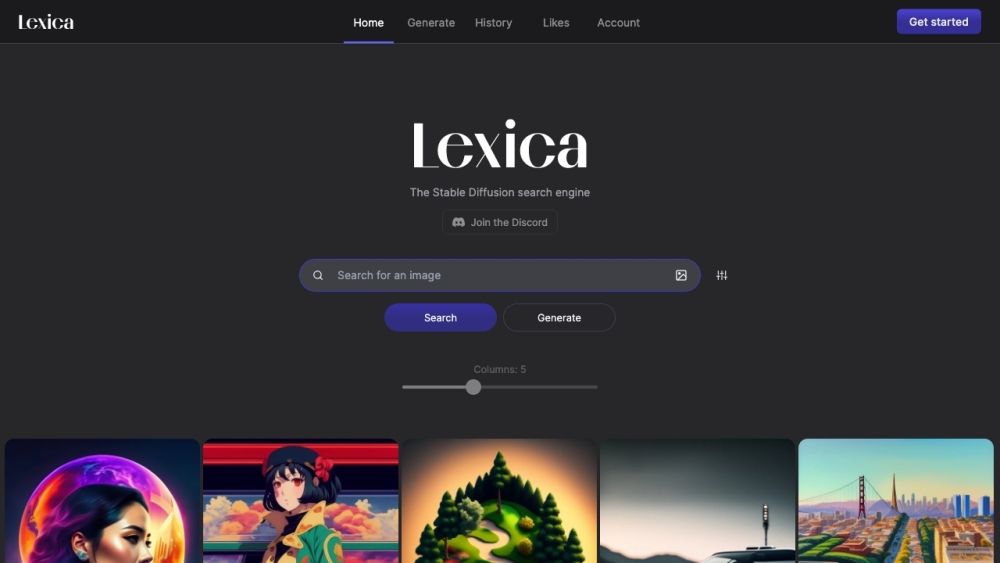
Lexica website preview

Lexica Website screenshot

Discover Lexica

Lexica is a state-of-the-art search engine that harnesses the power of Stable Diffusion technology, delivering search results with remarkable speed and precision.

Using Lexica

To get started with Lexica, type your query into the search bar and press the 'Search' button. Lexica will swiftly compile a list of the most relevant results for you.

Key Features of Lexica

Generate personalized search results

Track search history

Save and organize liked content

Manage user account

Applications of Lexica

Researching a specific topic

Finding relevant information

Discovering new content

Organizing saved content for future reference

Product source: Lexica official website. Check the provider for current plans, limits and availability.

FAQ

Lexica questions and answers

Product context and practical checks for evaluating Lexica.

What is Lexica used for?

Lexica: A powerful search engine utilizing Stable Diffusion technology for lightning-fast, precise search results. Discover the future of search today!

How do I get started with Lexica?

Open the official Lexica website and identify the workflow that matches your task. Choose a question with known sources and a checkable result. Compare citation accuracy, omissions and reproducibility rather than response length.

Which capabilities are described for Lexica?

Generate personalized search resultsTrack search historySave and organize liked contentManage user account

What projects can I evaluate Lexica for?

Researching a specific topicFinding relevant informationDiscovering new contentOrganizing saved content for future reference Lexica Login Lexica Login Link: https://lexica.art/login

What should I compare before choosing a Lexica plan?

Check Lexica’s current pricing page for included usage, renewal terms and any credit charges. Compare the cost of a usable result, including retries, rather than assuming that account registration includes free usage.

What inputs should I prepare for a Lexica trial?

Check supported documents, datasets and source access. Establish whether the product can inspect your actual material rather than answer from general knowledge.

How can I check the quality of a Lexica result?

Follow citations to the original source, recalculate important numbers and check the date and scope of the evidence. Distinguish an explanation from a verified result.

Which export options should I check in Lexica?

Look for usable citations, tables, downloadable data and reproducible steps. A clear answer should let another person inspect how the conclusion was reached.

What is a practical way to test Lexica against alternatives?

Choose a question with known sources and a checkable result. Compare citation accuracy, omissions and reproducibility rather than response length.

Where is the official Lexica website?

The website linked from this profile is https://lexica.art. Use the provider’s own documentation, account area and support channels to confirm current product details.

Visit Lexica