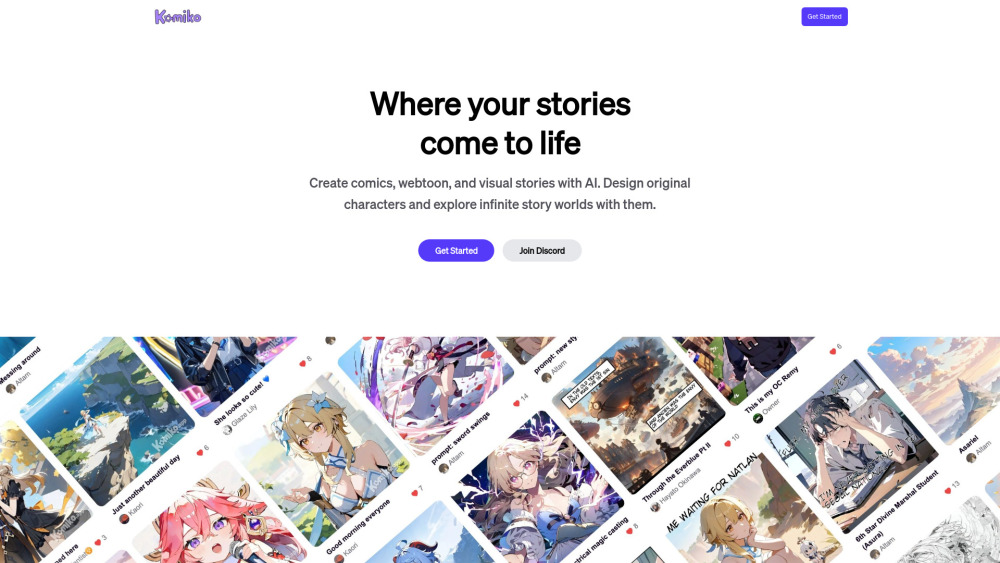
Discover Komiko: The Ultimate AI-Powered Creative Hub for Comics and Anime
Welcome to Komiko, a revolutionary platform that empowers creators to craft stunning comics, characters, and anime with the help of advanced artificial intelligence. This innovative tool simplifies the creative process, allowing users to bring their wildest imaginations to life effortlessly. With Komiko's comic generator, you can achieve character consistency and precise pose control without the complexity of traditional workflows. Its standout feature, 'multiple image generation,' enables users to generate diverse scenes from a single text prompt, showcasing different angles, styles, and settings—perfect for creating dynamic AI webtoons and manga. Trained on an extensive dataset of comics, manga, and manhwa, Komiko delivers high-quality images while maintaining consistent character design across multiple scenes. This is a significant leap forward in AI-generated art, offering unparalleled quality and consistency. Beyond just comic creation, Komiko also transforms short stories into visually engaging comics using its AI-driven characters. Future updates promise even more immersive experiences with features like music, visual effects, and subtle animations, enhancing digital storytelling. Komiko provides a robust image generation model with multi-character pose control, giving creators full artistic freedom. Join the vibrant community on Discord for collaboration, support, and inspiration.
Getting Started with Komiko
Upon logging in, you'll be greeted by a feed filled with creations from fellow community members. To start your journey: - Click 'Create Comics' to begin crafting your stories on an infinite canvas using our powerful text-to-image AI generator. - Dive into 'Roleplay' to interactively chat with any Anime Character or AI Character. - Upload a selfie to instantly create an anime version of yourself. These tools make it easy for anyone to dive into the world of AI-powered creativity.
Key Features of Komiko
AI Comic Generation
AI Art Generation
AI Anime Generation
AI Visual Novel Generation
Community Feed
Use Cases for Komiko
Crafting AI Comics, Manga, and Webtoons
Creating AI Characters and Crafting Stories Around Them
Engaging in Interactive Chats and Roleplays with Anime Characters
-
Join the Komiko Community on Discord
Connect with other creators on the Komiko Discord: https://discord.gg/DhcPYmjSXU. For more details, visit here(/discord/dhcpymjsxu).
-
About Story Engine Inc.
Komiko is brought to you by Story Engine Inc., a company dedicated to advancing digital storytelling.
-
Login to Komiko
Access Komiko via this link: https://komiko.app/login.
-
Follow Komiko on TikTok
Stay updated with Komiko on TikTok: https://www.tiktok.com/@komia.h74.