AI Chatbot

Intercom

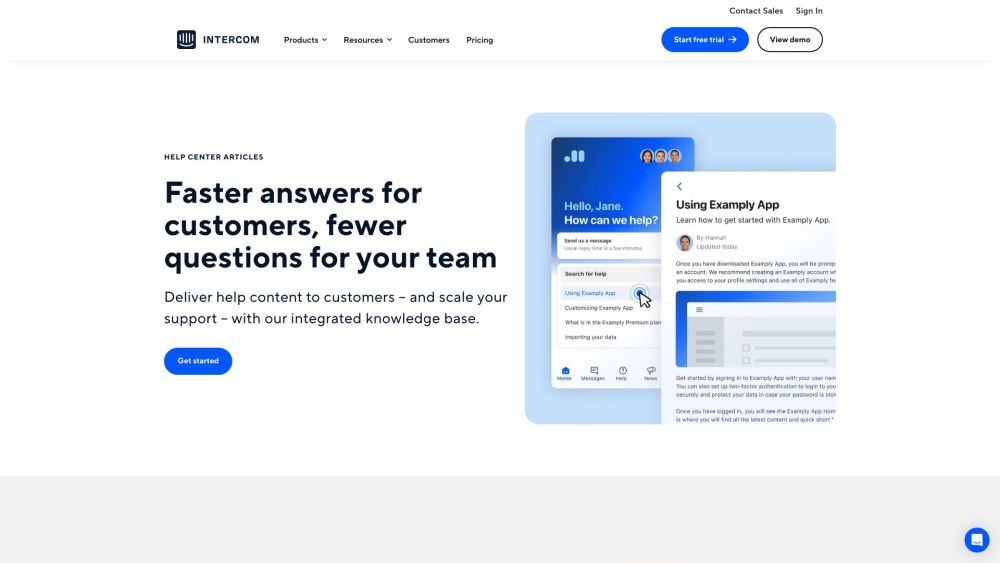
Intercom: Speed up customer support with an integrated knowledge base, delivering quick answers and reducing support queries for your team.

Intercom website preview

Intercom Website screenshot

What is Intercom?

Intercom is an integrated knowledge base designed to provide quick answers to customers while reducing the number of inquiries your support team needs to handle.

How to use Intercom?

To utilize Intercom's knowledge base, create a central hub where customers can access information, tips, and guides. Personalize the help center to reflect your brand identity. Develop engaging articles using various media types, targeting different audience segments. Implement feedback mechanisms to enhance content quality and employ proactive messaging to prevent potential issues.

Intercom's Core Features

Unified workspace for inbox, tickets, and help center

AI chatbot and automated workflows

Product tours and proactive messaging for customer support

Omnichannel platform with full integration

Integration with various messenger apps

Access to resources on customer service trends, product updates, and best practices

Developer hub for app integration or custom app creation

Webinars featuring insights from industry experts

Comprehensive courses in the Intercom Academy

Product demos to showcase business growth potential with Intercom

Community for knowledge sharing, learning from experts, and inspiration

Help center articles for quick self-service solutions

Intercom's Use Cases

Providing help content to customers

Scaling support operations

Creating articles in multiple languages

Publishing engaging content

Tailoring help content for different audiences

Customizing the help center to align with your brand

Enhancing content through feedback

Preventing issues with outbound messaging

  • Intercom Support Email & Customer Service Contact

    Contact Intercom support via email at [email protected]. For more details, visit the contact us page.

  • Intercom Company

    Learn more about Intercom at their about us page.

  • Intercom Login

    Log in to Intercom at this link.

  • Intercom Pricing

    Check out Intercom's pricing plans at this page.

Product source: Intercom official website. Check the provider for current plans, limits and availability.

FAQ

Intercom questions and answers

Product context and practical checks for evaluating Intercom.

What is Intercom used for?

Intercom: Speed up customer support with an integrated knowledge base, delivering quick answers and reducing support queries for your team.

How do I get started with Intercom?

To utilize Intercom's knowledge base, create a central hub where customers can access information, tips, and guides. Personalize the help center to reflect your brand identity. Develop engaging articles using various media types, targeting different audience segments. Implement feedback mechanisms to enhance content quality and employ proactive messaging to prevent potential issues.

Which capabilities are described for Intercom?

Unified workspace for inbox, tickets, and help centerAI chatbot and automated workflowsProduct tours and proactive messaging for customer supportOmnichannel platform with full integrationIntegration with various messenger appsAccess to resources on customer service trends, product updates, and best practicesDeveloper hub for app integration or custom app creationWebinars featuring insights from industry expertsComprehensive courses in the Intercom AcademyProduct demos to showcase business growth potential with IntercomCommunity for knowledge sharing, learning from experts, and inspirationHelp center articles for quick self-service solutions

What projects can I evaluate Intercom for?

Providing help content to customersScaling support operationsCreating articles in multiple languagesPublishing engaging contentTailoring help content for different audiencesCustomizing the help center to align with your brandEnhancing content through feedbackPreventing issues with outbound messaging Intercom Support Email & Customer Service Contact Contact Intercom support via email at [email protected]. For more details, visit the contact us page. Intercom Company Learn more about Intercom at their about us page. Intercom Login Log in to Intercom at this link. Intercom Pricing Check out Intercom's pricing plans at this page.

What should I compare before choosing a Intercom plan?

Check out Intercom's pricing plans at this page. Confirm current prices and allowances on the provider’s website before purchasing.

What inputs should I prepare for a Intercom trial?

Identify the files, text or account connections your task needs. Confirm that the product accepts those inputs and offers controls for reviewing its work.

How can I check the quality of a Intercom result?

Test one representative task and inspect the result for accuracy and completeness. Record where manual corrections or extra tools are needed.

Which export options should I check in Intercom?

Check export formats, integrations and whether you can keep using your work outside the service. Test a real export before committing to a longer plan.

What is a practical way to test Intercom against alternatives?

Choose one task with a clear success condition. Keep the input consistent, record the time spent reviewing and compare the complete workflow cost.

Where is the official Intercom website?

The website linked from this profile is . Use the provider’s own documentation, account area and support channels to confirm current product details.