AI Content Generator

ImagineQr

Create stunning, fully customizable QR codes effortlessly with ImagineQr. User-friendly and AI-powered, it's perfect for individuals and businesses alike.

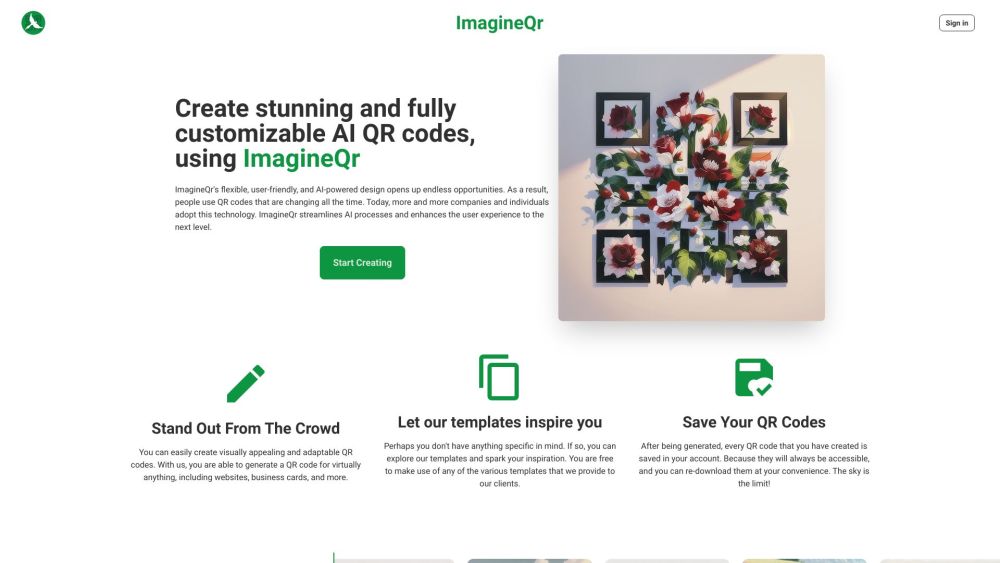
ImagineQr website preview

ImagineQr Website screenshot

What is ImagineQr?

ImagineQr is a cutting-edge platform leveraging AI to create visually striking and highly customizable QR codes. Its intuitive interface and variety of templates are designed to help both individuals and businesses make a lasting impression.

How to use ImagineQr?

Getting started with ImagineQr is simple and straightforward: 1. Log in to your ImagineQr account. 2. Go to the Create section. 3. Enter the URL you wish to link your QR code to. 4. Customize the design of your QR code using the available tools and prompts. 5. Save your QR code to your account. 6. Your QR code is now ready for use, be it on websites, business cards, or other platforms.

ImagineQr's Core Features

Key features of ImagineQr include: - AI-driven design: ImagineQr utilizes AI to generate attractive and versatile QR codes. - Extensive customization: Users can tailor various elements of their QR codes, including color schemes, shapes, and patterns. - Template library: A wide array of templates is available to kickstart the QR code creation process. - QR code history: Users can access and re-download all previously created QR codes from their account. - No watermark: QR codes created with ImagineQr are free from any watermarks.

ImagineQr's Use Cases

ImagineQr is versatile and can be used for: - Website QR codes: Direct users to personal or business websites. - Business cards: Enhance business cards with QR codes for quick contact information access. - Marketing campaigns: Generate QR codes for promotional materials, offering personalized deals and information. - Event invitations: Create QR codes for event invites, simplifying access to event details for attendees. - Digital content sharing: Link to photos, videos, or documents for easy sharing via QR codes.

  • ImagineQr Support Email & Customer Service Contact & Refund Contact

    For customer support, you can reach ImagineQr at: [email protected].

  • ImagineQr Company

    Company Name: Imagine Innovative Ltd.

  • ImagineQr Login

    Login to your ImagineQr account here: https://imagineqr.io/dashboard

  • ImagineQr Sign up

    Sign up for ImagineQr here: https://imagineqr.io/generate

  • ImagineQr Pricing

    Check out ImagineQr's pricing plans here: https://imagineqr.io/#pricing

Product source: ImagineQr official website. Check the provider for current plans, limits and availability.

FAQ

ImagineQr questions and answers

Product context and practical checks for evaluating ImagineQr.

What is ImagineQr used for?

Create stunning, fully customizable QR codes effortlessly with ImagineQr. User-friendly and AI-powered, it's perfect for individuals and businesses alike.

How do I get started with ImagineQr?

Getting started with ImagineQr is simple and straightforward: 1. Log in to your ImagineQr account. 2. Go to the Create section. 3. Enter the URL you wish to link your QR code to. 4. Customize the design of your QR code using the available tools and prompts. 5. Save your QR code to your account. 6. Your QR code is now ready for use, be it on websites, business cards, or other platforms.

Which capabilities are described for ImagineQr?

Key features of ImagineQr include: - AI-driven design: ImagineQr utilizes AI to generate attractive and versatile QR codes. - Extensive customization: Users can tailor various elements of their QR codes, including color schemes, shapes, and patterns. - Template library: A wide array of templates is available to kickstart the QR code creation process. - QR code history: Users can access and re-download all previously created QR codes from their account. - No watermark: QR codes created with ImagineQr are free from any watermarks.

What projects can I evaluate ImagineQr for?

ImagineQr is versatile and can be used for: - Website QR codes: Direct users to personal or business websites. - Business cards: Enhance business cards with QR codes for quick contact information access. - Marketing campaigns: Generate QR codes for promotional materials, offering personalized deals and information. - Event invitations: Create QR codes for event invites, simplifying access to event details for attendees. - Digital content sharing: Link to photos, videos, or documents for easy sharing via QR codes. ImagineQr Support Email & Customer Service Contact & Refund Contact For customer support, you can reach ImagineQr at: [email protected]. ImagineQr Company Company Name: Imagine Innovative Ltd. ImagineQr Login Login to your ImagineQr account here: https://imagineqr.io/dashboard ImagineQr Sign up Sign up for ImagineQr here: https://imagineqr.io/generate ImagineQr Pricing Check out ImagineQr's pricing plans here: https://imagineqr.io/#pricing

What should I compare before choosing a ImagineQr plan?

Check out ImagineQr's pricing plans here: https://imagineqr.io/#pricing Confirm current prices and allowances on the provider’s website before purchasing.

What inputs should I prepare for a ImagineQr trial?

Compare repository access, context limits, supported languages and tool permissions. Check whether the assistant can read relevant files and run your existing checks.

How can I check the quality of a ImagineQr result?

Review the diff, run tests and inspect error handling and dependency changes. Generated code should meet the same review standard as a human contribution.

Which export options should I check in ImagineQr?

Prefer changes you can inspect and keep in version control. Check whether code, tests and configuration can be exported without depending on a hosted preview.

What is a practical way to test ImagineQr against alternatives?

Choose a small reproducible bug with an existing failing check. Measure whether the tool fixes the cause, preserves behavior and produces a reviewable change.

Where is the official ImagineQr website?

The website linked from this profile is https://imagineqr.io. Use the provider’s own documentation, account area and support channels to confirm current product details.

Visit ImagineQr