AI Content Generator

Image Pipeline

Image Pipeline: Simplify image generation effortlessly. Mix and match models or upload your own. Perfect for novices and pros alike.

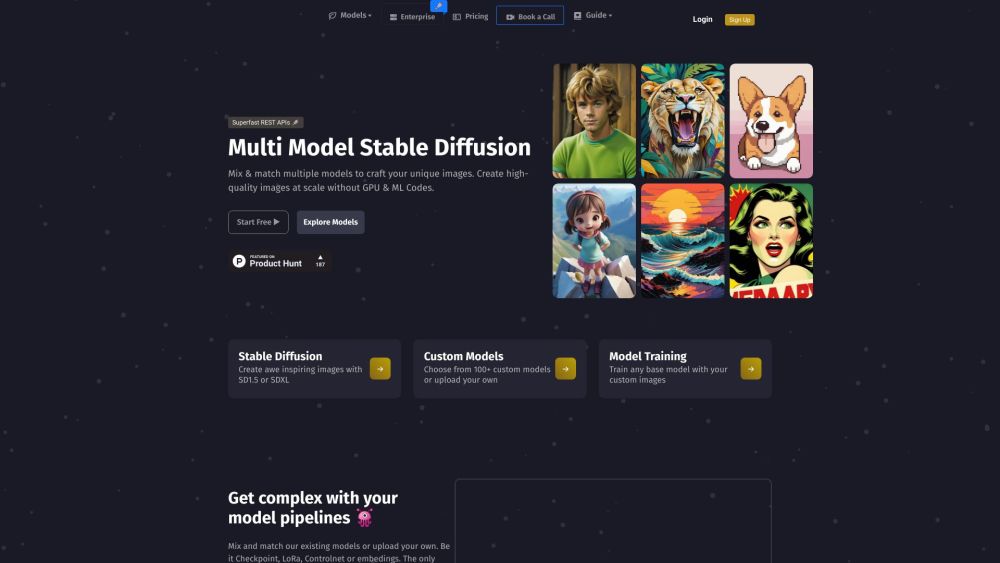
Image Pipeline website preview

Image Pipeline Website screenshot

Understanding Image Pipeline

Image Pipeline revolutionizes image creation, making advanced techniques accessible for everyone, from beginners to experts. Blend various pre-trained models like Checkpoint, LoRA, Controlnet, and embeddings, or bring your own models into the mix.

Utilizing Image Pipeline

Generate endless images effortlessly with our plug-and-play APIs. Concentrate on developing cutting-edge AI solutions without the hassle of GPU management.

Key Features of Image Pipeline

Lightning-fast REST APIs

High-quality image creation at an affordable cost

No need for GPU setup

Explore diverse models

Integration with Stable Diffusion

Custom model support

Model training capabilities

Applications of Image Pipeline

Stunning image generation

Face retention from a single image

Task-specific conditions

Develop new LoRA models

Edit images using masks and prompts

Expand creativity with outpainting

Extract fine details or upscale images by 4X

Incorporate lightweight textual inversion models

Select optimal scheduler functions

Built-in image safety checker

Product source: Image Pipeline official website. Check the provider for current plans, limits and availability.

FAQ

Image Pipeline questions and answers

Product context and practical checks for evaluating Image Pipeline.

What is Image Pipeline used for?

Image Pipeline: Simplify image generation effortlessly. Mix and match models or upload your own. Perfect for novices and pros alike.

How do I get started with Image Pipeline?

Open the official Image Pipeline website and identify the workflow that matches your task. Prepare a brief with a subject, composition, lighting and required output size. Test a first generation and a targeted revision to see how much control you retain.

Which capabilities are described for Image Pipeline?

Lightning-fast REST APIsHigh-quality image creation at an affordable costNo need for GPU setupExplore diverse modelsIntegration with Stable DiffusionCustom model supportModel training capabilities

What projects can I evaluate Image Pipeline for?

Stunning image generationFace retention from a single imageTask-specific conditionsDevelop new LoRA modelsEdit images using masks and promptsExpand creativity with outpaintingExtract fine details or upscale images by 4XIncorporate lightweight textual inversion modelsSelect optimal scheduler functionsBuilt-in image safety checker Image Pipeline Discord Join the Image Pipeline Discord: https://discord.gg/JtUj2ykjv9. For more messages, click here(/discord/jtuj2ykjv9). Image Pipeline Support For more information, visit our contact page(https://cal.com/imagepipeline/30min?date=2024-02-22&month=2024-02). About Image Pipeline Company name: Model Pipeline AI Inc. Located in Delaware, United States. Image Pipeline Login Access your account: https://www.imagepipeline.io/sign-in Image Pipeline Sign Up Create an account: https://www.imagepipeline.io/sign-up Image Pipeline Pricing View our pricing: https://www.imagepipeline.io/pricing Image Pipeline on Facebook Follow us: https://www.facebook.com/imagepipeline Image Pipeline on YouTube Subscribe: https://youtube.com/@imagepipeline Image Pipeline on LinkedIn Connect with us: https://www.linkedin.com/company/imagepipeline/ Image Pipeline on Twitter Follow us: https://twitter.com/imagepipeline Image Pipeline on Instagram Follow us: https://www.instagram.com/imagepipeline/ Image Pipeline on GitHub Explore our projects: https://huggingface.co/imagepipeline

What should I compare before choosing a Image Pipeline plan?

View our pricing: https://www.imagepipeline.io/pricing Confirm current prices and allowances on the provider’s website before purchasing.

What inputs should I prepare for a Image Pipeline trial?

Look for text prompts, image references, masks or sketches as appropriate. Compare composition control, supported upload types and the ability to revise a selected area.

How can I check the quality of a Image Pipeline result?

Inspect text, hands, edges, reflections and repeated objects at full size. Check that important product or brand details survive editing.

Which export options should I check in Image Pipeline?

Compare pixel dimensions, transparency, file formats and any enlargement options. Confirm that the downloaded result works in your design or publishing software.

What is a practical way to test Image Pipeline against alternatives?

Prepare a brief with a subject, composition, lighting and required output size. Test a first generation and a targeted revision to see how much control you retain.

Where is the official Image Pipeline website?

The website linked from this profile is https://www.imagepipeline.io. Use the provider’s own documentation, account area and support channels to confirm current product details.

Visit Image Pipeline