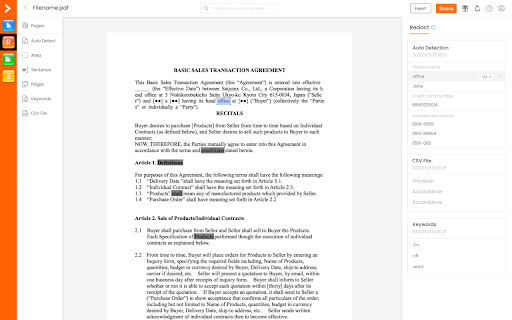
What is the iDox.ai Chrome Extension?
iDox.ai is a powerful Chrome extension designed for businesses to streamline document management through advanced redaction, comparison, and review features.
How to Use the iDox.ai Chrome Extension?
To get started, simply install the iDox.ai Chrome extension from the Chrome Web Store. Once installed, you can begin using its intuitive tools for efficient document handling, including redaction, document comparison, and contract review.
Key Features of the iDox.ai Chrome Extension
Automatic Detection and Redaction of Sensitive Data
Easily identify and redact confidential information with automation, ensuring your documents remain secure.
Document Comparison for Enhanced Accuracy
Compare two documents side by side to ensure consistency and catch discrepancies quickly.
Comprehensive Contract Review
Simplify contract analysis and risk mitigation by identifying key clauses and potential legal risks.
Practical Use Cases for the iDox.ai Chrome Extension
Secure Confidential Information
Ensure privacy by redacting sensitive information from your documents before sharing them.
Ensure Document Consistency
Use the document comparison feature to verify the accuracy of critical documents and prevent errors.
Accelerate Contract Workflow
Speed up contract review processes, reduce legal risks, and improve decision-making.