AI Advertising Assistant

iChatWithGPT

iChatWithGPT: Your AI assistant on iMessage, iPhone, Watch, Macbook, & CarPlay via Siri. Get answers, plan travel, find recipes, and vent stress, all hands-free!

iChatWithGPT website preview

Unlock the Power of iChatWithGPT
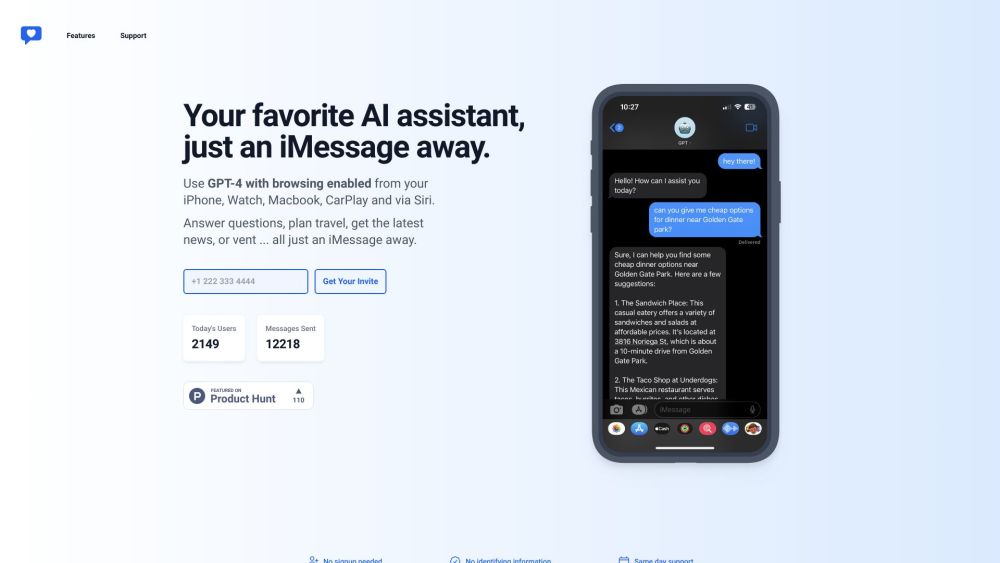
iChatWithGPT Website screenshot

Discover the endless possibilities with iChatWithGPT, your personal AI assistant available on iMessage, iPhone, Watch, Macbook, and CarPlay via Siri. Whether you're a busy professional looking for quick answers, travel planning assistance, recipe suggestions, or a listening ear, iChatWithGPT has got you covered.

Embrace Seamless Interaction

Using iChatWithGPT is simple and intuitive. Just open iMessage on your iPhone or Mac, initiate a conversation with the assistant, and explore a world of possibilities. From asking questions to organizing your schedule, the assistant is your go-to companion. With voice command support through Siri, hands-free assistance is just a request away. No signup required, just instant access to a wealth of features.

Explore the Versatile Features

Enhanced Web Browsing

Unleash Your Creativity

Stay Organized and On Track

Effortless Hands-Free Communication

Realize a Multitude of Use Cases

Answering Queries

Conducting Research Effortlessly

Planning Your Culinary Adventures

Seamless Travel Arrangements

Tailored Recommendations at Your Fingertips

Visualize Your Ideas with Ease

Never Miss a Task with Timely Reminders

Effortless Messaging Anytime, Anywhere

  • Connect with iChatWithGPT Support

    For any assistance or queries, reach out to our dedicated support team at [email protected].

  • Discover Flexible Pricing Options

    Explore our pricing plans and upgrade to unlock the full potential of iChatWithGPT. Visit here for more details.

Product source: iChatWithGPT official website. Check the provider for current plans, limits and availability.

FAQ

iChatWithGPT questions and answers

Product context and practical checks for evaluating iChatWithGPT.

What is iChatWithGPT used for?

iChatWithGPT: Your AI assistant on iMessage, iPhone, Watch, Macbook, & CarPlay via Siri. Get answers, plan travel, find recipes, and vent stress, all hands-free!

How do I get started with iChatWithGPT?

Open the official iChatWithGPT website and identify the workflow that matches your task. Choose one task with a clear success condition. Keep the input consistent, record the time spent reviewing and compare the complete workflow cost.

Which capabilities are described for iChatWithGPT?

Enhanced Web BrowsingUnleash Your CreativityStay Organized and On TrackEffortless Hands-Free Communication

What projects can I evaluate iChatWithGPT for?

Answering QueriesConducting Research EffortlesslyPlanning Your Culinary AdventuresSeamless Travel ArrangementsTailored Recommendations at Your FingertipsVisualize Your Ideas with EaseNever Miss a Task with Timely RemindersEffortless Messaging Anytime, Anywhere Connect with iChatWithGPT Support For any assistance or queries, reach out to our dedicated support team at [email protected]. Discover Flexible Pricing Options Explore our pricing plans and upgrade to unlock the full potential of iChatWithGPT. Visit here for more details.

What should I compare before choosing a iChatWithGPT plan?

Explore our pricing plans and upgrade to unlock the full potential of iChatWithGPT. Visit here for more details. Confirm current prices and allowances on the provider’s website before purchasing.

What inputs should I prepare for a iChatWithGPT trial?

Identify the files, text or account connections your task needs. Confirm that the product accepts those inputs and offers controls for reviewing its work.

How can I check the quality of a iChatWithGPT result?

Test one representative task and inspect the result for accuracy and completeness. Record where manual corrections or extra tools are needed.

Which export options should I check in iChatWithGPT?

Check export formats, integrations and whether you can keep using your work outside the service. Test a real export before committing to a longer plan.

What is a practical way to test iChatWithGPT against alternatives?

Choose one task with a clear success condition. Keep the input consistent, record the time spent reviewing and compare the complete workflow cost.

Where is the official iChatWithGPT website?

The website linked from this profile is . Use the provider’s own documentation, account area and support channels to confirm current product details.