AI Content Generator

I Have a Dream

I Have a Dream: AI Tool transforms your text into viral videos effortlessly. Elevate your content with AI-driven video creation in seconds!

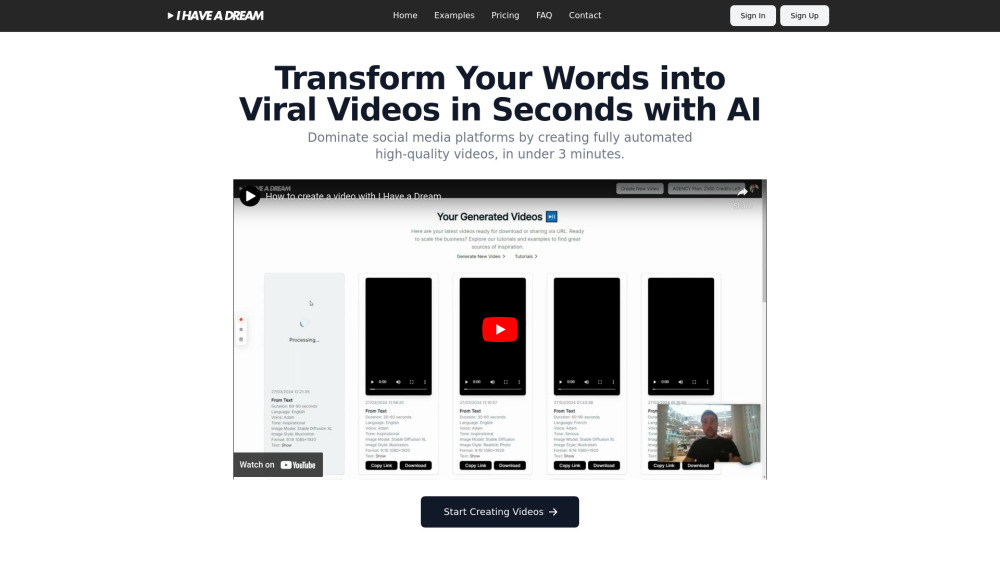
I Have a Dream website preview

I Have a Dream Website screenshot

Introducing "I Have a Dream": Your AI-Driven Tool for Viral Video Creation

"I Have a Dream" is an innovative AI-powered platform designed to turn your text into captivating, share-worthy videos effortlessly. By automating key tasks such as scriptwriting, image generation, voiceover production, and video editing, this tool is set to transform how content creators produce viral videos for social media.

Getting Started with "I Have a Dream"

Using "I Have a Dream" is straightforward. Just enter your desired text or relevant keywords, and let the AI handle the rest. The tool swiftly generates a polished video complete with script, visuals, voiceover, subtitles, and seamless editing, all tailored to engage your audience on social platforms.

Key Features of "I Have a Dream"

Text-to-Video Automation

AI-Driven Scriptwriting

Automatic Image and Subtitle Generation

Optimized Video Formats for Social Media

Practical Applications of "I Have a Dream"

Create Engaging Social Media Videos

Enhance Narratives with AI-Created Visuals

Drive Sales with Compelling Video Content

  • Customer Support and Contact Information

    For support, visit the Contact Us page.

  • Login to "I Have a Dream"

    Access your account here: Sign In.

  • Sign Up for "I Have a Dream"

    Create a new account here: Sign Up.

  • Explore Pricing Plans

    Check out our subscription options: Pricing.

  • Follow "I Have a Dream" on YouTube

    Watch tutorials and updates: YouTube Channel.

  • Connect with Us on Twitter

    Stay updated with our latest news: Twitter.

Product source: I Have a Dream official website. Check the provider for current plans, limits and availability.

FAQ

I Have a Dream questions and answers

Product context and practical checks for evaluating I Have a Dream.

What is I Have a Dream used for?

I Have a Dream: AI Tool transforms your text into viral videos effortlessly. Elevate your content with AI-driven video creation in seconds!

How do I get started with I Have a Dream?

Using "I Have a Dream" is straightforward. Just enter your desired text or relevant keywords, and let the AI handle the rest. The tool swiftly generates a polished video complete with script, visuals, voiceover, subtitles, and seamless editing, all tailored to engage your audience on social platforms.

Which capabilities are described for I Have a Dream?

Text-to-Video AutomationAI-Driven ScriptwritingAutomatic Image and Subtitle GenerationOptimized Video Formats for Social Media

What projects can I evaluate I Have a Dream for?

Create Engaging Social Media VideosEnhance Narratives with AI-Created VisualsDrive Sales with Compelling Video Content Customer Support and Contact Information For support, visit the Contact Us page. Login to "I Have a Dream" Access your account here: Sign In. Sign Up for "I Have a Dream" Create a new account here: Sign Up. Explore Pricing Plans Check out our subscription options: Pricing. Follow "I Have a Dream" on YouTube Watch tutorials and updates: YouTube Channel. Connect with Us on Twitter Stay updated with our latest news: Twitter.

What should I compare before choosing a I Have a Dream plan?

Check out our subscription options: Pricing. Confirm current prices and allowances on the provider’s website before purchasing.

What inputs should I prepare for a I Have a Dream trial?

Compare text prompts, reference frames, source footage and audio support. Check duration, aspect ratio and whether the tool lets you keep a subject consistent between shots.

How can I check the quality of a I Have a Dream result?

Watch the entire clip for motion errors, distorted objects, changing identities, lip-sync problems and abrupt transitions. Inspect the downloaded file as well as the preview.

Which export options should I check in I Have a Dream?

Check export resolution, frame rate, aspect ratio, audio tracks and watermark rules. A good preview is not a substitute for an export that fits your publishing channel.

What is a practical way to test I Have a Dream against alternatives?

Use a short shot with one subject and one camera movement. Keep the prompt and duration constant, then compare usable seconds and the number of regenerations.

Where is the official I Have a Dream website?

The website linked from this profile is https://. Use the provider’s own documentation, account area and support channels to confirm current product details.

Visit I Have a Dream