AI Blog Writer

Humanizer.org

Humanizer.org: AI tool to humanize text, ensuring authentic, natural-sounding content. Explore use cases, pricing, reviews, features & alternatives.

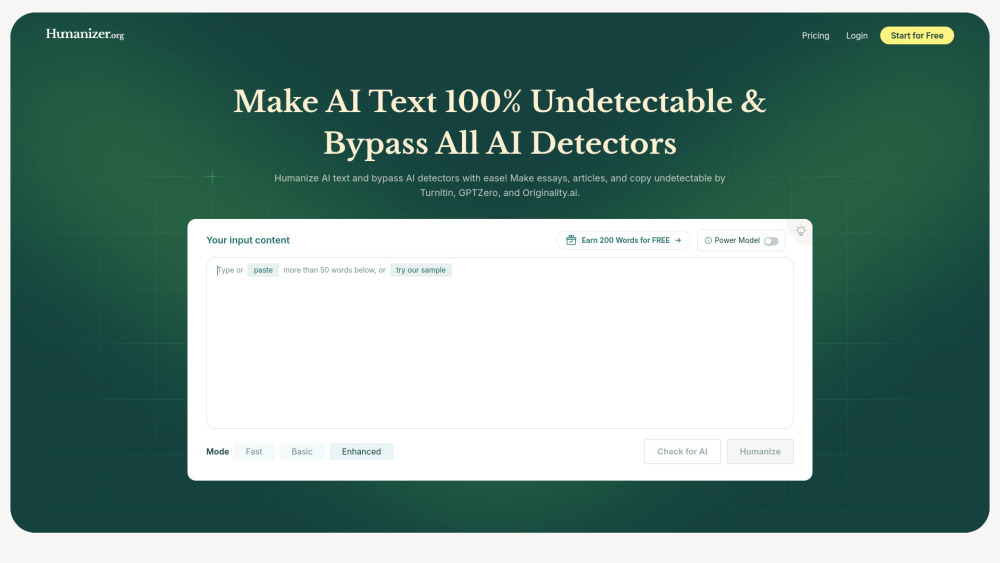
Humanizer.org website preview

Humanizer.org Website screenshot

What is Humanizer.org?

Humanizer.org is an advanced AI-powered platform designed to convert robotic, artificial-sounding text into natural, human-like content. By refining tone, structure, and flow, it ensures that machine-generated writing passes as authentic human work—ideal for evading AI detection while preserving clarity and intent.

How to Use Humanizer.org?

Using Humanizer.org is simple: paste your AI-written content into the input box, select your preferred settings (such as tone or language), hit the “Humanize” button, and instantly receive a revised version that reads like it was written by a real person.

Core Features of Humanizer.org

Converts AI-generated text into natural, conversational language

Effectively bypasses leading AI content detectors

Offers support for over 50 global languages

Delivers unique, plagiarism-free output with every use

Key Use Cases of Humanizer.org

Students polishing AI-assisted essays and research papers

Digital marketers and bloggers enhancing AI-drafted articles

Companies crafting more relatable emails, ads, and customer messages

Product source: Humanizer.org official website. Check the provider for current plans, limits and availability.

FAQ

Humanizer.org questions and answers

Product context and practical checks for evaluating Humanizer.org.

What is Humanizer.org used for?

Humanizer.org: AI tool to humanize text, ensuring authentic, natural-sounding content. Explore use cases, pricing, reviews, features & alternatives.

How do I get started with Humanizer.org?

Using Humanizer.org is simple: paste your AI-written content into the input box, select your preferred settings (such as tone or language), hit the “Humanize” button, and instantly receive a revised version that reads like it was written by a real person.

Which capabilities are described for Humanizer.org?

Converts AI-generated text into natural, conversational languageEffectively bypasses leading AI content detectorsOffers support for over 50 global languagesDelivers unique, plagiarism-free output with every use

What projects can I evaluate Humanizer.org for?

Students polishing AI-assisted essays and research papersDigital marketers and bloggers enhancing AI-drafted articlesCompanies crafting more relatable emails, ads, and customer messages

What should I compare before choosing a Humanizer.org plan?

View all subscription options and plans at: https://humanizer.org/pricing Confirm current prices and allowances on the provider’s website before purchasing.

What inputs should I prepare for a Humanizer.org trial?

Compare support for source documents, style instructions, outlines and length limits. Check whether citations link to real material rather than merely looking like references.

How can I check the quality of a Humanizer.org result?

Verify names, dates, quotations and factual claims against the original sources. Edit tone, remove repetition and make sure the text answers the intended reader’s question.

Which export options should I check in Humanizer.org?

Check export to plain text, Markdown, documents or your publishing system. Formatting, headings and working links matter when moving a draft into production.

What is a practical way to test Humanizer.org against alternatives?

Use a real brief and a short source document. Compare factual accuracy, structure and editing time rather than accepting the longest or most confident draft.

Where is the official Humanizer.org website?

The website linked from this profile is https://humanizer.org. Use the provider’s own documentation, account area and support channels to confirm current product details.

Visit Humanizer.org