Table of contents
HoverNotes: AI-Powered Video-to-Obsidian Notes Converter
HoverNotes: Turn video tutorials into smart, linked Obsidian notes—fast. AI extracts key concepts, timestamps & structure. Learn deeper, not harder.
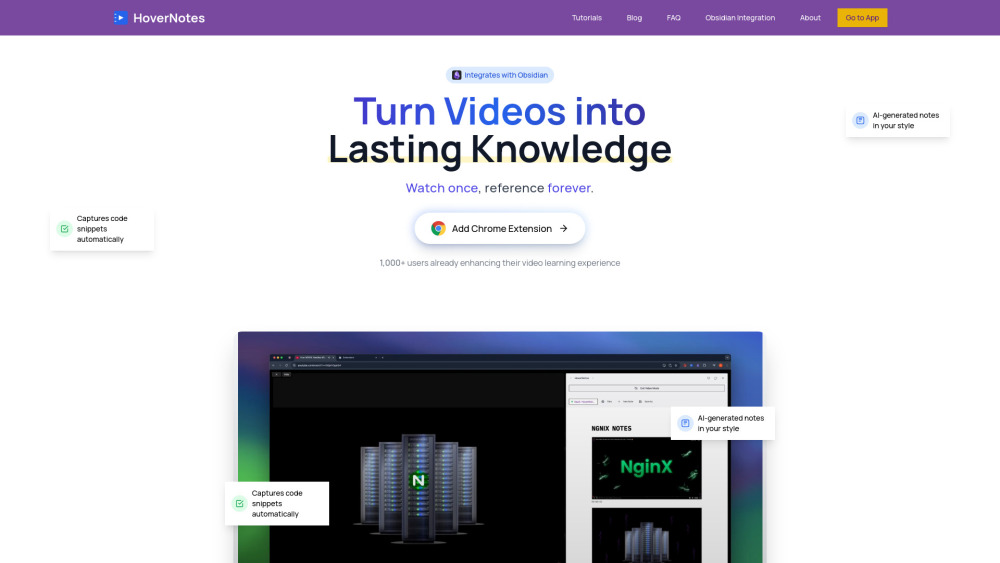
Introducing HoverNotes: Where Video Learning Meets Obsidian Knowledge
HoverNotes is a purpose-built Chrome extension that bridges the gap between passive video watching and active, permanent knowledge building. It intelligently converts instructional videos—from YouTube coding walkthroughs and Coursera lectures to Udemy deep dives and internal training reels—into rich, searchable, timestamped Obsidian notes—*without ever sending your video data to the cloud*. Leveraging on-device AI analysis, HoverNotes extracts key concepts, detects and formats code blocks with syntax awareness, captures contextual screenshots at any moment, and structures everything in clean, portable Markdown. Your notes stay 100% local, encrypted in your own Obsidian vault—giving you full ownership, zero tracking, and seamless integration into your existing second-brain workflow.
Getting Started in Seconds
Install the HoverNotes extension from the Chrome Web Store, then launch it while playing any supported video. A lightweight, non-intrusive panel appears beside the player—no tab switching, no copy-pasting. As the video plays, HoverNotes listens, interprets, and documents in real time: summarizing explanations, isolating executable code, and letting you capture frame-accurate screenshots with one click. Every output syncs instantly to your local Obsidian vault as human-readable .md files—ready for linking, tagging, and refining using Obsidian’s full ecosystem.
Why Learners & Builders Choose HoverNotes
Real-time AI comprehension—no transcript required
Intelligent code detection with language-aware syntax highlighting
One-click timestamped screenshots embedded directly into notes
Zero-data-leak architecture: All processing happens locally; notes never leave your machine
Built-in focus mode: Cleans up distractions—removes recommendations, comments, and sidebar clutter
Broad platform coverage: Works natively on YouTube, Udemy, Coursera, Vimeo, Bilibili, LMS portals, and custom-hosted video pages
AI-powered deep summaries (Pro feature)
Faster processing queues & early access to experimental AI models (Pro)
Unlimited exports, priority support, and beta feature unlocks (Unlimited Pro)
Who Benefits Most?
Students turning MOOC lectures into revision-ready, interlinked study notes.
Developers documenting API demos, framework tutorials, or CLI walkthroughs—with live code examples preserved.
Technical writers and educators capturing best practices from recorded sessions or peer reviews.
Lifelong learners building a personal knowledge base where every video becomes a citable, searchable node.
Teams standardizing onboarding—converting training videos into maintainable, version-controlled documentation.
Frequently Asked Questions
-
How does HoverNotes understand videos without transcripts?
-
Is my data safe? Where are my notes stored?
-
Which platforms work out-of-the-box?
-
Support & Contact
Have questions or need help? Reach our friendly team at https://hovernotes.io/contact.
-
About HoverNotes
HoverNotes is developed by a small team of educators, developers, and knowledge-management enthusiasts committed to ethical AI and user sovereignty. Learn more about our mission and values: https://hovernotes.io/about.
-
Follow Our Journey
Subscribe for tips, updates, and tutorial walkthroughs: YouTube Channel.
FAQ from HoverNotes
What is HoverNotes?
HoverNotes is a privacy-first Chrome extension that transforms educational videos into structured, searchable Obsidian notes—powered by on-device AI. It captures concepts, code, visuals, and context in real time—keeping everything local, secure, and deeply integrated with your knowledge system.
How to use HoverNotes?
Install → Play a video → Click the HoverNotes icon → Watch and learn. Your notes auto-generate and save to your Obsidian vault as plain Markdown. No setup, no syncing delays, no cloud dependencies.
How does the AI note-taking work?
HoverNotes uses optimized, lightweight AI models that run entirely in your browser. It analyzes audio, visual cues (like on-screen code), and playback timing to infer meaning—generating accurate, concise notes *as you watch*, not after.
Is my data safe? Where are my notes stored?
100% local. HoverNotes never uploads your videos, transcripts, or notes. All AI processing occurs in-browser; outputs write only to your designated Obsidian folder. Your vault stays yours—always.
Which platforms work out-of-the-box?
YouTube, Vimeo, Coursera, Udemy, Bilibili, and most HTML5-based video players—including corporate LMS, university portals, and self-hosted sites. Free tier includes YouTube + Bilibili; Pro unlocks full platform access.
Chrome extensionnote takingknowledge managementprivacy-focusedVideo LearningStudy toolsDeveloper toolsdeveloper productivityvideo documentationObsidian Pluginlearning toolsvideo tutorialsknowledge graphAI note-takingvideo notesMarkdown editorLocal storageObsidian notesMarkdown notesObsidian integrationObsidian vaultLocal-firstUdemy notesCoursera notesYouTube notesVimeo notesSkillshare notesBilibili notesTed Talk notesOnline course notesVideo course notesEducational video notesLearning productivityConnected learning