AI Chatbot

GPT-3 for Android

Unlock GPT-3's AI brilliance on your Android! Get instant access to powerful, intelligent responses, all in your pocket with GPT-3 for Android.

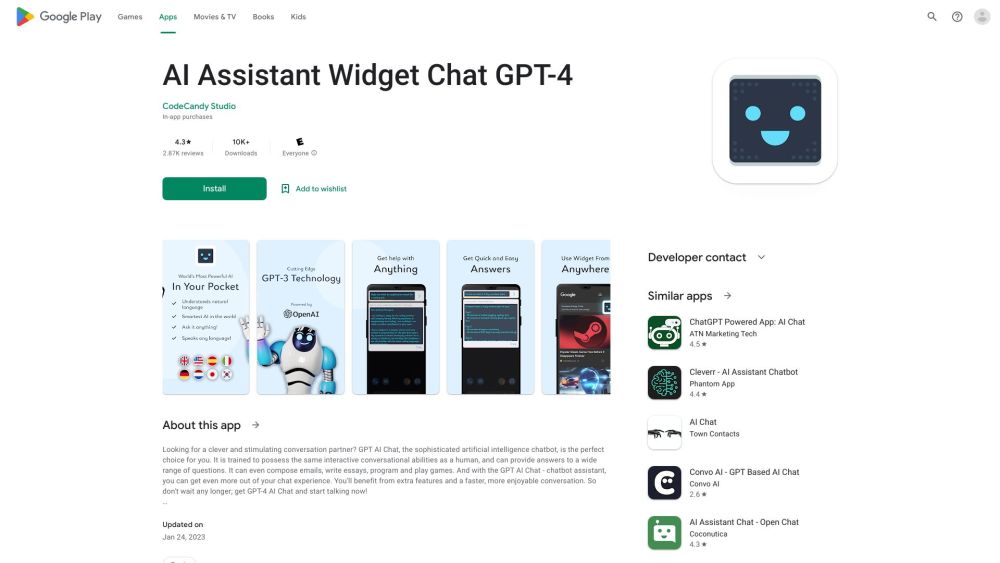
GPT-3 for Android website preview

GPT-3 for Android Website screenshot

What is GPT-3 for Android?

GPT-3 for Android is your gateway to harnessing the full potential of GPT-3 directly on your Android device. This app transforms the way you interact with your phone, making everyday tasks simpler, more efficient, and engaging.

How to use GPT-3 for Android?

Getting started with GPT-3 for Android is a breeze. Download the app, follow the intuitive setup process, and you'll be ready to explore the advanced features of GPT-3 without needing to switch between different applications.

Key Features of GPT-3 for Android

Direct access to GPT-3 on Android devices

Effortless integration with your favorite apps

Quick and easy installation process

Use Cases of GPT-3 for Android

Engage in conversations with an AI assistant

Receive immediate answers to queries

Create unique and creative content

Translate languages while traveling

Tackle complex problems efficiently

Product source: GPT-3 for Android official website. Check the provider for current plans, limits and availability.

FAQ

GPT-3 for Android questions and answers

Product context and practical checks for evaluating GPT-3 for Android.

What is GPT-3 for Android used for?

Unlock GPT-3's AI brilliance on your Android! Get instant access to powerful, intelligent responses, all in your pocket with GPT-3 for Android.

How do I get started with GPT-3 for Android?

Getting started with GPT-3 for Android is a breeze. Download the app, follow the intuitive setup process, and you'll be ready to explore the advanced features of GPT-3 without needing to switch between different applications.

Which capabilities are described for GPT-3 for Android?

Direct access to GPT-3 on Android devicesEffortless integration with your favorite appsQuick and easy installation process

What projects can I evaluate GPT-3 for Android for?

Engage in conversations with an AI assistantReceive immediate answers to queriesCreate unique and creative contentTranslate languages while travelingTackle complex problems efficiently

What should I compare before choosing a GPT-3 for Android plan?

Check GPT-3 for Android’s current pricing page for included usage, renewal terms and any credit charges. Compare the cost of a usable result, including retries, rather than assuming that account registration includes free usage.

What inputs should I prepare for a GPT-3 for Android trial?

Identify the files, text or account connections your task needs. Confirm that the product accepts those inputs and offers controls for reviewing its work.

How can I check the quality of a GPT-3 for Android result?

Test one representative task and inspect the result for accuracy and completeness. Record where manual corrections or extra tools are needed.

Which export options should I check in GPT-3 for Android?

Check export formats, integrations and whether you can keep using your work outside the service. Test a real export before committing to a longer plan.

What is a practical way to test GPT-3 for Android against alternatives?

Choose one task with a clear success condition. Keep the input consistent, record the time spent reviewing and compare the complete workflow cost.

Where is the official GPT-3 for Android website?

The website linked from this profile is https://. Use the provider’s own documentation, account area and support channels to confirm current product details.

Visit GPT-3 for Android