AI Content Generator

GoSearch

Enterprise search with instant answers powered by genAI

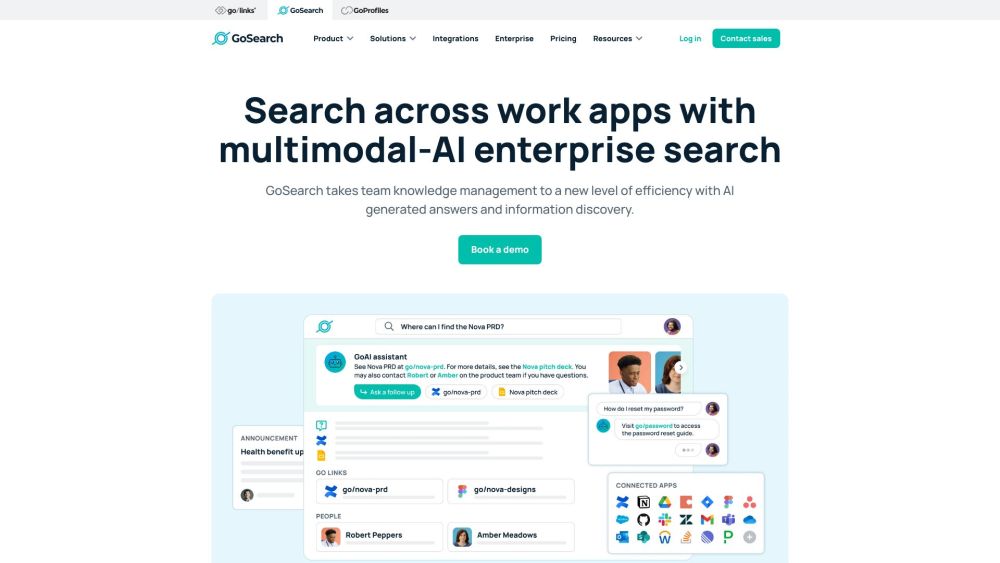
GoSearch website preview

GoSearch Website screenshot

What is GoSearch?

GoSearch is an advanced enterprise search solution offering immediate answers with the help of generative AI.

How to use GoSearch?

Enhance your organization's information retrieval and data discovery processes with GoSearch, which provides a unified platform for managing enterprise knowledge.

GoSearch's Core Features

AI-Powered Recommendations

Enterprise ChatGPT Assistant

AI Summary of Results

Image-Based Search

URL-Based Search

Custom Enterprise GPTs

Integration with Over 100 Apps and Data Connectors

Centralized Company Announcements

Employee Q&A and Centralized Discussion

Comprehensive Security Including BYOC and Enterprise-Grade Measures

GoSearch's Use Cases

Unified Search Across Internal Data

Accelerating Workflow by Reducing Manual Searches

Providing Personalized Recommendations

Summarizing Key Findings Concisely

Image and URL-Based Searches

Custom GPTs for Task Automation

Extracting Insights from Multiple Sources

Streamlined Communication Through Announcements

Facilitating Centralized Discussions and Q&A

Ensuring High Levels of Security and Privacy

Product source: GoSearch official website. Check the provider for current plans, limits and availability.

FAQ

GoSearch questions and answers

Product context and practical checks for evaluating GoSearch.

What is GoSearch used for?

Enterprise search with instant answers powered by genAI

How do I get started with GoSearch?

Enhance your organization's information retrieval and data discovery processes with GoSearch, which provides a unified platform for managing enterprise knowledge.

Which capabilities are described for GoSearch?

AI-Powered RecommendationsEnterprise ChatGPT AssistantAI Summary of ResultsImage-Based SearchURL-Based SearchCustom Enterprise GPTsIntegration with Over 100 Apps and Data ConnectorsCentralized Company AnnouncementsEmployee Q&A and Centralized DiscussionComprehensive Security Including BYOC and Enterprise-Grade Measures

What projects can I evaluate GoSearch for?

Unified Search Across Internal DataAccelerating Workflow by Reducing Manual SearchesProviding Personalized RecommendationsSummarizing Key Findings ConciselyImage and URL-Based SearchesCustom GPTs for Task AutomationExtracting Insights from Multiple SourcesStreamlined Communication Through AnnouncementsFacilitating Centralized Discussions and Q&AEnsuring High Levels of Security and Privacy GoSearch Support Email & Customer Service Contact & Refund Information For more contact details, please visit the contact us page. GoSearch Company Information Company Name: GoLinks®, Inc. Learn more about GoSearch at the about us page. GoSearch Login Access your account at GoSearch Login. GoSearch Pricing For pricing details, visit GoSearch Pricing. GoSearch on Social Media Follow us on: Facebook YouTube LinkedIn Twitter Instagram

What should I compare before choosing a GoSearch plan?

For pricing details, visit GoSearch Pricing. Confirm current prices and allowances on the provider’s website before purchasing.

What inputs should I prepare for a GoSearch trial?

Check supported documents, datasets and source access. Establish whether the product can inspect your actual material rather than answer from general knowledge.

How can I check the quality of a GoSearch result?

Follow citations to the original source, recalculate important numbers and check the date and scope of the evidence. Distinguish an explanation from a verified result.

Which export options should I check in GoSearch?

Look for usable citations, tables, downloadable data and reproducible steps. A clear answer should let another person inspect how the conclusion was reached.

What is a practical way to test GoSearch against alternatives?

Choose a question with known sources and a checkable result. Compare citation accuracy, omissions and reproducibility rather than response length.

Where is the official GoSearch website?

The website linked from this profile is https://www.gosearch.ai. Use the provider’s own documentation, account area and support channels to confirm current product details.

Visit GoSearch