Table of contents
Google AI Studio : No-Code Prototyping & Deployment for Gemini
Build smarter apps faster with Google AI Studio—your no-code/low-code platform for prototyping, testing, and deploying Gemini AI models.
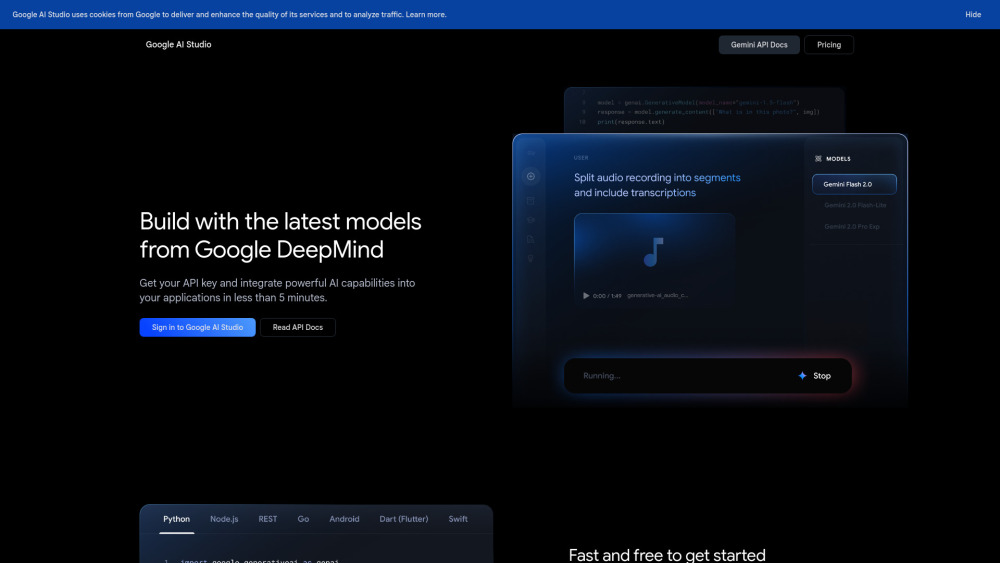
What Is Google AI Studio?
Google AI Studio is Google’s intuitive, browser-based environment built specifically for fast, no-code prototyping and lightweight deployment of applications powered by Gemini — its state-of-the-art family of multimodal generative AI models. Designed for developers, product teams, and AI enthusiasts alike, it removes infrastructure overhead and coding friction, letting users experiment, iterate, and ship AI features in minutes — not weeks. With instant API key generation, real-time playground testing, and one-click integration paths, AI Studio bridges the gap between idea and implementation, supporting text, code, images, audio, and video understanding — all within a single, unified interface.
How to Use Google AI Studio (No-Code Workflow)
Getting started requires zero setup: sign in with your Google account, generate an API key in seconds, and begin prototyping immediately in the interactive prompt playground. Adjust model parameters, upload files (PDFs, images, videos), test multimodal inputs, and preview structured outputs — all without writing a line of code. When ready, export your working prompt flow as production-ready API calls or embed directly into web apps using client-side SDKs. The platform’s visual feedback, latency metrics, and response history accelerate iteration, while the free tier enables risk-free exploration across all Gemini capabilities — from function calling to long-context reasoning.
Google AI Studio’s Core Features
No-code prompt engineering & real-time testing
One-click Gemini API key provisioning
Native multimodal input support (text, code, images, audio, video)
Industry-leading 2M-token context window for deep document analysis
Context caching to reduce latency and cost in repeated interactions
Search grounding for factually anchored, up-to-date responses
Free tier with generous usage limits for prototyping and learning
Scalable pay-as-you-go plans for production workloads
Real-World Use Cases Enabled by AI Studio
Video summarization & scene-level understanding
Auto-generating JSON, XML, or YAML from natural language
Intelligent code suggestions, debugging, and documentation
Conversational chatbots with memory and persona control
Image captioning, visual Q&A, and diagram interpretation
Audio transcription with speaker diarization and sentiment cues
Tool-using agents via native function calling
Multi-page PDF analysis, contract extraction, and compliance review
Cross-modal search (e.g., “find slides matching this code snippet”)
Safe, sandboxed code execution for dynamic output generation
Frequently Asked Questions (FAQ)
-
What’s the difference between the Gemini API ‘free tier’ and ‘paid tier’?
-
Is Google AI Studio truly free to use — including prototyping and API access?
-
Does Google store or train on my prompts and uploaded data?
-
How does pricing compare between Google AI Studio and Vertex AI?
-
Google AI Studio Support & Contact Information
For technical assistance, billing inquiries, or refund requests, visit the official contact us page().
-
About Google AI Studio
Google AI Studio is a product of Google LLC.
Corporate address: 1600 Amphitheatre Parkway, Mountain View, CA 94043, USA.
Learn more about Google’s AI vision and responsible development practices on the about us page().
-
Google AI Studio Login
Access the platform instantly at: https://ai.google.dev/gemini-api/docs
-
Google AI Studio Sign Up
FAQ from Google AI Studio
What is Google AI Studio?
Google AI Studio is a streamlined, no-code-first platform that empowers builders to prototype, refine, and deploy Gemini-powered experiences — from chat interfaces to multimodal analyzers — without managing servers, writing boilerplate, or configuring authentication manually. Its integrated playground, visual parameter controls, and instant API key delivery make it ideal for validating ideas before scaling to production environments like Vertex AI.
How do I use Google AI Studio?
Start by signing in → selecting a Gemini model → uploading sample media or entering prompts → adjusting temperature, safety settings, or output format → then observing real-time results. Save successful configurations as reusable templates, generate curl/Python snippets, or connect directly to frontend frameworks. It’s purpose-built for speed, experimentation, and low-friction handoff to engineering teams.
What’s the difference between the Gemini API ‘free tier’ and ‘paid tier’?
The free tier provides full model access with moderate rate limits — perfect for learning, demos, and small-scale prototypes. The paid tier unlocks higher throughput, priority routing, enhanced SLAs, enterprise-grade data handling (including opt-out of model improvement), and dedicated support — designed for mission-critical integrations.
Is Google AI Studio completely free to use?
Yes — access to the UI, playground, prompt history, file uploads, and API key generation is entirely free. The free tier includes usage allowances for Gemini API calls, enabling robust prototyping across all modalities without upfront cost or credit card requirement.
Are my inputs used to improve Google products?
In the free tier, anonymized inputs may contribute to model evaluation and safety research. In the paid tier, customer data is excluded from training and model improvement pipelines by default — aligning with strict enterprise data governance policies.
Do prices on Google AI Studio differ from Vertex AI?
Yes. Google AI Studio offers simplified, consumption-based pricing optimized for developers and startups. Vertex AI provides granular resource control, custom model hosting, and MLOps tooling — with separate pricing tiers reflecting those advanced capabilities. Always refer to the Vertex AI pricing page for comparison.