AI Content Generator

Gooey.AI

Gooey.AI: Simplify your AI journey with our low-code platform. Build and deploy workflows using the latest models from OpenAI, Stability, and Google.

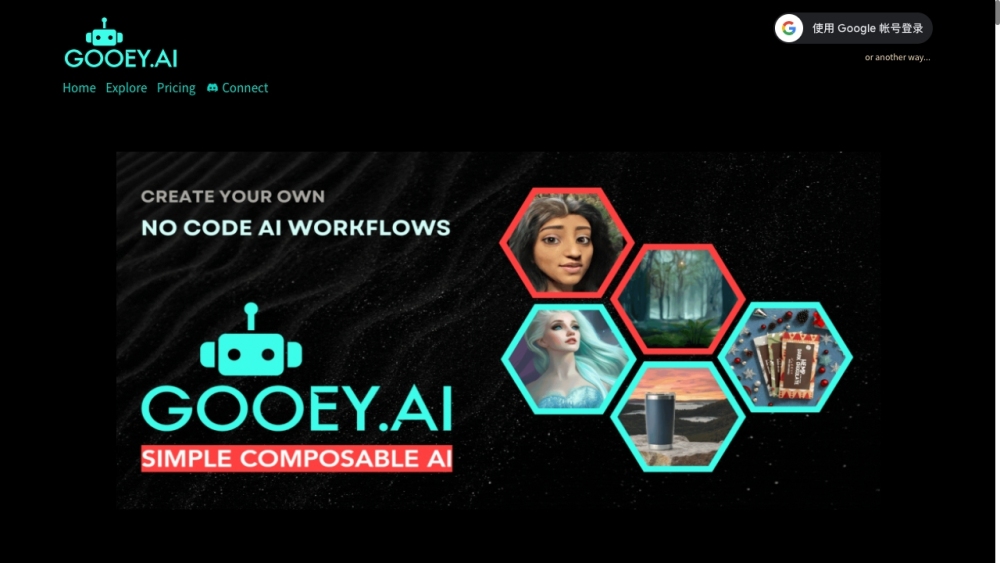
Gooey.AI website preview

Gooey.AI Website screenshot

What is Gooey.AI?

Gooey.AI is a groundbreaking platform that democratizes the use of Generative AI by offering a low-code environment designed for building and deploying AI workflows. It empowers users to leverage advanced AI models from providers like OpenAI, Stability, Google, and others, making it easier to bring creative and functional AI solutions to life.

How to use Gooey.AI?

Using Gooey.AI is straightforward. After creating an account, users can explore the diverse range of available AI models and workflows. They can build personalized AI workflows by selecting and modifying pre-designed components or adjust existing workflows to meet their specific requirements. Gooey.AI simplifies the integration of AI features into websites or applications, eliminating the need for deep coding expertise. Additionally, users can publish their AI solutions as APIs, making them accessible to a broader audience.

Gooey.AI's Core Features

1. Comprehensive access to AI models: Gooey.AI offers a wide array of AI models from industry leaders such as OpenAI, Stability, and Google. 2. Customizable workflows: Users can effortlessly create and tailor AI workflows using pre-built components. 3. No-code environment: Gooey.AI enables the incorporation of AI into websites or apps without requiring extensive coding knowledge. 4. API integration: Users can seamlessly connect their sites and apps to a multitude of APIs or develop their own APIs with Gooey.AI. 5. Visual content creation tools: Gooey.AI includes powerful tools for generating and editing images and animations, enhancing visual content creation.

Gooey.AI's Use Cases

1. Conversational information access: Gooey.AI can facilitate conversational access to vetted documents and videos for various users, including farmers. 2. Data management and analysis: Users can parse, summarize, and analyze data from multiple sources, including PDFs, Google Docs, and websites. They can also create interactive chatbots or videobots for data retrieval and analysis. 3. Visual content creation: Gooey.AI allows users to produce AI-generated art, create digital portraits, edit images, enhance low-resolution photos, and more. 4. Traffic generation: Gooey.AI provides SEO tools and AI-generated content to help businesses attract and engage their target audience.

Product source: Gooey.AI official website. Check the provider for current plans, limits and availability.

FAQ

Gooey.AI questions and answers

Product context and practical checks for evaluating Gooey.AI.

What is Gooey.AI used for?

Gooey.AI: Simplify your AI journey with our low-code platform. Build and deploy workflows using the latest models from OpenAI, Stability, and Google.

How do I get started with Gooey.AI?

Using Gooey.AI is straightforward. After creating an account, users can explore the diverse range of available AI models and workflows. They can build personalized AI workflows by selecting and modifying pre-designed components or adjust existing workflows to meet their specific requirements. Gooey.AI simplifies the integration of AI features into websites or applications, eliminating the need for deep coding expertise. Additionally, users can publish their AI solutions as APIs, making them accessible to a broader audience.

Which capabilities are described for Gooey.AI?

1. Comprehensive access to AI models: Gooey.AI offers a wide array of AI models from industry leaders such as OpenAI, Stability, and Google. 2. Customizable workflows: Users can effortlessly create and tailor AI workflows using pre-built components. 3. No-code environment: Gooey.AI enables the incorporation of AI into websites or apps without requiring extensive coding knowledge. 4. API integration: Users can seamlessly connect their sites and apps to a multitude of APIs or develop their own APIs with Gooey.AI. 5. Visual content creation tools: Gooey.AI includes powerful tools for generating and editing images and animations, enhancing visual content creation.

What projects can I evaluate Gooey.AI for?

1. Conversational information access: Gooey.AI can facilitate conversational access to vetted documents and videos for various users, including farmers. 2. Data management and analysis: Users can parse, summarize, and analyze data from multiple sources, including PDFs, Google Docs, and websites. They can also create interactive chatbots or videobots for data retrieval and analysis. 3. Visual content creation: Gooey.AI allows users to produce AI-generated art, create digital portraits, edit images, enhance low-resolution photos, and more. 4. Traffic generation: Gooey.AI provides SEO tools and AI-generated content to help businesses attract and engage their target audience. Gooey.AI Discord Join the Gooey.AI community on Discord: https://discord.com/invite/7C84UyzVDg. For more details, click here(/discord/7c84uyzvdg). Gooey.AI Support Email & Customer service contact & Refund contact etc. For customer service, contact Gooey.AI support at: [email protected]. For more contact information, visit the contact us page(https://www.help.gooey.ai/contact). Gooey.AI Company Company name: Gooey.AI / Dara.network Inc. Gooey.AI Login Login to Gooey.AI here: https://gooey.ai/account/ Gooey.AI Sign up Sign up for Gooey.AI here: https://gooey.ai/account/ Gooey.AI Pricing Check Gooey.AI pricing plans here: https://gooey.ai/pricing Gooey.AI Youtube Visit the Gooey.AI YouTube channel: https://www.youtube.com/@gooeyaiGooey.AI Github Explore Gooey.AI on GitHub: https://github.com/GooeyAI

What should I compare before choosing a Gooey.AI plan?

Check Gooey.AI pricing plans here: https://gooey.ai/pricing Confirm current prices and allowances on the provider’s website before purchasing.

What inputs should I prepare for a Gooey.AI trial?

Compare repository access, context limits, supported languages and tool permissions. Check whether the assistant can read relevant files and run your existing checks.

How can I check the quality of a Gooey.AI result?

Review the diff, run tests and inspect error handling and dependency changes. Generated code should meet the same review standard as a human contribution.

Which export options should I check in Gooey.AI?

Prefer changes you can inspect and keep in version control. Check whether code, tests and configuration can be exported without depending on a hosted preview.

What is a practical way to test Gooey.AI against alternatives?

Choose a small reproducible bug with an existing failing check. Measure whether the tool fixes the cause, preserves behavior and produces a reviewable change.

Where is the official Gooey.AI website?

The website linked from this profile is https://gooey.ai. Use the provider’s own documentation, account area and support channels to confirm current product details.

Visit Gooey.AI