AI Advertising Assistant

GoodListen

Discover and share your favorite podcast moments with GoodListen! Powered by AI, find and enjoy perfect podcast clips and episodes effortlessly.

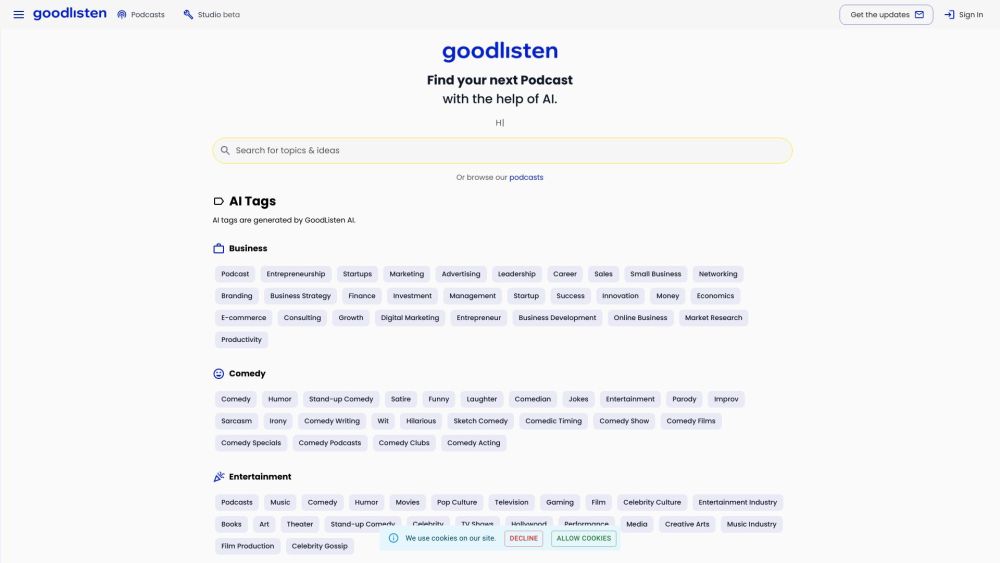
GoodListen website preview

GoodListen Website screenshot

What is GoodListen?

GoodListen is an innovative AI-driven platform designed to enhance your podcast experience. It enables users to efficiently search, listen to, discover, and share podcast episodes and clips with ease, utilizing cutting-edge AI technology to ensure precise search results.

How to use GoodListen?

1. Search: Enter keywords or phrases related to your desired podcast topic in the AI-enhanced search bar.
2. Listen: Select a podcast episode or clip from the search results and control playback as needed.
3. Discover: Explore trending categories to find popular podcasts suggested by the AI.
4. Share: Easily share podcast episodes or clips through various social media platforms.

GoodListen's Core Features

Advanced AI Search

Trending Podcast Categories

AI-Generated Tags for Easy Categorization

Comprehensive Search, Listen, Discover, and Share Capabilities

GoodListen's Use Cases

Finding Business Podcasts for Entrepreneurship and Leadership Insights

Enjoying Comedy Podcasts for Entertainment

Exploring Health, Wellness, and Personal Growth Podcasts

Discovering Relationship and Personal Development Podcasts

Staying Updated on Financial News and Investment Strategies

Keeping Up with Technology Trends and AI Podcasts

Exploring Societal Issues, Politics, and Cultural Discussions

Product source: GoodListen official website. Check the provider for current plans, limits and availability.

FAQ

GoodListen questions and answers

Product context and practical checks for evaluating GoodListen.

What is GoodListen used for?

Discover and share your favorite podcast moments with GoodListen! Powered by AI, find and enjoy perfect podcast clips and episodes effortlessly.

How do I get started with GoodListen?

1. Search: Enter keywords or phrases related to your desired podcast topic in the AI-enhanced search bar. 2. Listen: Select a podcast episode or clip from the search results and control playback as needed. 3. Discover: Explore trending categories to find popular podcasts suggested by the AI. 4. Share: Easily share podcast episodes or clips through various social media platforms.

Which capabilities are described for GoodListen?

Advanced AI SearchTrending Podcast CategoriesAI-Generated Tags for Easy CategorizationComprehensive Search, Listen, Discover, and Share Capabilities

What projects can I evaluate GoodListen for?

Finding Business Podcasts for Entrepreneurship and Leadership InsightsEnjoying Comedy Podcasts for EntertainmentExploring Health, Wellness, and Personal Growth PodcastsDiscovering Relationship and Personal Development PodcastsStaying Updated on Financial News and Investment StrategiesKeeping Up with Technology Trends and AI PodcastsExploring Societal Issues, Politics, and Cultural Discussions GoodListen Support Email & Customer Service For more contact options, visit the contact us page. GoodListen Company Company Name: GoodListen For more information, visit the about us page. GoodListen Login Login Link: GoodListen Sign In GoodListen Sign Up Sign Up Link: GoodListen Sign Up GoodListen Pricing Pricing Link: GoodListen Pricing

What should I compare before choosing a GoodListen plan?

Pricing Link: GoodListen Pricing Confirm current prices and allowances on the provider’s website before purchasing.

What inputs should I prepare for a GoodListen trial?

Compare recording length, file types, language support and speaker handling. For voice generation, check pronunciation controls and permission to use any reference voice.

How can I check the quality of a GoodListen result?

Listen for mispronounced names, unnatural pauses, clipped words and noise. For transcripts, compare the text with the recording and correct speaker labels.

Which export options should I check in GoodListen?

Check audio format, sample rate, separate tracks, captions and timestamp exports. Confirm that the result works in your editing or accessibility workflow.

What is a practical way to test GoodListen against alternatives?

Use a short recording with names, numbers and more than one speaker, or a script with difficult pronunciation. Review the exported audio or transcript in full.

Where is the official GoodListen website?

The website linked from this profile is https://goodlisten.co. Use the provider’s own documentation, account area and support channels to confirm current product details.

Visit GoodListen