Writing Assistants

GMPlus

GMPlus is the leading AI Email Generator for Gmail, powered by ChatGPT. It enhances the email writing process by providing AI-powered responses, context-smart compositions, and over 100 AI-generated prompts. It revolutionizes email communication by making it more efficient and personalized.

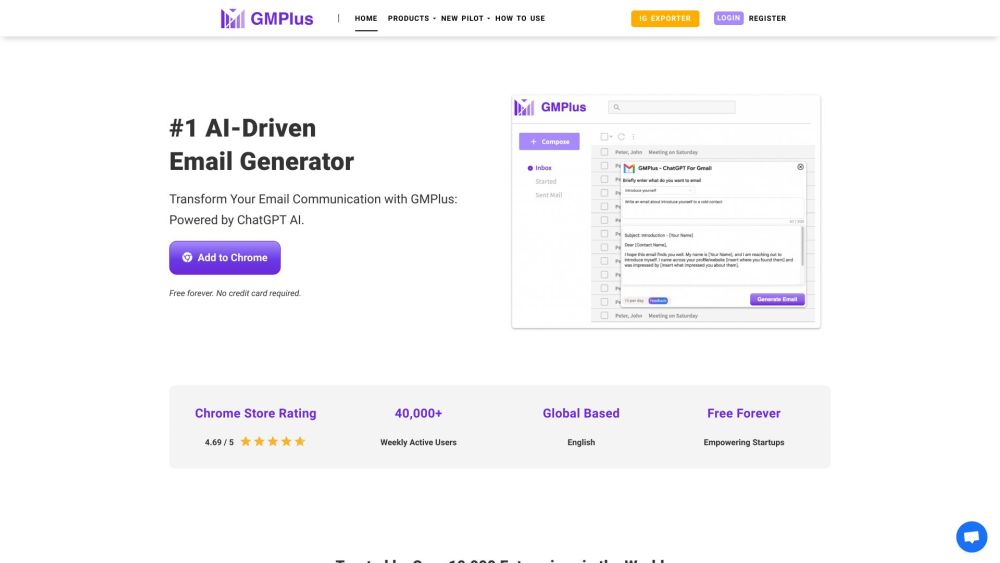
GMPlus website preview

GMPlus Website screenshot

What is GMPlus?

GMPlus is the foremost AI Email Generator for Gmail, leveraging the power of ChatGPT. It streamlines the email drafting process by offering AI-assisted responses, context-aware compositions, and over 100 AI-crafted prompts, transforming email communication into a more efficient and personalized experience.

How to Use GMPlus?

Using GMPlus is simple. First, install the Chrome extension. When composing an email in Gmail, click on the GMPlus icon below the input field to receive AI-generated suggestions from ChatGPT. You can customize and send pre-made templates, organize emails into custom tabs, and toggle the AI tools on or off according to your needs.

GMPlus's Core Features

AI-Powered Responses

Context-Aware Compositions

Over 100 AI-Generated Prompts

Custom Template Storage

Multilingual Support

Toggle On/Off Feature

Personalized Broadcast Messages

GMPlus's Use Cases

Crafting Effective and Professional Emails

Boosting Writing Efficiency

Organizing Emails for Better Productivity

Sending Personalized Broadcast Messages

Breaking Down Language Barriers for Global Communication

Product source: GMPlus official website. Check the provider for current plans, limits and availability.

FAQ

GMPlus questions and answers

Product context and practical checks for evaluating GMPlus.

What is GMPlus used for?

GMPlus is the leading AI Email Generator for Gmail, powered by ChatGPT. It enhances the email writing process by providing AI-powered responses, context-smart compositions, and over 100 AI-generated prompts. It revolutionizes email communication by making it more efficient and personalized.

How do I get started with GMPlus?

Using GMPlus is simple. First, install the Chrome extension. When composing an email in Gmail, click on the GMPlus icon below the input field to receive AI-generated suggestions from ChatGPT. You can customize and send pre-made templates, organize emails into custom tabs, and toggle the AI tools on or off according to your needs.

Which capabilities are described for GMPlus?

AI-Powered ResponsesContext-Aware CompositionsOver 100 AI-Generated PromptsCustom Template StorageMultilingual SupportToggle On/Off FeaturePersonalized Broadcast Messages

What projects can I evaluate GMPlus for?

Crafting Effective and Professional EmailsBoosting Writing EfficiencyOrganizing Emails for Better ProductivitySending Personalized Broadcast MessagesBreaking Down Language Barriers for Global Communication GMPlus Support Email & Customer Service Contact For customer service, contact GMPlus support at: [email protected]. For more contact options, visit our contact page. GMPlus Company GMPlus is created with love in Singapore. GMPlus Login Access GMPlus login here: https://gmplus.io/user/login GMPlus Sign Up Register for GMPlus here: https://gmplus.io/user/register GMPlus YouTube Follow GMPlus on YouTube: https://www.youtube.com/@OpenAIChatGPTForGmail-Gmplus GMPlus Twitter Stay updated with GMPlus on Twitter: https://twitter.com/GMPlus_AI

What should I compare before choosing a GMPlus plan?

Check GMPlus’s current pricing page for included usage, renewal terms and any credit charges. Compare the cost of a usable result, including retries, rather than assuming that account registration includes free usage.

What inputs should I prepare for a GMPlus trial?

Look for text prompts, image references, masks or sketches as appropriate. Compare composition control, supported upload types and the ability to revise a selected area.

How can I check the quality of a GMPlus result?

Inspect text, hands, edges, reflections and repeated objects at full size. Check that important product or brand details survive editing.

Which export options should I check in GMPlus?

Compare pixel dimensions, transparency, file formats and any enlargement options. Confirm that the downloaded result works in your design or publishing software.

What is a practical way to test GMPlus against alternatives?

Prepare a brief with a subject, composition, lighting and required output size. Test a first generation and a targeted revision to see how much control you retain.

Where is the official GMPlus website?

The website linked from this profile is https://gmplus.io. Use the provider’s own documentation, account area and support channels to confirm current product details.

Visit GMPlus