AI Content Generator

Generated Photos

Discover and download unique, copyright-free model images with Generated Photos. AI-driven headshots, worry-free downloads—perfect for your creative projects!

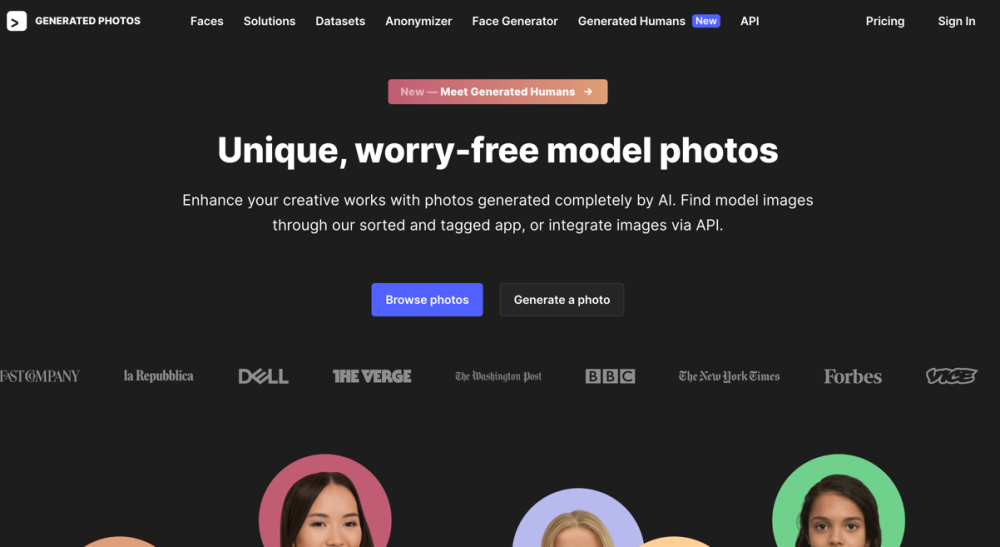
Generated Photos website preview

Generated Photos Website screenshot

Understanding Generated Photos

Generated Photos offers a collection of AI-created, copyright-free model images. Users can easily browse and download a wide range of diverse headshots, all available without copyright concerns.

How to Utilize Generated Photos

Users can navigate through a gallery of high-quality, diverse images or generate custom models instantly. The Faces database allows for filtered searches, while the Anonymizer lets users find similar faces by uploading a reference image. The Face Generator provides options for creating photo-realistic faces or full-body images with specific parameters. For large projects, users can benefit from bulk downloads, ready datasets, or seamless API integration.

Key Features of Generated Photos

The platform's key features include: 1. Diverse Image Collection: A rich database of AI-generated, copyright-free headshots. 2. Face Generator: Tools to create unique faces and full-body figures with custom settings. 3. Anonymizer: Upload a reference image to locate similar faces. 4. Bulk Downloads: Enhance project efficiency by downloading multiple images at once. 5. Datasets: Access pre-made or customizable datasets for various applications. 6. API Integration: Easily integrate Generated Photos into other applications via API.

Applications of Generated Photos

Generated Photos is ideal for various creative projects, including advertising, design, marketing, research, and machine learning. It aids in diversifying visual content, training AI models, and enhancing media representation.

  • Support and Contact Information

    For customer support, email: [email protected]. More contact options are available on the contact us page.

  • Company Information

    Company Name: Generated Media, Inc.

  • Pricing Details

    For pricing information, visit: Pricing Page.

  • Social Media Links

    LinkedIn: LinkedIn Profile

    Twitter: Twitter Profile

Product source: Generated Photos official website. Check the provider for current plans, limits and availability.

FAQ

Generated Photos questions and answers

Product context and practical checks for evaluating Generated Photos.

What is Generated Photos used for?

Discover and download unique, copyright-free model images with Generated Photos. AI-driven headshots, worry-free downloads—perfect for your creative projects!

How do I get started with Generated Photos?

Users can navigate through a gallery of high-quality, diverse images or generate custom models instantly. The Faces database allows for filtered searches, while the Anonymizer lets users find similar faces by uploading a reference image. The Face Generator provides options for creating photo-realistic faces or full-body images with specific parameters. For large projects, users can benefit from bulk downloads, ready datasets, or seamless API integration.

Which capabilities are described for Generated Photos?

The platform's key features include: 1. Diverse Image Collection: A rich database of AI-generated, copyright-free headshots. 2. Face Generator: Tools to create unique faces and full-body figures with custom settings. 3. Anonymizer: Upload a reference image to locate similar faces. 4. Bulk Downloads: Enhance project efficiency by downloading multiple images at once. 5. Datasets: Access pre-made or customizable datasets for various applications. 6. API Integration: Easily integrate Generated Photos into other applications via API.

What projects can I evaluate Generated Photos for?

Generated Photos is ideal for various creative projects, including advertising, design, marketing, research, and machine learning. It aids in diversifying visual content, training AI models, and enhancing media representation. Support and Contact Information For customer support, email: [email protected]. More contact options are available on the contact us page. Company Information Company Name: Generated Media, Inc. Pricing Details For pricing information, visit: Pricing Page. Social Media Links LinkedIn: LinkedIn Profile Twitter: Twitter Profile

What should I compare before choosing a Generated Photos plan?

For pricing information, visit: Pricing Page. Confirm current prices and allowances on the provider’s website before purchasing.

What inputs should I prepare for a Generated Photos trial?

Look for text prompts, image references, masks or sketches as appropriate. Compare composition control, supported upload types and the ability to revise a selected area.

How can I check the quality of a Generated Photos result?

Inspect text, hands, edges, reflections and repeated objects at full size. Check that important product or brand details survive editing.

Which export options should I check in Generated Photos?

Compare pixel dimensions, transparency, file formats and any enlargement options. Confirm that the downloaded result works in your design or publishing software.

What is a practical way to test Generated Photos against alternatives?

Prepare a brief with a subject, composition, lighting and required output size. Test a first generation and a targeted revision to see how much control you retain.

Where is the official Generated Photos website?

The website linked from this profile is https://generated.photos. Use the provider’s own documentation, account area and support channels to confirm current product details.

Visit Generated Photos