Captions or Subtitle

FreeSubtitles.AI

FreeSubtitles.AI: Effortlessly transcribe and translate your audio and video files for free. Enjoy automatic transcription and translation services today!

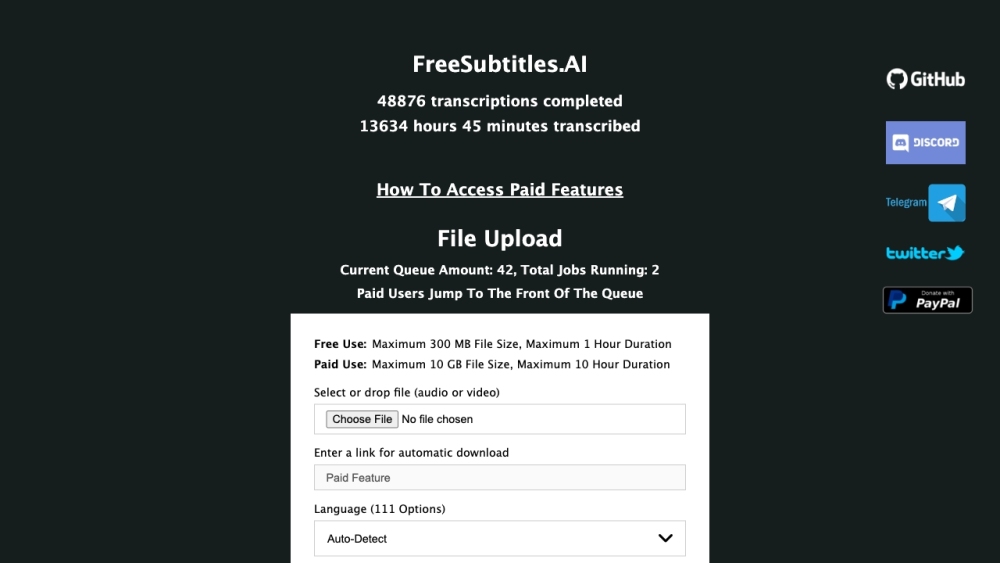
FreeSubtitles.AI website preview

FreeSubtitles.AI Website screenshot

What is FreeSubtitles.AI?

FreeSubtitles.AI is a versatile platform designed to transcribe and translate audio and video files seamlessly. It offers these services at no cost, making it accessible to a wide range of users.

How to use FreeSubtitles.AI?

To begin transcribing your audio or video files, simply upload or drag-and-drop your file onto the website. The platform includes a robust media downloader supporting over 1100 websites. Users can select the language from 111 options or allow the platform to auto-detect it. Choose the desired transcription and translation models for optimal accuracy. Once the transcription is complete, you can easily download the resulting text.

FreeSubtitles.AI's Core Features

Transcription of audio and video files

Automated translation of transcriptions

Support for files up to 300 MB and 1 hour duration for free users

High accuracy transcription with Whisper Model Medium

Reliable translation using the Open Source M2M_100 Model

Option to run transcriptions without an open browser tab (paid feature)

FreeSubtitles.AI's Use Cases

Transcribing interviews or meetings

Captioning videos for accessibility

Converting audio lectures into text

Extracting text from podcasts

Product source: FreeSubtitles.AI official website. Check the provider for current plans, limits and availability.

FAQ

FreeSubtitles.AI questions and answers

Product context and practical checks for evaluating FreeSubtitles.AI.

What is FreeSubtitles.AI used for?

FreeSubtitles.AI: Effortlessly transcribe and translate your audio and video files for free. Enjoy automatic transcription and translation services today!

How do I get started with FreeSubtitles.AI?

To begin transcribing your audio or video files, simply upload or drag-and-drop your file onto the website. The platform includes a robust media downloader supporting over 1100 websites. Users can select the language from 111 options or allow the platform to auto-detect it. Choose the desired transcription and translation models for optimal accuracy. Once the transcription is complete, you can easily download the resulting text.

Which capabilities are described for FreeSubtitles.AI?

Transcription of audio and video filesAutomated translation of transcriptionsSupport for files up to 300 MB and 1 hour duration for free usersHigh accuracy transcription with Whisper Model MediumReliable translation using the Open Source M2M_100 ModelOption to run transcriptions without an open browser tab (paid feature)

What projects can I evaluate FreeSubtitles.AI for?

Transcribing interviews or meetingsCaptioning videos for accessibilityConverting audio lectures into textExtracting text from podcasts FreeSubtitles.AI Discord Join the FreeSubtitles.AI Discord community here: https://discord.gg/vfXg7GHMpR. For more Discord information, click here(/discord/vfxg7ghmpr). FreeSubtitles.AI Support Email & Customer Service Contact Contact FreeSubtitles.AI customer service at: [email protected]. For more details, visit the contact page(https://freesubtitles.ai/contact). FreeSubtitles.AI Company FreeSubtitles.AI is operated by Saint Technology Inc. Learn more about the company on the about page(https://freesubtitles.ai/about). FreeSubtitles.AI Pricing Find details on FreeSubtitles.AI's paid features here: https://freesubtitles.ai/paidfeatures. FreeSubtitles.AI Twitter Follow FreeSubtitles.AI on Twitter: https://twitter.com/freesubtitlesai. FreeSubtitles.AI GitHub Access FreeSubtitles.AI's GitHub repository: https://github.com/mayeaux/generate-subtitles.

What should I compare before choosing a FreeSubtitles.AI plan?

Find details on FreeSubtitles.AI's paid features here: https://freesubtitles.ai/paidfeatures. Confirm current prices and allowances on the provider’s website before purchasing.

What inputs should I prepare for a FreeSubtitles.AI trial?

Compare text prompts, reference frames, source footage and audio support. Check duration, aspect ratio and whether the tool lets you keep a subject consistent between shots.

How can I check the quality of a FreeSubtitles.AI result?

Watch the entire clip for motion errors, distorted objects, changing identities, lip-sync problems and abrupt transitions. Inspect the downloaded file as well as the preview.

Which export options should I check in FreeSubtitles.AI?

Check export resolution, frame rate, aspect ratio, audio tracks and watermark rules. A good preview is not a substitute for an export that fits your publishing channel.

What is a practical way to test FreeSubtitles.AI against alternatives?

Use a short shot with one subject and one camera movement. Keep the prompt and duration constant, then compare usable seconds and the number of regenerations.

Where is the official FreeSubtitles.AI website?

The website linked from this profile is https://freesubtitles.ai. Use the provider’s own documentation, account area and support channels to confirm current product details.

Visit FreeSubtitles.AI