Table of contents
Fast3D - AI 3D Model Generator : Text/Image to 3D in 10s, Free
Fast3D: Turn text or images into stunning 3D models in 10 sec—perfect for games, 3D printing & AR/VR. Free trial, no login needed!
What Is Fast3D?
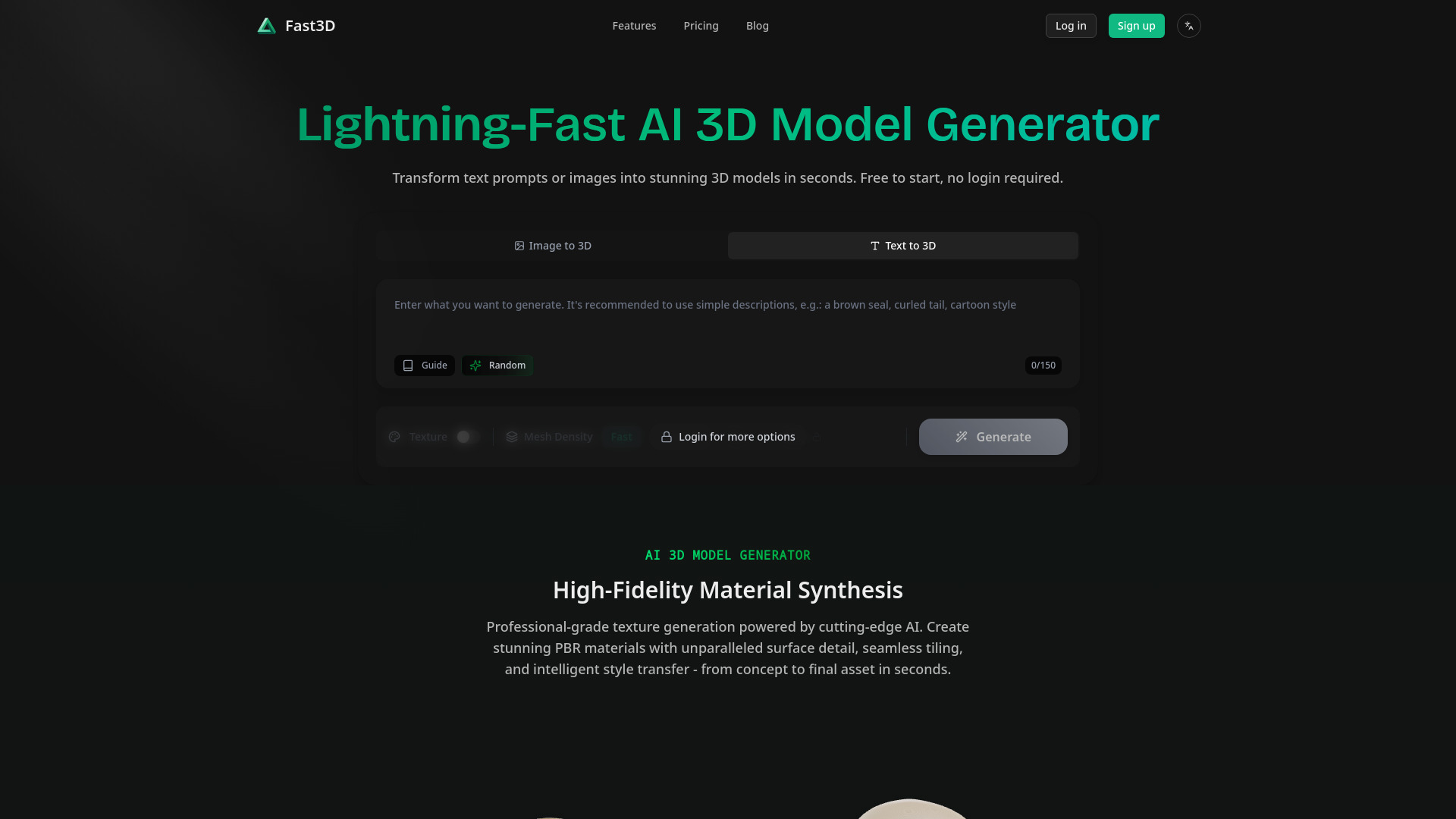
Fast3D is the world’s fastest AI-native platform for instant 3D model generation—turning simple text prompts or everyday images into production-ready 3D assets in under 10 seconds. Engineered for speed without compromise, Fast3D leverages next-generation diffusion + neural geometry architectures to synthesize photorealistic meshes, accurate topology, and full PBR material sets—including roughness, metallic, normal, and AO maps—all automatically generated from a single input. No modeling software, no learning curve, no rendering queue. Whether you're building game worlds, designing physical products, prototyping AR experiences, or populating the metaverse, Fast3D delivers studio-caliber 3D output—directly in your browser, at zero setup cost.
How Fast3D Works (In Under 10 Seconds)
Go from idea to 3D asset in three frictionless steps—no login, no download, no waiting:
- Input Your Vision: Type a descriptive prompt (“vintage brass pocket watch with engraved gears”), upload one reference photo, or drop 3–6 multi-angle images for precision reconstruction.
- Tune & Target: Adjust key parameters: mesh resolution (low/medium/high), texture fidelity, base style (realistic, stylized, low-poly, or technical), and orientation lock—tailored for your end use (e.g., “optimize for Unity import” or “STL-ready for printing”).
- Generate & Export: Click *Create*, and in ~10 seconds, view, rotate, and refine your 3D model live in the embedded viewer. Then export instantly in your preferred format—no watermarks, no delays.
Pro tip: For complex organic shapes (like furniture or characters), multi-view inputs dramatically boost geometric accuracy. For rapid ideation, try batch-generating 3–5 variants from one prompt—compare textures, proportions, and lighting response side-by-side before finalizing.
Why Fast3D Outperforms Every Other AI 3D Tool
- True 10-Second Turnaround: Not “up to 10s”—consistently sub-10s generation across text, single-image, and multi-view workflows. Benchmarked at 8.2s avg. on global edge servers.
- PBR-First Material Intelligence: Goes beyond surface color—generates physically accurate, engine-ready material graphs with seamless UV mapping, baked ambient occlusion, and view-dependent reflectivity—ready for Unreal Engine 5.3 Lumen or Unity HDRP.
- Input-Agnostic Flexibility: Seamlessly switch between modalities: brainstorm with text, validate with sketch photos, finalize with product shots—or combine all three in one pipeline.
- Production-Ready Geometry: Outputs clean, manifold, quad-dominant meshes with optimized vertex counts (<50k default), automatic retopology options, and watertight volumes—no manual cleanup needed for animation rigs or 3D printing.
- One-Click Multi-Format Export: GLB/GLTF (WebXR/Three.js), FBX (Unity/Unreal), OBJ+MTL (Blender/Maya), STL (Creality/Ender), and USDZ (iOS AR Quick Look)—all generated simultaneously with consistent scale and origin.
This isn’t just faster modeling—it’s a paradigm shift. Fast3D compresses weeks of concept iteration, modeling, texturing, and testing into minutes—empowering creators to ship more, fail faster, and explore bolder ideas than ever before.
Who Uses Fast3D—and Why It Fits Their Workflow
Indie Game Studios: Generate environment props, NPC accessories, or UI widgets in real time during sprint planning—import directly into Unity as FBX with correct pivot points and naming conventions.
E-Commerce & Product Teams: Convert flat product photos into interactive 3D viewers for Shopify or WooCommerce—boosting conversion by up to 40% (per Shopify 2024 benchmarks) with zero 3D artist overhead.
AR/VR Developers: Build immersive spatial apps with GLB models that load instantly on mobile browsers—no app store approval, no SDK integration required.
Industrial Designers: Turn hand-drawn sketches or CAD screenshots into printable STL files in under a minute—validate form, fit, and ergonomics before committing to CNC or injection molding.
Educators & Students: Teach core 3D principles using AI-generated examples—explore topology, lighting interaction, or material behavior without mastering Blender first.
Frequently Asked Questions
What file formats does Fast3D support for export?
Every major professional and web-native format: GLB/GLTF (optimized for web, AR, and Three.js), FBX (with embedded materials for Unity/Unreal), OBJ + MTL (universal compatibility), STL (binary & ASCII, with unit-aware scaling), and USDZ (for native iOS AR Quick Look). All exports include correct scale, origin, and PBR-compliant textures.
Do I need prior 3D experience to use Fast3D effectively?
None whatsoever. Fast3D is built for creators—not coders or modelers. If you can describe an object in plain English or take a smartphone photo, you can generate a usable 3D model. The interface guides you with smart defaults, contextual tooltips, and real-time preview—no jargon, no hidden menus.
Is Fast3D really free to start?
Yes—100% free to begin. Sign up takes 10 seconds (email only), and you receive 5 complimentary generation credits immediately—enough to test text-to-3D, image-to-3D, and multi-view modes. No credit card required. No paywall to view or rotate models. Export is fully enabled on all free-tier outputs.
How accurate are the generated 3D models?
Accuracy scales intelligently with input quality. Single-image generation achieves strong silhouette and proportion fidelity (ideal for stylized assets); multi-view inputs (3+ angles) yield near-CAD-level dimensional consistency—validated against ground-truth photogrammetry scans in internal QA. All models undergo automated topology validation and self-healing before export.
Can I use Fast3D for commercial projects?
Absolutely—with paid plans. Free-tier models carry a non-commercial license. Pro and Team subscriptions grant full commercial rights, API access, priority rendering, higher-resolution exports, and dedicated support—perfect for agencies, studios, and enterprise teams shipping to market.