Table of contents
Excel Formula GPT : Plain English to Excel Formulas, Free Trial
Excel Formula GPT: Turn plain English into accurate Excel formulas instantly—no coding needed. Try it free today!
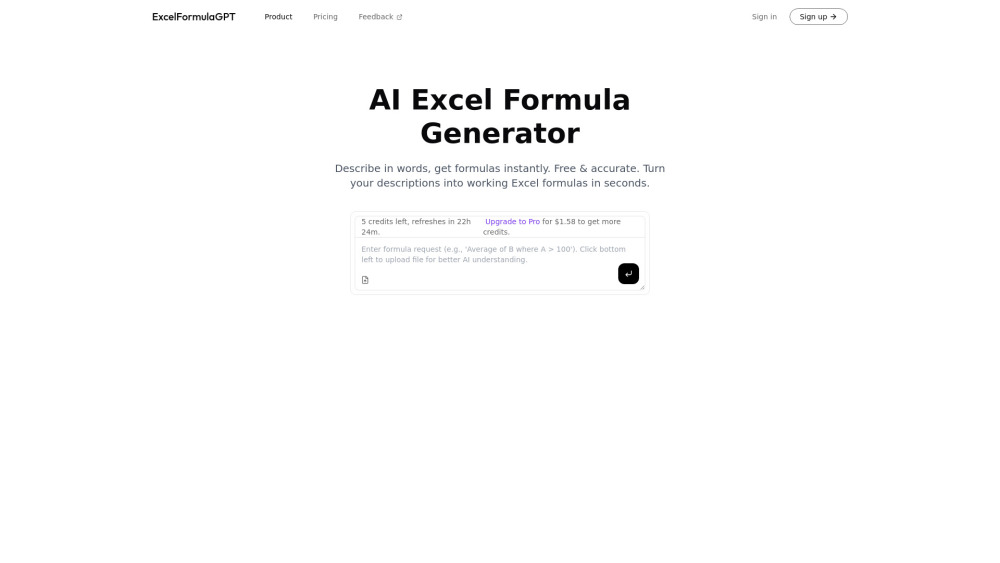
What Is Excel Formula GPT?
Excel Formula GPT is your AI co-pilot for Excel — transforming everyday language into precise, production-ready formulas in seconds. No more memorizing syntax, debugging nested parentheses, or scrolling through Stack Overflow. Just describe what you want to calculate — e.g., “sum sales only for Q3 in column D where region is ‘West’” — and get an accurate, tested Excel formula instantly. Free to start. Zero learning curve.
How It Works (In 30 Seconds)
Type your calculation goal in plain English (or Spanish, French, or German) into the input box. Click “Generate”. Copy the ready-to-use Excel formula — complete with cell references, functions like XLOOKUP, IFS, or TEXTSPLIT, and optional explanations. Paste it directly into Excel. Done.
Why Professionals Choose Excel Formula GPT
✨ Instant Plain-English-to-Formula Translation
Trained on real-world Excel use cases — from basic SUMIFs to dynamic array formulas and Power Query logic.
⚡ Built for Accuracy & Context Awareness
Understands your intent — not just keywords. Handles edge cases: blank cells, date formatting, error handling (IFERROR), and regional locale settings.
Who Uses Excel Formula GPT?
Finance analysts building dynamic dashboards without VBA
HR teams automating payroll calculations in minutes
Students learning Excel logic — no prior formula experience needed
Data entry specialists reducing manual errors by 90%+
Frequently Asked Questions
-
Is there a free trial? Do I need to pay to get started?
-
Can it generate formulas for Google Sheets too?
-
How does it handle complex conditions or multiple criteria?
-
Support & Contact
Got questions? We’re here to help. Reach our support team at: [email protected]
-
About the Team
Excel Formula GPT is developed by CelerForge — a team of Excel experts and AI engineers focused on making spreadsheet intelligence accessible to everyone.
-
Log In to Your Account
Already signed up? Access your dashboard and formula history: https://www.excelformulagpt.com/sign-in
-
Start Your Free Trial Now
No credit card required. Get instant access to 10 free formula generations: https://www.excelformulagpt.com/sign-up
-
Pricing & Plans
Scale with confidence — from free tier to unlimited premium plans: https://www.excelformulagpt.com/pricing
-
Follow Our Updates
Join 12k+ Excel users on X (Twitter): https://twitter.com/chaoying972
-
Open Source & Transparency
Explore our methodology, contribute, or audit our core logic on GitHub: https://github.com/celerforge/excelformulagpt
FAQ from Excel Formula GPT
What is Excel Formula GPT?
Excel Formula GPT is an AI-powered assistant that converts natural-language descriptions into accurate, optimized Excel formulas — helping users skip syntax struggles and focus on insights.
How do I use it?
Type your goal in plain English (e.g., “average order value for customers acquired after Jan 2024”), click Generate, and copy the result — fully compatible with Excel 365, 2021, and Google Sheets.
Is there a free trial?
Yes! Sign up for free and receive 10 instant formula generations — no payment, no trial expiration, no hidden limits.
Does it work with Google Sheets?
Absolutely. Excel Formula GPT detects your platform preference and delivers syntax-accurate formulas for both Excel and Google Sheets — including ARRAYFORMULA, QUERY, and GOOGLEFINANCE where relevant.
How does it handle complex logic?
It interprets multi-step logic — such as “if status is ‘Pending’ AND days overdue > 30, return ‘Urgent’, else if status is ‘Shipped’, return ‘OK’, else blank” — and outputs clean, readable, and maintainable formulas using IFS, SWITCH, or nested IF — always with optional step-by-step breakdowns.