AI Content Generator

EmbedAPI

EmbedAPI: One platform to integrate multiple AI models seamlessly. Explore use cases, pricing, reviews, features & alternatives—all in one place.

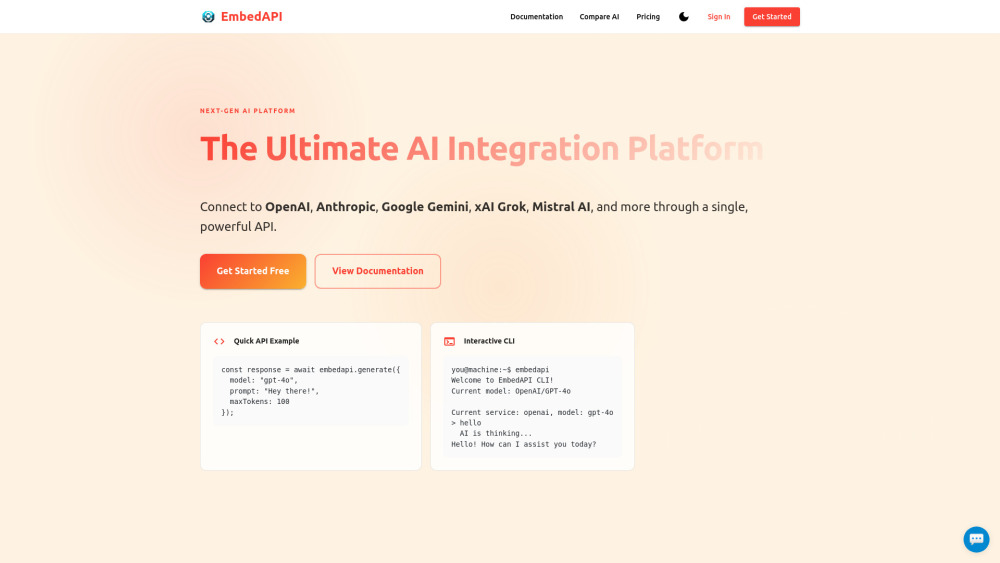
EmbedAPI website preview

EmbedAPI Website screenshot

What is EmbedAPI?

EmbedAPI is a powerful developer tool designed to streamline access to a wide array of AI models and web data. By offering a single, unified API gateway, it enables seamless integration with platforms like OpenAI, Anthropic, Google Vertex AI, and hundreds of other services. Whether you're extracting rich metadata from URLs or orchestrating complex AI workflows, EmbedAPI simplifies connectivity and boosts development efficiency.

How to Use EmbedAPI

Getting started with EmbedAPI is straightforward: create an account, select a plan that fits your needs, and begin sending API requests. With clear documentation and instant access to multiple AI providers, developers can quickly embed intelligent features into their applications or automate data extraction from any web link.

Key Features of EmbedAPI

Unified Access to 400+ AI and Data APIs

Connect to a vast ecosystem of artificial intelligence models and third-party services through one consistent interface.

Effortless Link Metadata Extraction

Pull titles, descriptions, images, and structured data from any URL in seconds—ideal for content aggregation and previews.

High-Speed, Reliable API Performance

Enjoy low-latency responses and scalable infrastructure built for production-grade applications.

Free Developer Support

Get timely assistance at every stage, from onboarding to advanced implementation, at no extra cost.

Common Use Cases for EmbedAPI

Enhance SEO Tools with Real-Time Page Insights

Automatically analyze competitor pages or client websites by retrieving metadata at scale.

Power AI-Powered Apps with Multi-Model Integration

Leverage the best capabilities across different AI providers without managing multiple integrations.

Product source: EmbedAPI official website. Check the provider for current plans, limits and availability.

FAQ

EmbedAPI questions and answers

Product context and practical checks for evaluating EmbedAPI.

What is EmbedAPI used for?

EmbedAPI: One platform to integrate multiple AI models seamlessly. Explore use cases, pricing, reviews, features & alternatives—all in one place.

How do I get started with EmbedAPI?

Getting started with EmbedAPI is straightforward: create an account, select a plan that fits your needs, and begin sending API requests. With clear documentation and instant access to multiple AI providers, developers can quickly embed intelligent features into their applications or automate data extraction from any web link.

Which capabilities are described for EmbedAPI?

Unified Access to 400+ AI and Data APIsConnect to a vast ecosystem of artificial intelligence models and third-party services through one consistent interface.Effortless Link Metadata ExtractionPull titles, descriptions, images, and structured data from any URL in seconds—ideal for content aggregation and previews.High-Speed, Reliable API PerformanceEnjoy low-latency responses and scalable infrastructure built for production-grade applications.Free Developer SupportGet timely assistance at every stage, from onboarding to advanced implementation, at no extra cost.

What projects can I evaluate EmbedAPI for?

Enhance SEO Tools with Real-Time Page InsightsAutomatically analyze competitor pages or client websites by retrieving metadata at scale.Power AI-Powered Apps with Multi-Model IntegrationLeverage the best capabilities across different AI providers without managing multiple integrations.

What should I compare before choosing a EmbedAPI plan?

View all available plans and upgrade options at: https://embedapi.com/pricing Confirm current prices and allowances on the provider’s website before purchasing.

What inputs should I prepare for a EmbedAPI trial?

Compare repository access, context limits, supported languages and tool permissions. Check whether the assistant can read relevant files and run your existing checks.

How can I check the quality of a EmbedAPI result?

Review the diff, run tests and inspect error handling and dependency changes. Generated code should meet the same review standard as a human contribution.

Which export options should I check in EmbedAPI?

Prefer changes you can inspect and keep in version control. Check whether code, tests and configuration can be exported without depending on a hosted preview.

What is a practical way to test EmbedAPI against alternatives?

Choose a small reproducible bug with an existing failing check. Measure whether the tool fixes the cause, preserves behavior and produces a reviewable change.

Where is the official EmbedAPI website?

The website linked from this profile is https://embedapi.com. Use the provider’s own documentation, account area and support channels to confirm current product details.

Visit EmbedAPI