AI Blog Writer

Elephas AI Writing Assistant

Elephas, the ultimate AI writing assistant for Mac, iPhone, and iPad, saves time and enhances writing efficiency. The world's first AI writer for Apple devices.

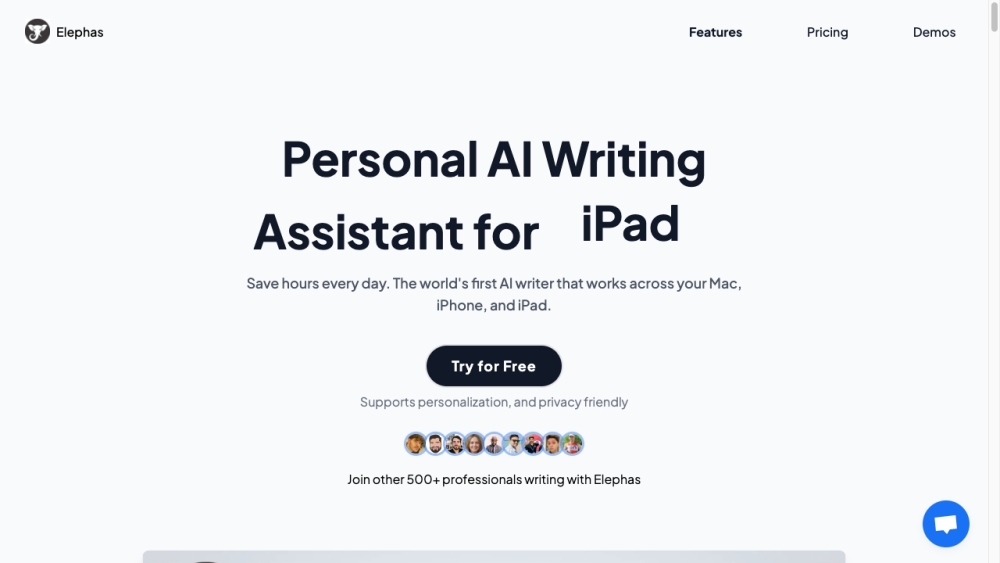
Elephas AI Writing Assistant website preview

Elephas Website screenshot

Introducing Elephas AI Writing Assistant: Enhancing Efficiency Across Mac & iOS

Elephas AI Writing Assistant is a revolutionary tool designed to streamline writing tasks and boost productivity for Mac users. It is a cutting-edge AI writer that seamlessly integrates with Mac, iPhone, and iPad, offering unparalleled convenience and efficiency.

How Elephas Can Transform Your Writing Experience

By leveraging Elephas AI Writing Assistant, users can save valuable time and effortlessly enhance their writing process. Whether it's crafting emails, blog posts, social media content, or business proposals, Elephas provides intelligent assistance across a wide range of applications on Mac.

Key Features of Elephas AI Writing Assistant

Personalization and Privacy Protection

Seamless Integration with Popular Sources

Interactive AI Chat for Insights and Article Writing

Efficient Task Management with Super-Command Bar

Versatile Writing Support for Various Content Types

Content Rewrite Modes for Enhanced Engagement

Optimized Keyboard Experience for iOS Devices

Tailored Support for Marketers, Content Writers, and Professionals

Advanced Capabilities for Idea Generation, Code Understanding, and Grammar Correction

Flexible Usage with Own OpenAI API Key

Unlocking the Potential of Elephas AI Writing Assistant

Unleash Creativity with Blog Ideas and Article Outlines

Craft Compelling Content for Viral Reach

Revamp Content for Social Media Engagement

Create Impactful Headlines and Emails

Enhance Technical Writing and Code Understanding

Simplify Tasks with Automated Responses and Summaries

Empower Your Writing Journey with Elephas AI Writing Assistant

  • Contact Elephas Support & Pricing Information

    For inquiries and pricing details, visit Elephas Pricing Page

  • Connect with Elephas on Twitter

    Stay updated by following Elephas on Twitter

Product source: Elephas AI Writing Assistant official website. Check the provider for current plans, limits and availability.

FAQ

Elephas AI Writing Assistant questions and answers

Product context and practical checks for evaluating Elephas AI Writing Assistant.

What is Elephas AI Writing Assistant used for?

Elephas, the ultimate AI writing assistant for Mac, iPhone, and iPad, saves time and enhances writing efficiency. The world's first AI writer for Apple devices.

How do I get started with Elephas AI Writing Assistant?

Open the official Elephas AI Writing Assistant website and identify the workflow that matches your task. Use a real brief and a short source document. Compare factual accuracy, structure and editing time rather than accepting the longest or most confident draft.

Which capabilities are described for Elephas AI Writing Assistant?

Personalization and Privacy ProtectionSeamless Integration with Popular SourcesInteractive AI Chat for Insights and Article WritingEfficient Task Management with Super-Command BarVersatile Writing Support for Various Content TypesContent Rewrite Modes for Enhanced EngagementOptimized Keyboard Experience for iOS DevicesTailored Support for Marketers, Content Writers, and ProfessionalsAdvanced Capabilities for Idea Generation, Code Understanding, and Grammar CorrectionFlexible Usage with Own OpenAI API Key

What should I compare before choosing a Elephas AI Writing Assistant plan?

For inquiries and pricing details, visit Elephas Pricing Page Confirm current prices and allowances on the provider’s website before purchasing.

What inputs should I prepare for a Elephas AI Writing Assistant trial?

Compare support for source documents, style instructions, outlines and length limits. Check whether citations link to real material rather than merely looking like references.

How can I check the quality of a Elephas AI Writing Assistant result?

Verify names, dates, quotations and factual claims against the original sources. Edit tone, remove repetition and make sure the text answers the intended reader’s question.

Which export options should I check in Elephas AI Writing Assistant?

Check export to plain text, Markdown, documents or your publishing system. Formatting, headings and working links matter when moving a draft into production.

What is a practical way to test Elephas AI Writing Assistant against alternatives?

Use a real brief and a short source document. Compare factual accuracy, structure and editing time rather than accepting the longest or most confident draft.

What should I review before uploading material to Elephas AI Writing Assistant?

Read the provider’s rules on access, retention, deletion and use of uploaded material. Start with a non-confidential sample that you have permission to use.

Where is the official Elephas AI Writing Assistant website?

The website linked from this profile is https://elephas.app. Use the provider’s own documentation, account area and support channels to confirm current product details.

Visit Elephas AI Writing Assistant