Table of contents
Dyad: Free, Local, Open-Source AI App Builder – No-Code 🚀
Dyad: Build AI apps—free, local, open-source & no-code. No cloud, no fees, full control. 🚀
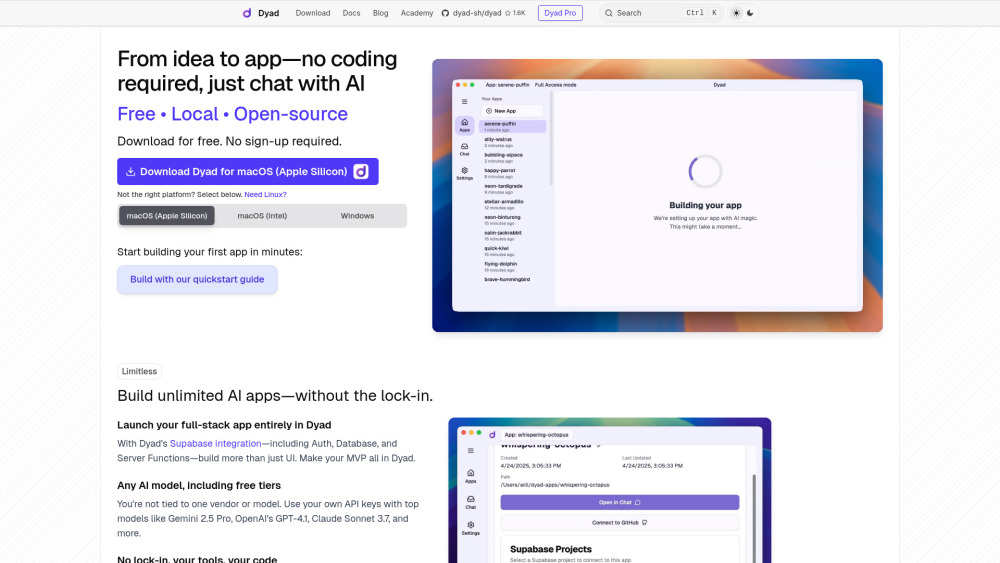
Introducing Dyad: Free • Local • Open-Source • No-Code 🚀
Dyad redefines AI-powered development — not as a cloud service, but as your private, portable, and fully controllable app-building companion. Built from the ground up for autonomy, Dyad lets you design, prototype, and ship full-stack applications by conversing naturally with AI — no syntax, no dependencies, no compromises. Unlike closed SaaS builders, Dyad runs entirely on your machine (Windows or macOS), keeps all code and data local, and embraces open standards: it’s MIT-licensed, community-driven, and engineered to integrate seamlessly with tools you already trust — from VS Code and Cursor to Supabase and Ollama. Choose any LLM — free-tier Gemini, open models via OpenRouter, or your own fine-tuned local instance — using your own API keys. And for those who want deeper acceleration, Dyad Pro unlocks intelligent coding enhancements, priority support, and exclusive learning pathways — all while keeping the core experience forever free and open.
Getting Started in Seconds — Not Hours
There’s no account, no trial wall, no telemetry. Download Dyad for macOS or Windows, launch it, and begin building — literally by typing what you envision: “A dashboard that tracks crypto prices and sends alerts” or “A multiplayer tic-tac-toe game with real-time sync.” Dyad interprets your intent, generates clean, production-ready frontend + backend code, and deploys it locally with one click. The built-in quickstart wizard guides first-time users through Supabase setup (for auth, database, and edge functions) and model configuration — whether connecting to Claude via Anthropic, GPT via OpenAI, or whisper-quantized models via Ollama. Every line of code stays on your device, editable in your favorite IDE, version-controlled in Git, and ready for real-world deployment.
Why Developers & Creators Choose Dyad
✅ 100% free, open-source, and self-hosted — no subscriptions, no paywalls
✅ Zero-code interface powered by conversational AI — build apps like you’d explain them to a teammate
✅ True freedom: bring your own LLMs — no vendor lock-in, no hidden model switches
✅ Full-stack out-of-the-box: Supabase integration handles auth, real-time DB, storage, and serverless functions
✅ Local-first architecture: run Ollama models offline, avoid latency, protect sensitive data
✅ IDE-native workflow: edit, debug, and extend generated code directly in VS Code or Cursor
✅ Real-time, responsive UI generation: see changes instantly — no waiting for cloud roundtrips
✅ Bridge the gap between AI prototyping and professional development — no more “demo → rewrite” cycles
✅ Dyad Pro: AI credits for premium models, Turbo Edits (context-aware code optimization), Smart Context (adaptive memory for efficient credit use)
✅ Direct roadmap influence: Pro subscribers co-shape Dyad’s evolution through monthly feedback sessions
✅ Dyad Academy: curated courses, live workshops, and pattern libraries — only for Pro members
✅ Community-governed: all core features remain open; Pro funds sustainability, not exclusivity
Who’s Building With Dyad?
Product managers launching validated MVPs — before writing a single line of documentation
Designers turning Figma mockups into interactive, functional web apps — in under an hour
Students learning full-stack concepts through intuitive, visual AI collaboration
Indie hackers shipping side projects end-to-end — without hiring backend engineers
Enterprise teams building internal tools with strict data residency requirements
AI researchers experimenting with novel UX patterns — backed by local, auditable code
Your Questions — Answered Clearly
-
Is Dyad really free forever?
-
How do credits work in Dyad Pro?
-
Can I use Dyad without internet access?
-
Dyad Reddit
Join the builder community: https://www.reddit.com/r/dyadbuilders
-
Dyad Company
Founded by independent developers committed to open, ethical AI tooling. Official name: Dyad.
-
Dyad YouTube
Tutorials, deep dives & live builds: https://www.youtube.com/@Fluxer_automações
-
Dyad Twitter (X)
Announcements & real-time updates: https://x.com/dyad_sh
-
Dyad GitHub
Explore, contribute, audit: https://github.com/dyad-sh/dyad
FAQ from Dyad
Is Dyad really free forever?
Yes — the core Dyad application will always be free, open-source (MIT license), and locally executable. No feature gating, no time limits, no forced upgrades. Dyad Pro is an optional subscription that supports ongoing development and adds advanced capabilities — but never restricts the foundational experience.
How do credits work in Dyad Pro?
Credits are a transparent, usage-based unit representing LLM inference cost. Each message sent to a premium model consumes credits proportional to token count and model complexity. Turbo Edits and Smart Context modes reduce overhead — meaning more meaningful interactions per credit. You control when and how credits are used; they never auto-renew or expire unexpectedly.
Can I use Dyad without internet access?
Absolutely. Once installed, Dyad works offline for local model execution (via Ollama), code editing, previewing, and debugging. Internet is only required when connecting to external APIs (e.g., OpenAI, Gemini) or syncing with Supabase — both fully optional and user-configured.