AI Product Description Generator

Datature

Datature is a complete AI vision platform that allows teams and enterprises to build computer vision applications without writing a single line of code. It offers a range of features including dataset management, annotation, training, and deployment.

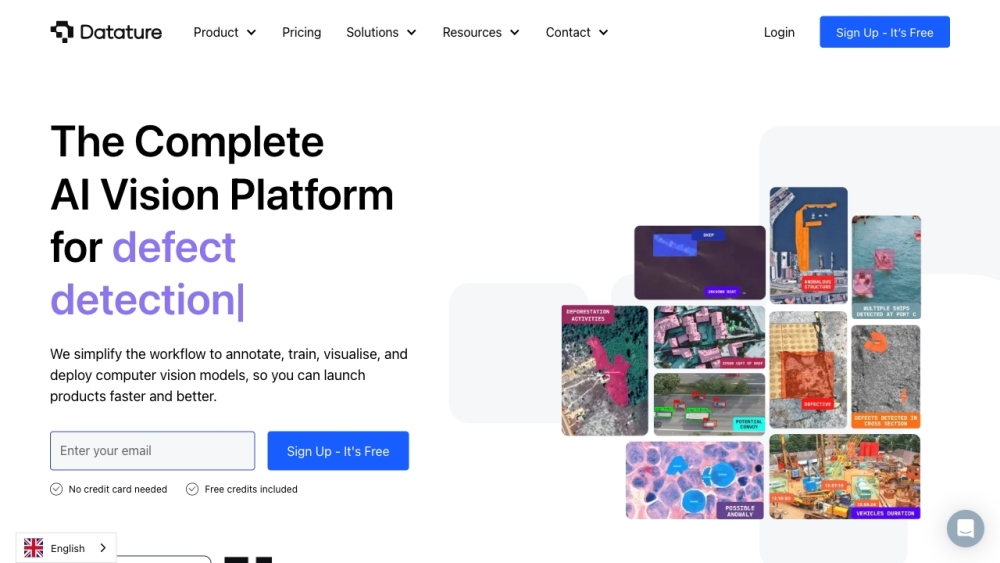
Datature website preview

Datature Website screenshot

Understanding Datature

Datature is a comprehensive AI vision platform designed to enable teams and enterprises to develop computer vision applications without any coding. The platform includes tools for managing datasets, annotating data, training models, and deploying applications.

Getting Started with Datature

Begin your journey with Datature by creating an account and logging into the platform. Once inside, you can organize your datasets, annotate images or videos, train models using automated processes, and deploy them into real-world applications. Datature’s intuitive interface and robust tools streamline the entire computer vision development workflow.

Key Features of Datature

Comprehensive Dataset Management and Versioning

Easy Annotation with Intellibrush

Advanced Model Training and Hyperparameter Tuning

Effortless Deployment of Models

Integration with Leading Applications and Tools

Interoperable and Flexible Model Artifacts

Custom Integrations and Responsive Support

Applications of Datature

Healthcare and Pharmaceuticals - Enhance Medical Diagnostics with AI

Retail and E-commerce - Optimize Inventory and Enable Autonomous Check-outs

Smart Cities - Improve Urban Planning and Traffic Management

Utilities and Energy - Automate Asset Inspections

Agriculture - Boost Crop Yields and Land Management

Manufacturing and Construction - Increase Production Efficiency and Quality Control

Product source: Datature official website. Check the provider for current plans, limits and availability.

FAQ

Datature questions and answers

Product context and practical checks for evaluating Datature.

What is Datature used for?

Datature is a complete AI vision platform that allows teams and enterprises to build computer vision applications without writing a single line of code. It offers a range of features including dataset management, annotation, training, and deployment.

How do I get started with Datature?

Begin your journey with Datature by creating an account and logging into the platform. Once inside, you can organize your datasets, annotate images or videos, train models using automated processes, and deploy them into real-world applications. Datature’s intuitive interface and robust tools streamline the entire computer vision development workflow.

Which capabilities are described for Datature?

Comprehensive Dataset Management and VersioningEasy Annotation with IntellibrushAdvanced Model Training and Hyperparameter TuningEffortless Deployment of ModelsIntegration with Leading Applications and ToolsInteroperable and Flexible Model ArtifactsCustom Integrations and Responsive Support

What projects can I evaluate Datature for?

Healthcare and Pharmaceuticals - Enhance Medical Diagnostics with AIRetail and E-commerce - Optimize Inventory and Enable Autonomous Check-outsSmart Cities - Improve Urban Planning and Traffic ManagementUtilities and Energy - Automate Asset InspectionsAgriculture - Boost Crop Yields and Land ManagementManufacturing and Construction - Increase Production Efficiency and Quality Control Datature Support and Contact Information For customer support, contact Datature at: [email protected]. For more information, visit the contact page About Datature Company name: Datature. Datature Login Access the platform at: https://nexus.datature.io Datature Sign up Create an account at: https://nexus.datature.io Datature Pricing View pricing options at: https://www.datature.io/pricing Datature YouTube Channel Watch tutorials at: https://www.youtube.com/channel/UCd3UQZ9piasi0vgfg5xI59wDatature LinkedIn Connect with us on LinkedIn: https://sg.linkedin.com/company/datatureDatature Twitter Follow us on Twitter: https://twitter.com/datatureaiDatature GitHub Explore our resources on GitHub: https://github.com/datature/resources

What should I compare before choosing a Datature plan?

View pricing options at: https://www.datature.io/pricing Confirm current prices and allowances on the provider’s website before purchasing.

What inputs should I prepare for a Datature trial?

Compare support for source documents, style instructions, outlines and length limits. Check whether citations link to real material rather than merely looking like references.

How can I check the quality of a Datature result?

Verify names, dates, quotations and factual claims against the original sources. Edit tone, remove repetition and make sure the text answers the intended reader’s question.

Which export options should I check in Datature?

Check export to plain text, Markdown, documents or your publishing system. Formatting, headings and working links matter when moving a draft into production.

What is a practical way to test Datature against alternatives?

Use a real brief and a short source document. Compare factual accuracy, structure and editing time rather than accepting the longest or most confident draft.

Where is the official Datature website?

The website linked from this profile is https://datature.io. Use the provider’s own documentation, account area and support channels to confirm current product details.

Visit Datature