AI Content Generator

CV Maker AI

Create standout CVs with CV Maker AI: Customize, optimize, and enhance your resume using advanced AI to increase your chances of landing your dream job.

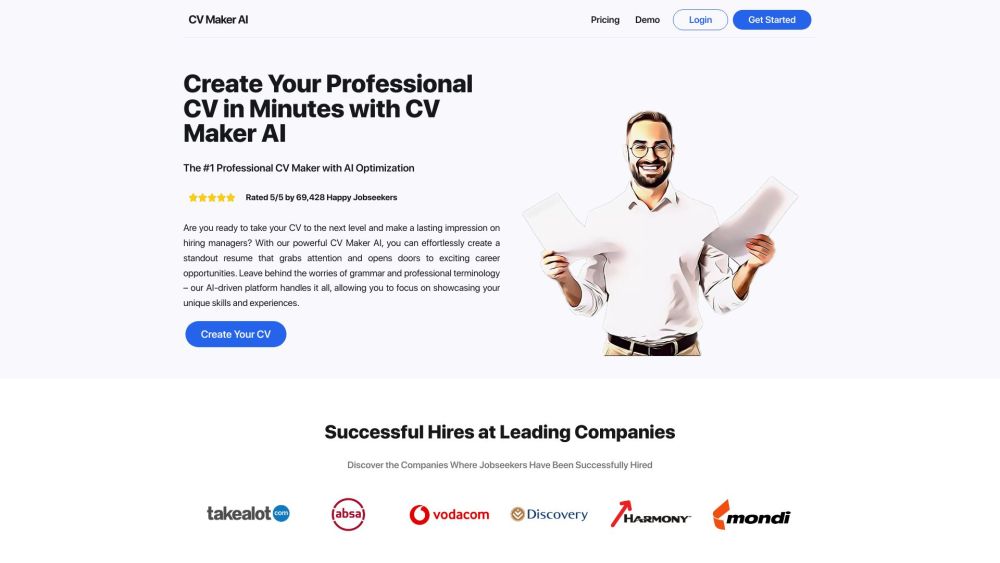
CV Maker AI website preview

CV Maker AI Website screenshot

What is CV Maker AI?

CV Maker AI is a cutting-edge web application that leverages artificial intelligence to help job seekers craft professional CVs and resumes. Utilizing sophisticated AI algorithms, it analyzes job descriptions to tailor application materials, significantly increasing the chances of securing interviews. With CV Maker AI, users can create customized CV summaries, optimize work experience entries, pinpoint crucial skills, and obtain personalized tips, interview questions, and responses suited to their targeted job roles.

How to use CV Maker AI?

To get started with CV Maker AI, follow these steps: 1. Log in to your CV Maker AI account using your email and password. 2. Navigate to the "Create Your CV" section on the platform. 3. Choose a template that matches your style and preferences. 4. Input your personal details such as name, phone number, and email address. 5. Use AI-generated suggestions to craft impactful summaries, skill sections, and job experiences. 6. Once satisfied with your CV, click the "Download" button to save your CV.

CV Maker AI's Core Features

AI Optimization: Utilize AI to ensure your CV content aligns with job requirements, making it stand out to employers.

Professional Templates: Access a diverse selection of professionally designed CV templates to highlight your skills and experience.

Download and Share: Easily download your CV for online applications or print it out.

Tailored Guidance: Receive specific tips, interview questions, and answers relevant to your desired job roles.

Cover Letters: Get expert advice and suggestions for crafting effective cover letters tailored to specific job applications.

CV Maker AI's Use Cases

Creating a professional CV or resume

Optimizing CV content to meet job requirements

Generating personalized CV summaries and skills sections

Writing effective cover letters tailored to specific job applications

  • CV Maker AI Support Email & Customer service contact & Refund contact etc.

    For customer service, reach out to CV Maker AI support at: [email protected].

Product source: CV Maker AI official website. Check the provider for current plans, limits and availability.

FAQ

CV Maker AI questions and answers

Product context and practical checks for evaluating CV Maker AI.

What is CV Maker AI used for?

Create standout CVs with CV Maker AI: Customize, optimize, and enhance your resume using advanced AI to increase your chances of landing your dream job.

How do I get started with CV Maker AI?

To get started with CV Maker AI, follow these steps: 1. Log in to your CV Maker AI account using your email and password. 2. Navigate to the "Create Your CV" section on the platform. 3. Choose a template that matches your style and preferences. 4. Input your personal details such as name, phone number, and email address. 5. Use AI-generated suggestions to craft impactful summaries, skill sections, and job experiences. 6. Once satisfied with your CV, click the "Download" button to save your CV.

Which capabilities are described for CV Maker AI?

AI Optimization: Utilize AI to ensure your CV content aligns with job requirements, making it stand out to employers.Professional Templates: Access a diverse selection of professionally designed CV templates to highlight your skills and experience.Download and Share: Easily download your CV for online applications or print it out.Tailored Guidance: Receive specific tips, interview questions, and answers relevant to your desired job roles.Cover Letters: Get expert advice and suggestions for crafting effective cover letters tailored to specific job applications.

What projects can I evaluate CV Maker AI for?

Creating a professional CV or resumeOptimizing CV content to meet job requirementsGenerating personalized CV summaries and skills sectionsWriting effective cover letters tailored to specific job applications CV Maker AI Support Email & Customer service contact & Refund contact etc. For customer service, reach out to CV Maker AI support at: [email protected].

What should I compare before choosing a CV Maker AI plan?

Check CV Maker AI’s current pricing page for included usage, renewal terms and any credit charges. Compare the cost of a usable result, including retries, rather than assuming that account registration includes free usage.

What inputs should I prepare for a CV Maker AI trial?

Identify the files, text or account connections your task needs. Confirm that the product accepts those inputs and offers controls for reviewing its work.

How can I check the quality of a CV Maker AI result?

Test one representative task and inspect the result for accuracy and completeness. Record where manual corrections or extra tools are needed.

Which export options should I check in CV Maker AI?

Check export formats, integrations and whether you can keep using your work outside the service. Test a real export before committing to a longer plan.

What is a practical way to test CV Maker AI against alternatives?

Choose one task with a clear success condition. Keep the input consistent, record the time spent reviewing and compare the complete workflow cost.

Where is the official CV Maker AI website?

The website linked from this profile is https://www.cvmakerai.com. Use the provider’s own documentation, account area and support channels to confirm current product details.

Visit CV Maker AI