Table of contents
Curie: Substack & Blog Highlights, Summaries, Pricing, Reviews
Curie: Discover curated Substack & blog highlights. Get summaries, pricing, reviews, features, and alternatives—all in one place. Stay informed faster.
Directory : AI Blog Writer, Summarizer, General Writing, Writing Assistants, AI Content Generator, Newsletter
Overview of Curie
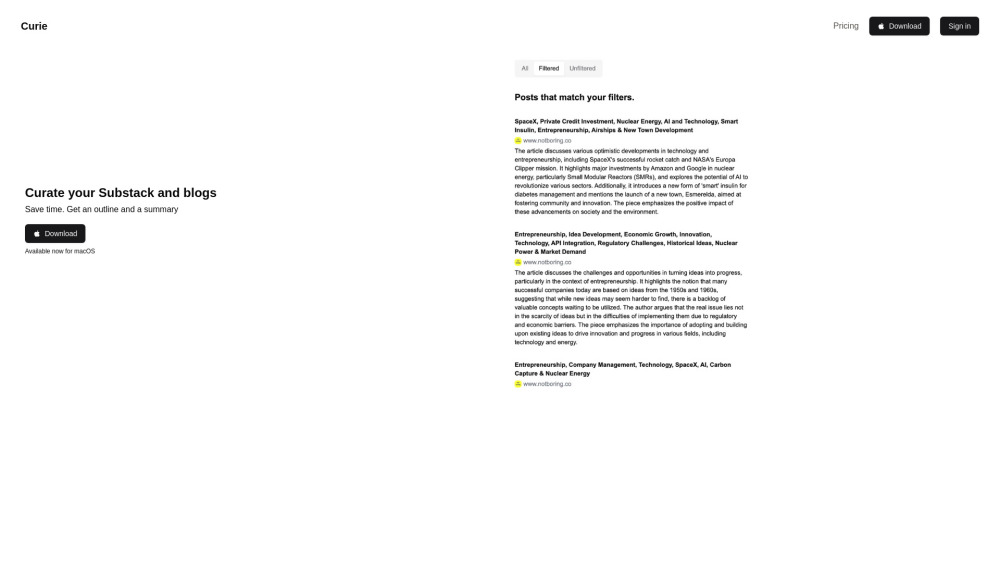
Curie is a powerful curation tool that streamlines your reading experience by summarizing and organizing content from Substack newsletters, blogs, and news articles.
How to Get Started with Curie
Begin by signing in to your account, then connect your preferred Substack and blog sources. Curie will automatically filter and generate concise summaries tailored to your interests.
Key Features of Curie
Customized article filtering based on personal preferences
Smart summaries and categorized topic lists for each article
Seamless integration with Substack and popular blogging platforms
Practical Applications of Curie
Efficiently sift through large volumes of content to save time
Quickly assess the relevance of articles via detailed summaries
Frequently Asked Questions About Curie
-
Is there a free version available?
-
Which platforms are compatible with Curie?
-
Contact & Support
For customer service or refund inquiries, please visit the contact page.
-
Company Information
Curie is developed and operated by Curie.
-
Login to Your Account
Access your dashboard at https://trycurie.com/signin.
-
Pricing Plans
Explore our subscription options on the pricing page.
More About Curie
What is Curie?
Curie simplifies information consumption by curating, summarizing, and organizing content from Substack, blogs, and news sources.
How to Use Curie?
Log in, link your favorite sources, and let Curie handle the rest by filtering and summarizing articles according to your preferences.
Is Curie Free?
Curie offers both free and premium plans. Detailed pricing can be found directly on their website.
Supported Platforms
Currently, Curie is optimized for macOS users.