Table of contents
Crayo AI Video Clips Generator : Viral Videos, Dubbing, Editing
Crayo AI Video Clips Generator: Create viral-ready videos in seconds—smart dubbing, seamless editing & AI-powered virality. 🚀
Directory : AI Video Editor, Text to Video, AI Video Generator, AI Voice Changer, AI Voice Generator, AI Text Message Generator, AI Subtitle Generator, AI Short Video Generator, AI Tiktok Video Generator, AI Dubbing, AI Video Translator, AI Youtube Video Maker, Long Video To Short Video AI
Crayo AI Video Clips Generator: Turn Any Video Into Viral Gold
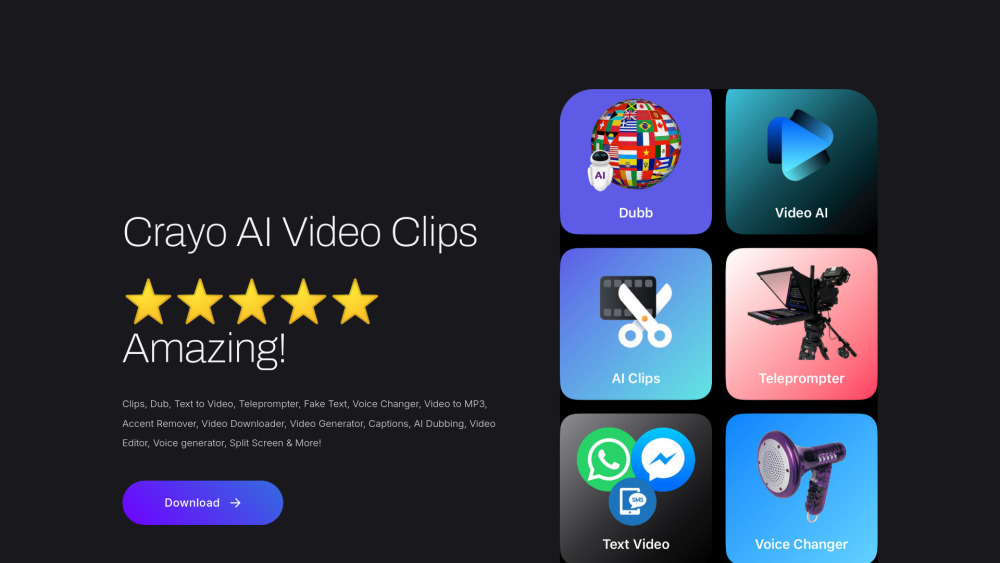
Crayo AI Video Clips Generator is a next-generation AI video studio built for creators, marketers, educators, and storytellers who need speed, polish, and global reach — without editing fatigue. Whether you're repurposing long-form YouTube content into snackable TikTok hooks, dubbing tutorials into Spanish or Hindi, or generating voiceover-rich explainers from plain text, Crayo delivers studio-grade results in seconds. Its all-in-one platform unifies AI clipping, multilingual dubbing, intelligent editing, real-time teleprompting, watermark-free downloading, voice transformation, accent neutralization, auto-captions, split-screen storytelling, and even realistic fake SMS/video message generation — all powered by precision LLM and multimodal AI models.
How It Works: From Link to Viral Clip in 3 Clicks
Start by pasting any public video URL — from YouTube, TikTok, Instagram Reels, Facebook Shorts, X (Twitter), Reddit videos, Tumblr posts, or Rumble clips. Crayo instantly analyzes the audio and visuals, then lets you select highlights, trim frames, add captions, choose a voice, pick a language, and generate a polished, share-ready clip. Need offline access? Download clean MP4s — zero watermarks, zero branding. Want to sound like a native speaker? Use Accent Remover + AI Teleprompter to speak confidently on camera. And yes — you can generate hyper-realistic fake text conversations or WhatsApp-style video messages with custom timestamps, notifications, and typing indicators.
Power Features That Set Crayo Apart
Smart Viral Clip Extraction
One-Click Multilingual Dubbing
Text-to-Video (with Scene & Voice Sync)
AI Teleprompter + Real-Time Voice Coaching
Fake SMS/Chat Video Generator
Professional Voice Changer (Gender, Tone, Age)
Video-to-MP3 Converter (High-Fidelity Audio)
Accent Neutralizer & Speech Refiner
Watermark-Free Video Downloader
AI-Powered Video Translation (Subtitles + Dub)
Drag-and-Drop Video Editor (Trim, Split, Merge)
Auto-Captioning with Styling & Position Control
Split-Screen Mode (Side-by-Side Comparisons, Tutorials)
Who’s Using Crayo AI — And Why?
Content Repurposers: Turning 10-minute YouTube videos into 5 high-performing TikTok clips per hour
Global Brands: Localizing product demos into 12+ languages with native-sounding AI voices
Educators: Creating accessible, captioned micro-lessons from lecture recordings
Social Media Managers: Generating on-brand reels with consistent tone, pacing, and visual rhythm
Influencers & Creators: Producing authentic-looking fake DM threads, “leaked” chats, or viral meme formats
Podcasters & YouTubers: Extracting quotable moments, adding b-roll overlays, and exporting clean audio stems
Language Coaches: Practicing pronunciation with AI feedback and real-time speech correction
Small Business Owners: Building professional promo videos — no editor, no budget, no delay
Frequently Asked Questions
-
Which platforms does Crayo support for viral clip extraction?
-
Does Crayo really remove watermarks when downloading videos?
-
Can I dub my video in multiple languages — and keep lip sync?
-
What are Crayo’s pricing plans — and is there a free trial?
-
How long of a script can Crayo turn into a voiceover or full video?
-
Support & Contact Information
Got questions? Our team responds within 2 hours on business days. Reach us at: [email protected]
-
Company Behind Crayo AI
Crayo AI is developed by Fermave — an AI infrastructure company focused on democratizing pro-level video creation tools.
-
Follow Crayo AI
Facebook: facebook.com/share/14ysuiNoj3M
TikTok: @crayoaiapp
Instagram: @crayo_video
FAQ Answers — Clear, Concise, Creator-First
What is Crayo AI Video Clips Generator?
Crayo AI is an end-to-end AI video suite engineered for virality, localization, and creative control. Unlike basic clip tools, it combines deep learning for speech synthesis, scene-aware editing, cross-platform compatibility, and expressive voice modulation — letting you produce broadcast-quality short-form content from any source, in any language, in under 60 seconds.
How do I create a viral clip with Crayo AI?
Paste a link → select your best 15–60 second segment → choose dub language or voice style → generate captions → download or share. Optional enhancements: add split-screen, overlay fake SMS bubbles, apply accent removal, or convert to MP3 for podcast use.
Which platforms can I use to create viral clips with Crayo AI?
YouTube, TikTok, Instagram (Reels & Feed), Facebook (Shorts & Posts), X (Twitter), Reddit (video posts), Tumblr, and Rumble — all supported with one-click parsing and smart highlight detection.
Can I download videos without watermarks using Crayo AI?
Yes. Crayo extracts and re-renders videos natively — delivering clean, watermark-free MP4 files ready for upload, editing, or archiving. No third-party scrapers. No quality loss.
Does Crayo AI support video translation?
Absolutely. Crayo offers dual-mode translation: (1) AI-dubbed audio in 30+ languages with emotion-preserving voice cloning, and (2) synchronized, editable subtitles with auto-timing and style customization.
What are the subscription options for Crayo AI Video Clips Generator?
Crayo offers flexible plans: Weekly ($12.99), Monthly ($19.99), and Annual ($190 — save 20%). All include unlimited clipping, dubbing, editing, and downloads. A pay-as-you-go option is also available: 10 credits for $7.99 (1 credit = 1 generated clip or 1 minute of AI voiceover).
Is there a character limit for voice-over or video generation?
The current limit is 1,600 characters per input — double the previous cap — allowing richer scripts, detailed prompts, and nuanced narration. Longer content can be batch-processed across multiple clips.