Copywriting

Copyter

Copyter is an AI-powered text generation tool that utilizes advanced technology to create high-quality and unique content for various purposes such as articles, essays, e-commerce, social media, and blogs. With more than 70 tools available, it supports over 39 languages, making it easy to use for both beginners and advanced users. Copyter enhances productivity and creativity while providing security features and the ability to export content in PDF and Word formats.

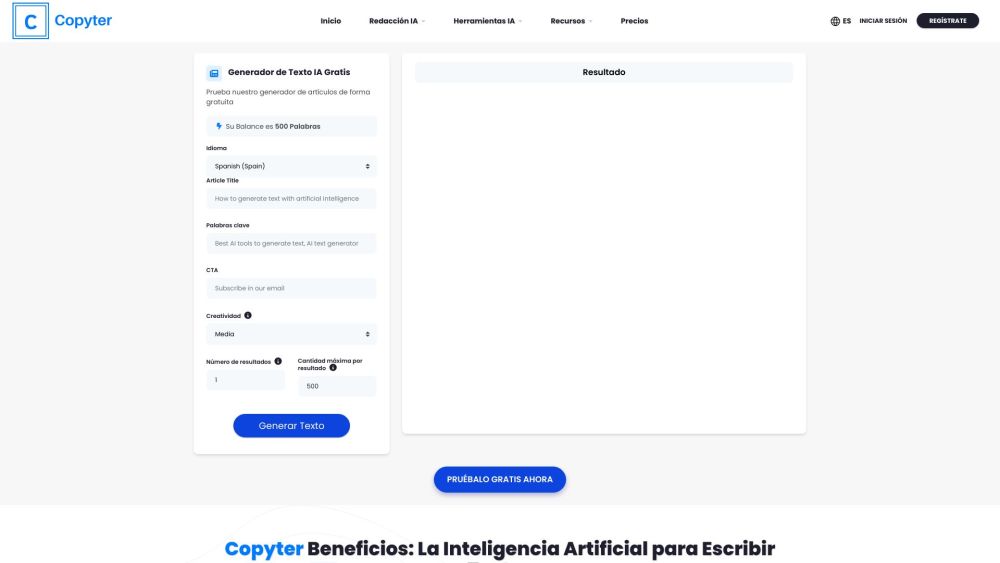
Copyter website preview

Copyter Website screenshot

Introducing Copyter Pro: Revolutionizing Content Creation

Copyter Pro is a cutting-edge AI-powered text generation tool designed to elevate your content creation experience. Whether you're crafting articles, essays, e-commerce listings, social media posts, or blog entries, Copyter Pro empowers you with advanced technology to produce high-quality and engaging content. With a diverse array of over 70 tools at your disposal, Copyter Pro supports more than 39 languages, catering to both novices and seasoned writers alike. Boost your productivity, ignite your creativity, and enjoy peace of mind with enhanced security features and the convenience of exporting your content in PDF and Word formats.

Unlocking the Power of Copyter Pro

Utilizing Copyter Pro is a seamless process. Simply create an account, choose the AI tool that aligns with your content requirements, input your topic or title, and let the magic of Copyter Pro's AI technology take over.

Discover the Versatility of Copyter Pro

AI-driven content creation at its finest

Support for a multitude of languages

Effortless content export to PDF and Word formats

Fueling productivity and fostering creativity

Embrace the Possibilities with Copyter Pro

Craft compelling articles, essays, and e-commerce narratives

Elevate your social media presence and enrich your blog content

Product source: Copyter official website. Check the provider for current plans, limits and availability.

FAQ

Copyter questions and answers

Product context and practical checks for evaluating Copyter.

What is Copyter used for?

Copyter is an AI-powered text generation tool that utilizes advanced technology to create high-quality and unique content for various purposes such as articles, essays, e-commerce, social media, and blogs. With more than 70 tools available, it supports over 39 languages, making it easy to use for both beginners and advanced users. Copyter enhances productivity and creativity while providing security features and the ability to export content in PDF and Word formats.

How do I get started with Copyter?

Open the official Copyter website and identify the workflow that matches your task. Prepare a brief with a subject, composition, lighting and required output size. Test a first generation and a targeted revision to see how much control you retain.

What should I compare before choosing a Copyter plan?

Explore Pricing Plans: View Pricing Details Confirm current prices and allowances on the provider’s website before purchasing.

What inputs should I prepare for a Copyter trial?

Look for text prompts, image references, masks or sketches as appropriate. Compare composition control, supported upload types and the ability to revise a selected area.

How can I check the quality of a Copyter result?

Inspect text, hands, edges, reflections and repeated objects at full size. Check that important product or brand details survive editing.

Which export options should I check in Copyter?

Compare pixel dimensions, transparency, file formats and any enlargement options. Confirm that the downloaded result works in your design or publishing software.

What is a practical way to test Copyter against alternatives?

Prepare a brief with a subject, composition, lighting and required output size. Test a first generation and a targeted revision to see how much control you retain.

What should I review before uploading material to Copyter?

Read the provider’s rules on access, retention, deletion and use of uploaded material. Start with a non-confidential sample that you have permission to use.

How can I check whether Copyter fits my existing workflow?

List the steps before and after using Copyter, including preparation, review and export. Test that complete sequence and check whether handoffs require manual conversion or another paid service.

Where is the official Copyter website?

The website linked from this profile is https://makebestmusic.com. Use the provider’s own documentation, account area and support channels to confirm current product details.

Visit Copyter