Copywriting

Contents.com

Create high-performing, SEO-optimized content quickly with Contents.com. AI-powered tools for ideation, writing, translation, proofreading, and more!

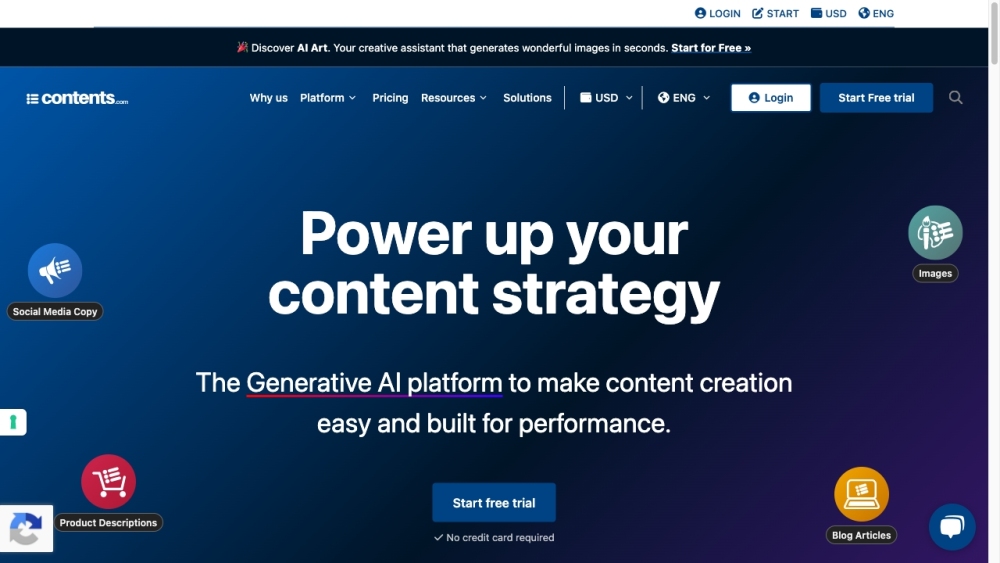
Contents.com website preview

Contents.com Website screenshot

What is Contents.com?

Contents.com is an advanced AI platform designed to streamline the creation of high-quality, SEO-optimized content for businesses. The platform provides a comprehensive suite of tools that cater to content ideation, creation, transformation, and optimization. By leveraging cutting-edge AI technology, including GPT-4, Contents.com enables users to produce original, performance-driven content quickly and efficiently.

How to use Contents.com?

To get started with Contents.com, sign up for a free trial or log in to your account. Once logged in, you can access a variety of tools and services. For generating content, use the AI Writer tool powered by GPT-4. Select an appropriate template and provide the necessary information. The AI Writer will create content based on your input and the selected template. You can also use other features like Industry Trends for the latest topic insights, AI Chat for brainstorming, AI Art for unique image creation, Audio ↔ Text for multimedia content, and AI Translation for multilingual content. Additionally, Contents.com offers professional writing services, including content creation by copywriters, translations by native speakers, and AI-assisted proofreading.

Contents.com's Core Features

Content ideation

Content creation

Content transformation

Keyword optimization

Machine-based translation

Glossary creation

Draft proofreading

Virtual editing

NLG draft proofreading

SEO-oriented texts

Copywriting

Marketing copy

Website content creation

Blog post writing

Contents.com's Use Cases

Marketing teams

E-commerce

Publishers

Web agencies

Bloggers

Large corporations

Product source: Contents.com official website. Check the provider for current plans, limits and availability.

FAQ

Contents.com questions and answers

Product context and practical checks for evaluating Contents.com.

What is Contents.com used for?

Create high-performing, SEO-optimized content quickly with Contents.com. AI-powered tools for ideation, writing, translation, proofreading, and more!

How do I get started with Contents.com?

To get started with Contents.com, sign up for a free trial or log in to your account. Once logged in, you can access a variety of tools and services. For generating content, use the AI Writer tool powered by GPT-4. Select an appropriate template and provide the necessary information. The AI Writer will create content based on your input and the selected template. You can also use other features like Industry Trends for the latest topic insights, AI Chat for brainstorming, AI Art for unique image creation, Audio ↔ Text for multimedia content, and AI Translation for multilingual content. Additionally, Contents.com offers professional writing services, including content creation by copywriters, translations by native speakers, and AI-assisted proofreading.

Which capabilities are described for Contents.com?

Content ideationContent creationContent transformationKeyword optimizationMachine-based translationGlossary creationDraft proofreadingVirtual editingNLG draft proofreadingSEO-oriented textsCopywritingMarketing copyWebsite content creationBlog post writing

What projects can I evaluate Contents.com for?

Marketing teamsE-commercePublishersWeb agenciesBloggersLarge corporations Contents.com Support Email & Customer service contact & Refund contact etc. For more contact information, visit the contact us page(https://www.contents.com/demo/) Contents.com Company Company name: Contents SpA Company address: via Paolo da Cannobio, 9, 20122 Milano MI, ITALY. For more information, visit the about us page(https://www.contents.com/why-us/). Contents.com Login Login here: https://app.contents.com/ Contents.com Facebook Facebook page: https://www.facebook.com/contentsdotcom/ Contents.com Youtube Youtube channel: https://www.youtube.com/channel/UC_H9EJ223LtXWG7RoaHaRWw Contents.com Linkedin Linkedin profile: https://www.linkedin.com/company/contentsdotcom/ Contents.com Instagram Instagram account: https://www.instagram.com/contents_com/

What should I compare before choosing a Contents.com plan?

Check Contents.com’s current pricing page for included usage, renewal terms and any credit charges. Compare the cost of a usable result, including retries, rather than assuming that account registration includes free usage.

What inputs should I prepare for a Contents.com trial?

Compare support for source documents, style instructions, outlines and length limits. Check whether citations link to real material rather than merely looking like references.

How can I check the quality of a Contents.com result?

Verify names, dates, quotations and factual claims against the original sources. Edit tone, remove repetition and make sure the text answers the intended reader’s question.

Which export options should I check in Contents.com?

Check export to plain text, Markdown, documents or your publishing system. Formatting, headings and working links matter when moving a draft into production.

What is a practical way to test Contents.com against alternatives?

Use a real brief and a short source document. Compare factual accuracy, structure and editing time rather than accepting the longest or most confident draft.

Where is the official Contents.com website?

The website linked from this profile is https://contents.com. Use the provider’s own documentation, account area and support channels to confirm current product details.

Visit Contents.com