AI Blog Writer

ContentIn

ContentIn: AI-Powered LinkedIn Content Creator & Planner helps you craft engaging posts, build your brand, and become a thought leader with ease and speed.

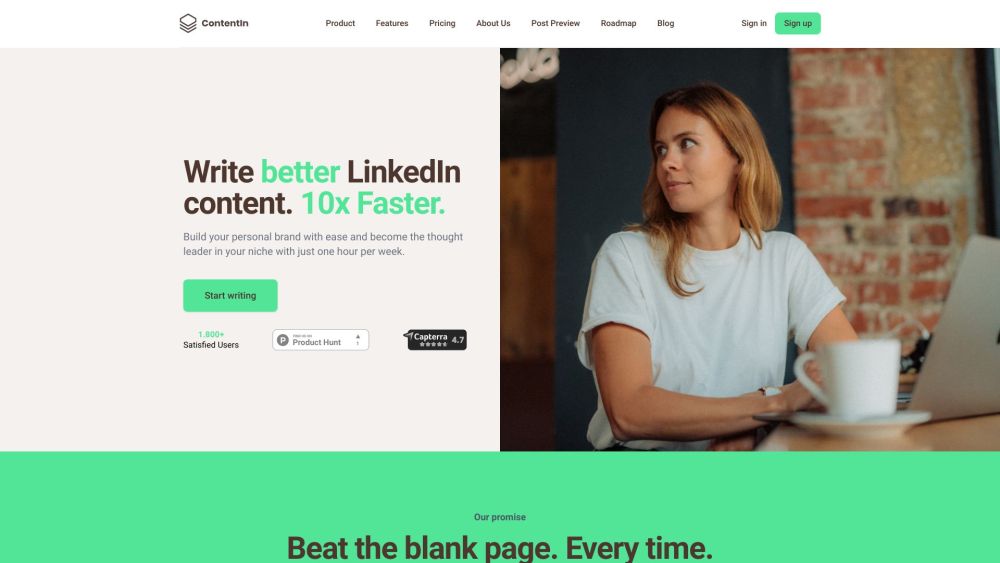
ContentIn website preview

ContentIn Website screenshot

Boost Your LinkedIn with ContentIn

ContentIn is a comprehensive platform crafted to enhance LinkedIn content creation through AI and analytics. By utilizing ContentIn, users can overcome writer's block, effortlessly build their personal brand, and emerge as industry thought leaders. The platform offers a range of features including content planning, AI-generated ideas, proven templates, and analytics, all designed to help users create engaging and viral LinkedIn posts.

Getting Started with ContentIn

To get started with ContentIn, users need to sign up and select an appropriate pricing plan. Once registered, they gain access to the platform's features and can begin crafting LinkedIn content. Users can either choose from a variety of proven templates provided by ContentIn or leverage AI to help create captivating posts. Additionally, users can schedule posts in advance, save ideas in a dedicated vault, and track post performance with analytics. ContentIn streamlines the content creation process, ensuring users maintain a consistent presence on LinkedIn.

Key Features of ContentIn

Content Planning and Scheduling

AI-Generated Content Ideas

Proven Templates for Effective Posts

AI Assistance for Quick Content Creation

Analytics for Post Performance Measurement

Idea Vault for Managing Post Ideas

Option to Add Media to Posts

Post Preview Before Publishing

Who Can Benefit from ContentIn?

Professionals Enhancing Their LinkedIn Presence

Content Creators Building Their Audience and Authority

  • About ContentIn

    ContentIn is a product of webmarken lab OÜ. For more details, please visit our about us page.

  • Login to ContentIn

    Access your account through the ContentIn login page.

  • Sign Up for ContentIn

    Create an account by visiting the ContentIn signup page.

  • ContentIn Pricing

    Explore pricing options on our pricing page.

  • Follow ContentIn on Facebook

    Stay updated by following us on Facebook.

  • Connect with ContentIn on LinkedIn

    Join our LinkedIn network by visiting our LinkedIn page.

  • Follow ContentIn on Twitter

    Get the latest updates by following us on Twitter.

Product source: ContentIn official website. Check the provider for current plans, limits and availability.

FAQ

ContentIn questions and answers

Product context and practical checks for evaluating ContentIn.

What is ContentIn used for?

ContentIn: AI-Powered LinkedIn Content Creator & Planner helps you craft engaging posts, build your brand, and become a thought leader with ease and speed.

How do I get started with ContentIn?

To get started with ContentIn, users need to sign up and select an appropriate pricing plan. Once registered, they gain access to the platform's features and can begin crafting LinkedIn content. Users can either choose from a variety of proven templates provided by ContentIn or leverage AI to help create captivating posts. Additionally, users can schedule posts in advance, save ideas in a dedicated vault, and track post performance with analytics. ContentIn streamlines the content creation process, ensuring users maintain a consistent presence on LinkedIn.

Which capabilities are described for ContentIn?

Content Planning and SchedulingAI-Generated Content IdeasProven Templates for Effective PostsAI Assistance for Quick Content CreationAnalytics for Post Performance MeasurementIdea Vault for Managing Post IdeasOption to Add Media to PostsPost Preview Before Publishing

What should I compare before choosing a ContentIn plan?

Explore pricing options on our pricing page. Confirm current prices and allowances on the provider’s website before purchasing.

What inputs should I prepare for a ContentIn trial?

Compare support for source documents, style instructions, outlines and length limits. Check whether citations link to real material rather than merely looking like references.

How can I check the quality of a ContentIn result?

Verify names, dates, quotations and factual claims against the original sources. Edit tone, remove repetition and make sure the text answers the intended reader’s question.

Which export options should I check in ContentIn?

Check export to plain text, Markdown, documents or your publishing system. Formatting, headings and working links matter when moving a draft into production.

What is a practical way to test ContentIn against alternatives?

Use a real brief and a short source document. Compare factual accuracy, structure and editing time rather than accepting the longest or most confident draft.

What should I review before uploading material to ContentIn?

Read the provider’s rules on access, retention, deletion and use of uploaded material. Start with a non-confidential sample that you have permission to use.

Where is the official ContentIn website?

The website linked from this profile is https://contentin.io. Use the provider’s own documentation, account area and support channels to confirm current product details.

Visit ContentIn