Writing Assistants

Content Render

AI tool for creating diverse digital content effortlessly.

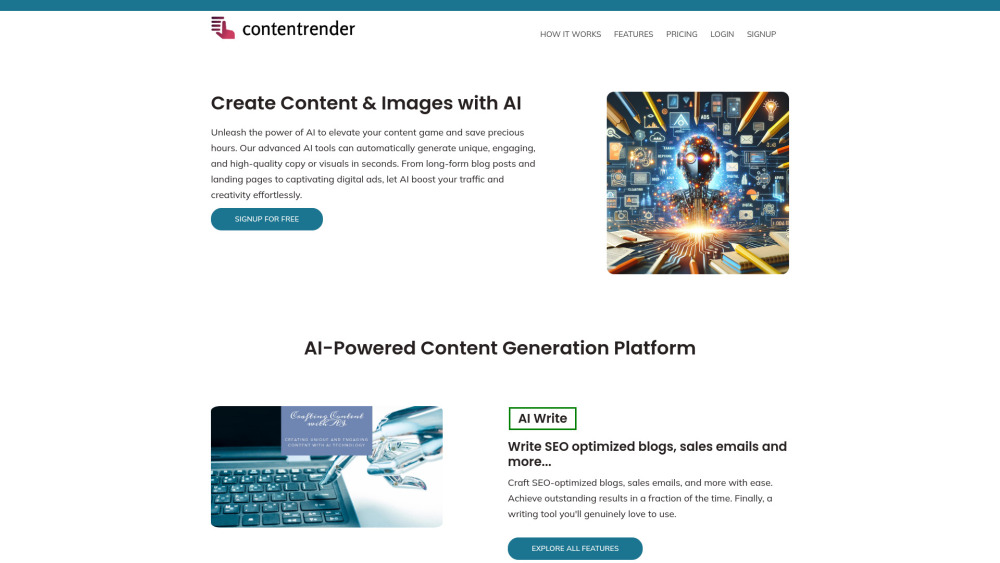
Content Render website preview

Content Render Website screenshot

Understanding Content Render

Content Render is a powerful online platform designed to help users easily generate a variety of content types using AI technology. Whether you need to create text, images, videos, audio, or interactive content like chats, Content Render provides a unified tool for all your marketing, social media, and creative project needs.

How Does Content Render Work?

Getting started with Content Render is simple. Select a template, describe the content you want to create, and with one click of the 'Generate' button, you can instantly produce high-quality content tailored to your needs.

Key Features of Content Render

AI-Powered Writing Templates

AI Code Generator

AI Image Creation Tool

AI-Driven Chat Support

Speech to Text Conversion

Text to Speech Generator

Practical Applications of Content Render

Creating SEO-optimized Articles

Designing Engaging Social Media Posts

Fast and Efficient Code Development

Transcribing Voice Recordings

Commonly Asked Questions about Content Render

What is Content Render?

Content Render is a comprehensive AI platform for generating text, images, audio, video, and interactive content, supporting various creative, marketing, and social media needs.

How do I use Content Render?

Select a template, provide a brief description of your topic, and click 'Generate' to create your content instantly.

Is it necessary to have an account?

Yes, you need an account to fully access all features. You can start with a free trial.

Can I cancel my plan anytime?

Absolutely, you can cancel your subscription at any time through your account settings.

What's the difference between Professional and Enterprise plans?

The Professional plan includes 1,500 monthly credits, while the Enterprise plan provides 5,000 credits for larger-scale needs.

Product source: Content Render official website. Check the provider for current plans, limits and availability.

FAQ

Content Render questions and answers

Product context and practical checks for evaluating Content Render.

What is Content Render used for?

AI tool for creating diverse digital content effortlessly.

How do I get started with Content Render?

Getting started with Content Render is simple. Select a template, describe the content you want to create, and with one click of the 'Generate' button, you can instantly produce high-quality content tailored to your needs.

Which capabilities are described for Content Render?

AI-Powered Writing TemplatesAI Code GeneratorAI Image Creation ToolAI-Driven Chat SupportSpeech to Text ConversionText to Speech Generator

What projects can I evaluate Content Render for?

Creating SEO-optimized ArticlesDesigning Engaging Social Media PostsFast and Efficient Code DevelopmentTranscribing Voice Recordings Contact Content Render For inquiries, visit the Contact Us page. Company Information Content Render's headquarters: 5B EPIP-II, Whitefield, Bangalore, India. Login to Content Render Login here: https://www.contentrender.com/login Sign up for Content Render Create an account here: https://www.contentrender.com/signup View Pricing See the plans here: https://www.contentrender.com/#pricing Follow on Facebook Visit us on Facebook: https://www.facebook.com/contentrenderai Watch Content Render on YouTube Find tutorials on YouTube: https://www.youtube.com/ Follow on Instagram Follow us on Instagram: https://www.instagram.com/contentrender.ai/

What should I compare before choosing a Content Render plan?

See the plans here: https://www.contentrender.com/#pricing Confirm current prices and allowances on the provider’s website before purchasing.

What inputs should I prepare for a Content Render trial?

Compare support for source documents, style instructions, outlines and length limits. Check whether citations link to real material rather than merely looking like references.

How can I check the quality of a Content Render result?

Verify names, dates, quotations and factual claims against the original sources. Edit tone, remove repetition and make sure the text answers the intended reader’s question.

Which export options should I check in Content Render?

Check export to plain text, Markdown, documents or your publishing system. Formatting, headings and working links matter when moving a draft into production.

What is a practical way to test Content Render against alternatives?

Use a real brief and a short source document. Compare factual accuracy, structure and editing time rather than accepting the longest or most confident draft.

Where is the official Content Render website?

The website linked from this profile is https://www.contentrender.com. Use the provider’s own documentation, account area and support channels to confirm current product details.

Visit Content Render