Summarizer

ClarityClips

ClarityClips is a web-based application that provides users with the ability to effortlessly extract key takeaways from any YouTube video. It uses advanced technology to automatically summarize video content, eliminating the need for manual note-taking and ensuring users can quickly access the most important points from long and complex videos.

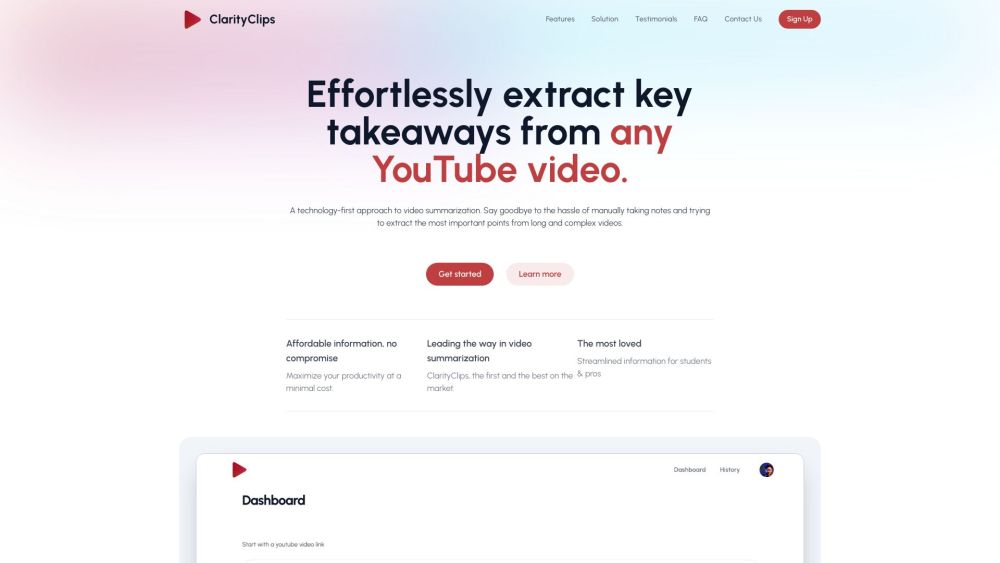
ClarityClips website preview

ClarityClips Website screenshot

What is ClarityClips?

ClarityClips is an innovative web application designed to help users quickly extract essential information from any YouTube video. Leveraging advanced algorithms, ClarityClips automatically condenses video content, saving users from the hassle of manual note-taking and ensuring that the key points from even the longest and most intricate videos are easily accessible.

How to use ClarityClips?

Getting started with ClarityClips is simple. Sign up for an account and log in to the app. Paste the link of the YouTube video you wish to summarize, and ClarityClips will utilize cutting-edge algorithms and natural language processing to analyze the video. It divides the content into manageable segments, identifies critical information, and presents it in a succinct and clear manner. With its multilingual support, ClarityClips enables users to understand videos in any language available on the platform.

ClarityClips's Core Features

Extract key takeaways from YouTube videos with ease

Automate video summarization using advanced technology

Support for multiple languages, enhancing global comprehension

Boost productivity by accessing crucial video information quickly

Ideal for students, professionals, and anyone needing concise video insights

ClarityClips's Use Cases

Language Learning

Language teachers can use ClarityClips to present videos in a summarized form, helping students focus on the core message without getting bogged down by extraneous details.

Journalism

Journalists can expedite their workflow by using ClarityClips to swiftly extract important information from hours of footage.

Business Management

Busy professionals can stay updated on important business matters by using ClarityClips to get quick overviews of long presentations or company updates.

Academic Research

Researchers and PhD students benefit from ClarityClips by quickly grasping complex concepts, thus enhancing their efficiency in academic video reviews.

Podcasting

Podcasters can use ClarityClips to summarize videos like TED Talks, saving time while still obtaining accurate and informative content for their audiences.

Product source: ClarityClips official website. Check the provider for current plans, limits and availability.

FAQ

ClarityClips questions and answers

Product context and practical checks for evaluating ClarityClips.

What is ClarityClips used for?

ClarityClips is a web-based application that provides users with the ability to effortlessly extract key takeaways from any YouTube video. It uses advanced technology to automatically summarize video content, eliminating the need for manual note-taking and ensuring users can quickly access the most important points from long and complex videos.

How do I get started with ClarityClips?

Getting started with ClarityClips is simple. Sign up for an account and log in to the app. Paste the link of the YouTube video you wish to summarize, and ClarityClips will utilize cutting-edge algorithms and natural language processing to analyze the video. It divides the content into manageable segments, identifies critical information, and presents it in a succinct and clear manner. With its multilingual support, ClarityClips enables users to understand videos in any language available on the platform.

Which capabilities are described for ClarityClips?

Extract key takeaways from YouTube videos with easeAutomate video summarization using advanced technologySupport for multiple languages, enhancing global comprehensionBoost productivity by accessing crucial video information quicklyIdeal for students, professionals, and anyone needing concise video insights

What projects can I evaluate ClarityClips for?

Language LearningLanguage teachers can use ClarityClips to present videos in a summarized form, helping students focus on the core message without getting bogged down by extraneous details.JournalismJournalists can expedite their workflow by using ClarityClips to swiftly extract important information from hours of footage.Business ManagementBusy professionals can stay updated on important business matters by using ClarityClips to get quick overviews of long presentations or company updates.Academic ResearchResearchers and PhD students benefit from ClarityClips by quickly grasping complex concepts, thus enhancing their efficiency in academic video reviews.PodcastingPodcasters can use ClarityClips to summarize videos like TED Talks, saving time while still obtaining accurate and informative content for their audiences. ClarityClips Support Email & Customer Service Contact For more contact information, visit the contact us page. ClarityClips Company Company name: ClarityClips. For more information, please visit the about us page. ClarityClips Sign up Sign up at https://www.clarityclips.com/signin. ClarityClips Twitter Follow us on Twitter: https://twitter.com/ClarityClips. ClarityClips Instagram Follow us on Instagram: https://instagram.com/clarity.clips. ClarityClips Github Check out our Github: https://github.com/clarityclips.

What should I compare before choosing a ClarityClips plan?

Check ClarityClips’s current pricing page for included usage, renewal terms and any credit charges. Compare the cost of a usable result, including retries, rather than assuming that account registration includes free usage.

What inputs should I prepare for a ClarityClips trial?

Compare text prompts, reference frames, source footage and audio support. Check duration, aspect ratio and whether the tool lets you keep a subject consistent between shots.

How can I check the quality of a ClarityClips result?

Watch the entire clip for motion errors, distorted objects, changing identities, lip-sync problems and abrupt transitions. Inspect the downloaded file as well as the preview.

Which export options should I check in ClarityClips?

Check export resolution, frame rate, aspect ratio, audio tracks and watermark rules. A good preview is not a substitute for an export that fits your publishing channel.

What is a practical way to test ClarityClips against alternatives?

Use a short shot with one subject and one camera movement. Keep the prompt and duration constant, then compare usable seconds and the number of regenerations.

Where is the official ClarityClips website?

The website linked from this profile is https://www.clarityclips.com. Use the provider’s own documentation, account area and support channels to confirm current product details.

Visit ClarityClips