AI Productivity Tools

Claap

Claap is an all-in-one video workspace that aims to streamline collaboration and knowledge sharing within teams. It offers features like screen recording, meeting recording, and video wiki, allowing users to replace traditional meetings with short videos and turn them into shareable knowledge. Claap also provides AI-powered notes to supercharge meetings and make key moments easily accessible to teammates.

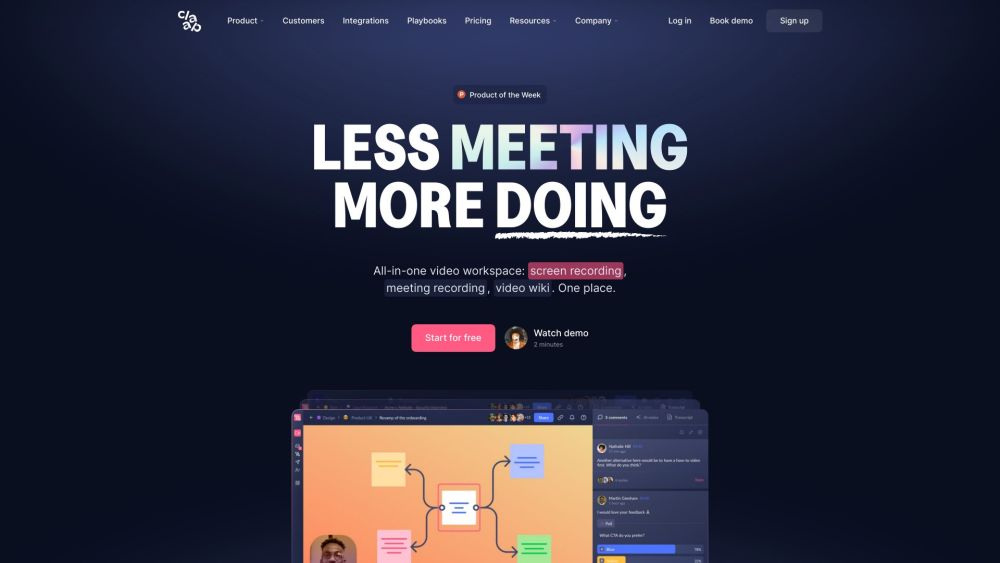
Claap website preview

Claap Website screenshot

What is Claap?

Claap is a comprehensive video workspace designed to enhance team collaboration and knowledge sharing. It includes features such as screen recording, meeting recording, and a video wiki. By replacing traditional meetings with concise video updates, Claap enables teams to share knowledge efficiently. Additionally, AI-powered notes help capture important moments, making them easily accessible to team members.

How to use Claap?

To get started with Claap, sign up for an account. Once logged in, you can begin recording your screen or meetings. Use the video wiki to organize and search through your recordings. Claap integrates with various applications to automate workflows and boost productivity. Connect your preferred apps and start collaborating seamlessly with your team.

Claap's Core Features

Screen recording

Meeting recording

Video wiki

AI-notes

Video annotation

Comment threads

Polls

AI-generated notes

100-language transcript

Speaker insights

Topic identification

AI-powered search

Teams & topics organization

Advanced privacy

Inbox

Automated workflows

Custom views

Claap's Use Cases

{ "title": "Replace Meetings with Short Videos", "description": "Record and share your work using quick screen recordings, allowing teammates to contribute on their own schedule. This approach saves time and boosts productivity by eliminating the need for traditional meetings." }

{ "title": "Supercharge Meetings with AI-Notes", "description": "Enhance your meetings with AI-powered notes that help capture key moments. Utilize features like multilingual transcripts, speaker insights, and topic identification to make your meetings more effective." }

{ "title": "Create a Video Knowledge Hub", "description": "Organize your recordings by teams and topics in the video wiki. Effortlessly search through your videos and access AI-generated summaries, using Claap as a central hub for team knowledge and collaboration." }

Product source: Claap official website. Check the provider for current plans, limits and availability.

FAQ

Claap questions and answers

Product context and practical checks for evaluating Claap.

What is Claap used for?

Claap is an all-in-one video workspace that aims to streamline collaboration and knowledge sharing within teams. It offers features like screen recording, meeting recording, and video wiki, allowing users to replace traditional meetings with short videos and turn them into shareable knowledge. Claap also provides AI-powered notes to supercharge meetings and make key moments easily accessible to teammates.

How do I get started with Claap?

To get started with Claap, sign up for an account. Once logged in, you can begin recording your screen or meetings. Use the video wiki to organize and search through your recordings. Claap integrates with various applications to automate workflows and boost productivity. Connect your preferred apps and start collaborating seamlessly with your team.

Which capabilities are described for Claap?

Screen recordingMeeting recordingVideo wikiAI-notesVideo annotationComment threadsPollsAI-generated notes100-language transcriptSpeaker insightsTopic identificationAI-powered searchTeams & topics organizationAdvanced privacyInboxAutomated workflowsCustom views

What projects can I evaluate Claap for?

{ "title": "Replace Meetings with Short Videos", "description": "Record and share your work using quick screen recordings, allowing teammates to contribute on their own schedule. This approach saves time and boosts productivity by eliminating the need for traditional meetings." }{ "title": "Supercharge Meetings with AI-Notes", "description": "Enhance your meetings with AI-powered notes that help capture key moments. Utilize features like multilingual transcripts, speaker insights, and topic identification to make your meetings more effective." }{ "title": "Create a Video Knowledge Hub", "description": "Organize your recordings by teams and topics in the video wiki. Effortlessly search through your videos and access AI-generated summaries, using Claap as a central hub for team knowledge and collaboration." } Claap Support Email & Customer Service ContactFor more contact details, visit the contact us page. Claap CompanyCompany name: Claap.Learn more about Claap on the about us page. Claap LoginLogin here: https://app.claap.io/sign-in Claap Sign UpSign up here: https://app.claap.io/sign-up Claap PricingCheck pricing options: https://www.claap.io/pricing Claap YouTubeVisit our YouTube channel: https://www.youtube.com/@claap_io Claap TikTokFollow us on TikTok: https://www.tiktok.com/@claap_io Claap LinkedInConnect with us on LinkedIn: https://www.linkedin.com/company/claap-io/ Claap TwitterFollow us on Twitter: https://twitter.com/claap_io

What should I compare before choosing a Claap plan?

Check pricing options: https://www.claap.io/pricing Confirm current prices and allowances on the provider’s website before purchasing.

What inputs should I prepare for a Claap trial?

Compare text prompts, reference frames, source footage and audio support. Check duration, aspect ratio and whether the tool lets you keep a subject consistent between shots.

How can I check the quality of a Claap result?

Watch the entire clip for motion errors, distorted objects, changing identities, lip-sync problems and abrupt transitions. Inspect the downloaded file as well as the preview.

Which export options should I check in Claap?

Check export resolution, frame rate, aspect ratio, audio tracks and watermark rules. A good preview is not a substitute for an export that fits your publishing channel.

What is a practical way to test Claap against alternatives?

Use a short shot with one subject and one camera movement. Keep the prompt and duration constant, then compare usable seconds and the number of regenerations.

Where is the official Claap website?

The website linked from this profile is https://claap.io. Use the provider’s own documentation, account area and support channels to confirm current product details.

Visit Claap