AI Advertising Assistant

Cheat Layer

Cheat Layer: Your business automation platform using GPT-3 to act as a personal software engineer, solving complex tasks with ease. See use cases, pricing, reviews!

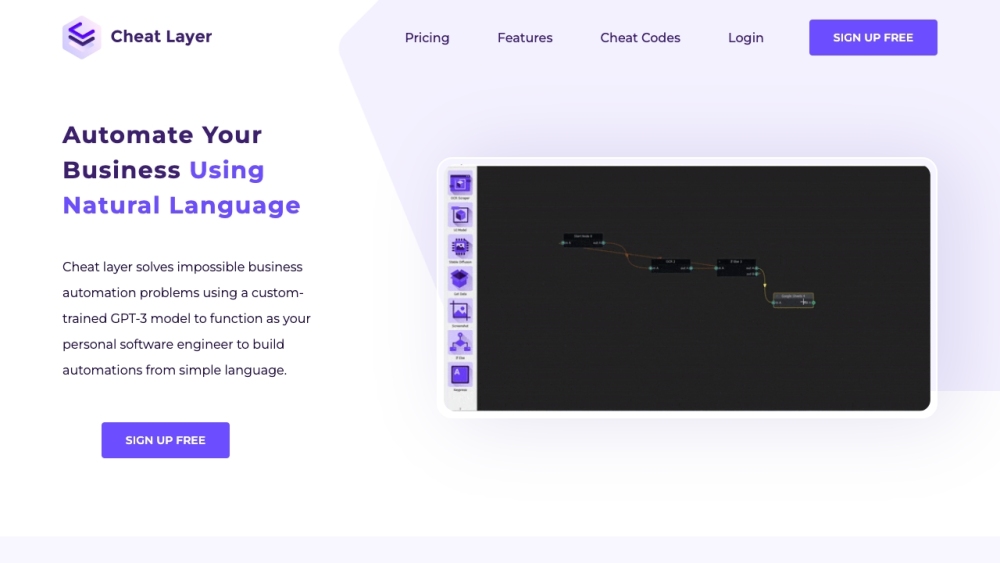
Cheat Layer website preview

Cheat Layer Website screenshot

What is Cheat Layer?

Cheat Layer is an innovative business automation platform leveraging a specialized GPT-3 model. It serves as a virtual software engineer, enabling users to tackle intricate automation challenges using simple, natural language commands.

How to Use Cheat Layer?

To get started with Cheat Layer, download and install the browser extension. Once installed, you can begin creating automations by typing out the tasks you want to automate. The GPT-3 model, trained specifically for this platform, interprets your instructions and generates the necessary code to complete the automation.

Cheat Layer's Core Features

The key features of Cheat Layer include: Project Atlas: A bespoke machine learning model designed to create end-to-end automations, simplifying user interactions. Extensive Cheat Codes Library: Access a collection of user-generated automations that can be quickly implemented. No-code Drag-and-drop Interface: Easily transform automations into products without any coding expertise. Enhanced with ChatGPT: Gain access to real-time updates and advanced functionalities. Natural Language Commands: Automate business processes effortlessly by using plain language instructions.

Cheat Layer's Use Cases

Cheat Layer is versatile and can be applied in various business scenarios, such as: Marketing Automation: Simplify repetitive tasks like data entry and information gathering across platforms. Market Research: Optimize data collection and analysis from multiple sources. Workflow Automation: Streamline manual tasks to enhance productivity and efficiency. Lead Generation: Use the platform to scrape and gather leads from sites like LinkedIn. Canva Automation: Create customized Canva templates using data from Google Sheets. And many more!

Product source: Cheat Layer official website. Check the provider for current plans, limits and availability.

FAQ

Cheat Layer questions and answers

Product context and practical checks for evaluating Cheat Layer.

What is Cheat Layer used for?

Cheat Layer: Your business automation platform using GPT-3 to act as a personal software engineer, solving complex tasks with ease. See use cases, pricing, reviews!

How do I get started with Cheat Layer?

To get started with Cheat Layer, download and install the browser extension. Once installed, you can begin creating automations by typing out the tasks you want to automate. The GPT-3 model, trained specifically for this platform, interprets your instructions and generates the necessary code to complete the automation.

Which capabilities are described for Cheat Layer?

The key features of Cheat Layer include: Project Atlas: A bespoke machine learning model designed to create end-to-end automations, simplifying user interactions. Extensive Cheat Codes Library: Access a collection of user-generated automations that can be quickly implemented. No-code Drag-and-drop Interface: Easily transform automations into products without any coding expertise. Enhanced with ChatGPT: Gain access to real-time updates and advanced functionalities. Natural Language Commands: Automate business processes effortlessly by using plain language instructions.

What projects can I evaluate Cheat Layer for?

Cheat Layer is versatile and can be applied in various business scenarios, such as: Marketing Automation: Simplify repetitive tasks like data entry and information gathering across platforms. Market Research: Optimize data collection and analysis from multiple sources. Workflow Automation: Streamline manual tasks to enhance productivity and efficiency. Lead Generation: Use the platform to scrape and gather leads from sites like LinkedIn. Canva Automation: Create customized Canva templates using data from Google Sheets. And many more! Cheat Layer Discord Join the Cheat Layer Discord community here: https://discord.gg/cheatlayer. For additional details, visit this page(/discord/cheatlayer). Cheat Layer Support Email & Customer Service Contact For support, email Cheat Layer at: [email protected]. Cheat Layer Company Company Name: Cheat Layer. Learn more on our About Us page. Cheat Layer Login Login to Cheat Layer here: https://cheatlayer.com/signin Cheat Layer Sign Up Sign up for Cheat Layer here: https://cheatlayer.com/#signup Cheat Layer Pricing View pricing details for Cheat Layer here: https://cheatlayer.com/#pricing Cheat Layer YouTube Visit the Cheat Layer YouTube channel: https://youtube.com/cheatlayer

What should I compare before choosing a Cheat Layer plan?

View pricing details for Cheat Layer here: https://cheatlayer.com/#pricing Confirm current prices and allowances on the provider’s website before purchasing.

What inputs should I prepare for a Cheat Layer trial?

Compare repository access, context limits, supported languages and tool permissions. Check whether the assistant can read relevant files and run your existing checks.

How can I check the quality of a Cheat Layer result?

Review the diff, run tests and inspect error handling and dependency changes. Generated code should meet the same review standard as a human contribution.

Which export options should I check in Cheat Layer?

Prefer changes you can inspect and keep in version control. Check whether code, tests and configuration can be exported without depending on a hosted preview.

What is a practical way to test Cheat Layer against alternatives?

Choose a small reproducible bug with an existing failing check. Measure whether the tool fixes the cause, preserves behavior and produces a reviewable change.

Where is the official Cheat Layer website?

The website linked from this profile is https://www.promptdodo.com. Use the provider’s own documentation, account area and support channels to confirm current product details.

Visit Cheat Layer