General Writing

ChatGPT Chrome Extension

Get free, quick access to OpenAI's ChatGPT with the ChatGPT Chrome Extension. Simplify your browsing experience with instant AI assistance!

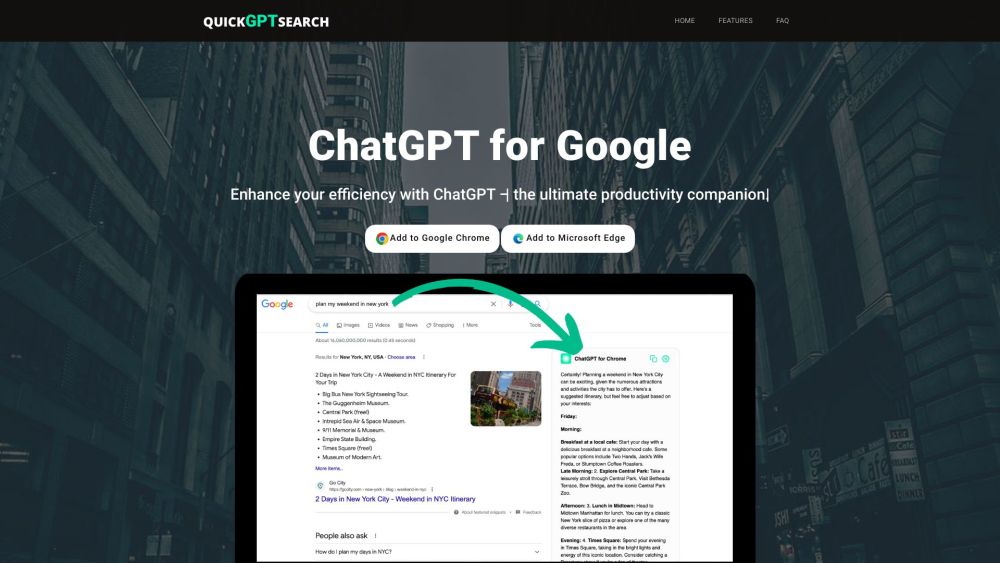
ChatGPT Chrome Extension website preview

ChatGPT Chrome Extension Website screenshot

What is ChatGPT Chrome Extension?

ChatGPT Chrome Extension is a free tool designed to offer quick and easy access to OpenAI's ChatGPT through your browser.

How to use ChatGPT Chrome Extension?

To use the ChatGPT Chrome Extension, install it on your Google Chrome or Microsoft Edge browser. Once installed, you can access ChatGPT either as a standalone webpage or as a popup window. You can activate it anytime, trigger it manually, or use a specific command. It allows you to ask questions and receive immediate answers from ChatGPT.

ChatGPT Chrome Extension's Core Features

Quick and easy access to OpenAI's ChatGPT

Options for standalone or popup window usage

Multiple trigger methods for convenience

Dark mode for a customized look

Capabilities in prose and code generation and enhancement

Functions for text summarization, content classification, and question answering

Translation and language conversion (including programming languages)

ChatGPT Chrome Extension's Use Cases

Boosting productivity and efficiency

Generating and refining prose and code

Summarizing lengthy texts

Providing quick answers to questions

Translating and converting languages

  • ChatGPT Chrome Extension Support Email & Customer Service Contact

    For more information, visit the contact us page

  • ChatGPT Chrome Extension Company

    Company Name: Quick GPT Search

Product source: ChatGPT Chrome Extension official website. Check the provider for current plans, limits and availability.

FAQ

ChatGPT Chrome Extension questions and answers

Product context and practical checks for evaluating ChatGPT Chrome Extension.

What is ChatGPT Chrome Extension used for?

Get free, quick access to OpenAI's ChatGPT with the ChatGPT Chrome Extension. Simplify your browsing experience with instant AI assistance!

How do I get started with ChatGPT Chrome Extension?

To use the ChatGPT Chrome Extension, install it on your Google Chrome or Microsoft Edge browser. Once installed, you can access ChatGPT either as a standalone webpage or as a popup window. You can activate it anytime, trigger it manually, or use a specific command. It allows you to ask questions and receive immediate answers from ChatGPT.

Which capabilities are described for ChatGPT Chrome Extension?

Quick and easy access to OpenAI's ChatGPTOptions for standalone or popup window usageMultiple trigger methods for convenienceDark mode for a customized lookCapabilities in prose and code generation and enhancementFunctions for text summarization, content classification, and question answeringTranslation and language conversion (including programming languages)

What projects can I evaluate ChatGPT Chrome Extension for?

Boosting productivity and efficiencyGenerating and refining prose and codeSummarizing lengthy textsProviding quick answers to questionsTranslating and converting languages ChatGPT Chrome Extension Support Email & Customer Service Contact For more information, visit the contact us page ChatGPT Chrome Extension Company Company Name: Quick GPT Search

What should I compare before choosing a ChatGPT Chrome Extension plan?

Check ChatGPT Chrome Extension’s current pricing page for included usage, renewal terms and any credit charges. Compare the cost of a usable result, including retries, rather than assuming that account registration includes free usage.

What inputs should I prepare for a ChatGPT Chrome Extension trial?

Identify the files, text or account connections your task needs. Confirm that the product accepts those inputs and offers controls for reviewing its work.

How can I check the quality of a ChatGPT Chrome Extension result?

Test one representative task and inspect the result for accuracy and completeness. Record where manual corrections or extra tools are needed.

Which export options should I check in ChatGPT Chrome Extension?

Check export formats, integrations and whether you can keep using your work outside the service. Test a real export before committing to a longer plan.

What is a practical way to test ChatGPT Chrome Extension against alternatives?

Choose one task with a clear success condition. Keep the input consistent, record the time spent reviewing and compare the complete workflow cost.

Where is the official ChatGPT Chrome Extension website?

The website linked from this profile is https://quickgptsearch.com/gpt. Use the provider’s own documentation, account area and support channels to confirm current product details.

Visit ChatGPT Chrome Extension