Text&ampWriting

Cashzine.AI

Try Cashzine.AI, a free online AI image editor. Remove backgrounds, upscale images, and create ID photos in seconds, right in your browser.

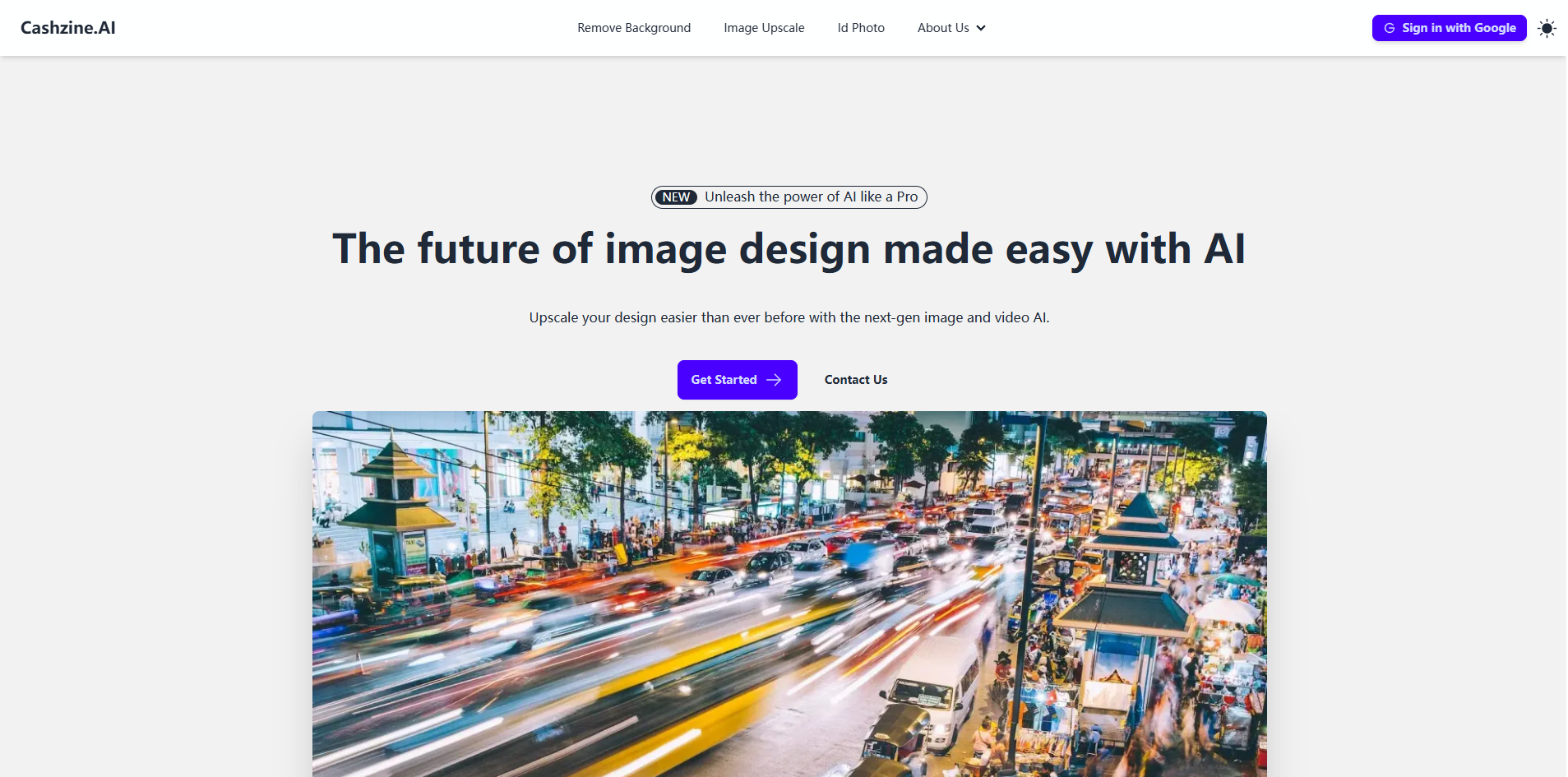
Cashzine.AI website preview

What Is Cashzine.AI?

Cashzine.AI is a free online AI image editor for upscaling photos, removing backgrounds, and preparing ID pictures. The tools run in your browser, so you can edit an image without installing software. Use the upscaler when a photo is too small for a portfolio, the background remover when a product shot looks cluttered, or the ID photo maker when a portrait needs to fit an application’s requirements.

How to Edit an Image With Cashzine.AI

Open Cashzine.AI in your browser and upload the photo you want to edit. Choose the tool that matches your task. The background remover isolates the subject, the upscaler increases the image’s resolution, and the ID photo maker formats a portrait. When processing is complete, review the result at the size you plan to use it, then download the edited image.

For upscaling, start with the clearest copy you have and check fine details such as text, faces, and patterns in the preview. For an ID photo, start with a well-lit portrait and select the available dimensions and background color that match your application. Compare the finished photo with the issuing authority’s instructions before submitting it.

Cashzine.AI Features

  • AI background removal. Separate a person, product, or object from its surroundings without tracing the outline by hand. Use the cutout to give product listings a consistent backdrop or to place a portrait into a social media graphic.
  • Image upscaling. Increase the resolution of small or pixelated pictures with AI-powered super-resolution. The tool estimates detail as it enlarges the image, which can make edges and textures look clearer in a larger layout.
  • ID photo maker. Format a portrait for a passport, visa, job application, or other submission that calls for a specific photo size. Adjust the framing and background to suit the document or application you’re preparing.
  • Browser-based editing. Upload, process, and download images through the website. You can handle a quick edit on the device you’re already using without setting up a desktop editing program.

Each tool handles a specific task, so you can go straight to the edit you need. That’s especially helpful when preparing a batch of catalog images or adapting photos for different layouts.

Why Use Cashzine.AI?

Cashzine.AI fits the kind of work that starts with a single problem. An image may have the right subject but a distracting background, or it may look sharp on a phone and soft in a full-width layout. With a dedicated tool for each task, you can make the adjustment and check the result in the same browser session.

The simple upload-and-preview workflow also helps when you’re moving between projects. A small business owner can prepare a cutout for a storefront, a student can resize an application portrait, and a designer can see whether an older image will work at a larger size. Each can get started without learning a full editing suite.

Common Uses for Cashzine.AI

Online stores and product catalogs. Remove backgrounds from photos taken in different settings so the products look consistent on a category page. Export a transparent cutout when you want to reuse the same product image in a listing, banner, or promotional graphic.

Social media and portfolios. Upscale a small image before using it in a carousel, a thumbnail, or a portfolio page. This is especially handy when the original is unavailable and the copy you have is too small for the space it needs to fill.

Passport, visa, and job applications. Use the ID photo maker when an application asks for a portrait with specific dimensions or a plain background. Check the final crop and head position alongside the size and background requirements before uploading or printing the photo.

Product source: Cashzine.AI official website. Check the provider for current plans, limits and availability.

FAQ

Cashzine.AI questions and answers

Product context and practical checks for evaluating Cashzine.AI.

What is Cashzine.AI used for?

Try Cashzine.AI, a free online AI image editor. Remove backgrounds, upscale images, and create ID photos in seconds, right in your browser.

How do I get started with Cashzine.AI?

Open Cashzine.AI in your browser and upload the photo you want to edit. Choose the tool that matches your task. The background remover isolates the subject, the upscaler increases the image’s resolution, and the ID photo maker formats a portrait. When processing is complete, review the result at the size you plan to use it, then download the edited image.For upscaling, start with the clearest copy you have and check fine details such as text, faces, and patterns in the preview. For an ID photo, start with a well-lit portrait and select the available dimensions and background color that match your application. Compare the finished photo with the issuing authority’s instructions before submitting it.

Which capabilities are described for Cashzine.AI?

AI background removal. Separate a person, product, or object from its surroundings without tracing the outline by hand. Use the cutout to give product listings a consistent backdrop or to place a portrait into a social media graphic. Image upscaling. Increase the resolution of small or pixelated pictures with AI-powered super-resolution. The tool estimates detail as it enlarges the image, which can make edges and textures look clearer in a larger layout. ID photo maker. Format a portrait for a passport, visa, job application, or other submission that calls for a specific photo size. Adjust the framing and background to suit the document or application you’re preparing. Browser-based editing. Upload, process, and download images through the website. You can handle a quick edit on the device you’re already using without setting up a desktop editing program. Each tool handles a specific task, so you can go straight to the edit you need. That’s especially helpful when preparing a batch of catalog images or adapting photos for different layouts.

How does Cashzine.AI handle ai background removal.?

AI background removal. Separate a person, product, or object from its surroundings without tracing the outline by hand. Use the cutout to give product listings a consistent backdrop or to place a portrait into a social media graphic.

How does Cashzine.AI handle image upscaling.?

Image upscaling. Increase the resolution of small or pixelated pictures with AI-powered super-resolution. The tool estimates detail as it enlarges the image, which can make edges and textures look clearer in a larger layout.

What should I compare before choosing a Cashzine.AI plan?

Check Cashzine.AI’s current pricing page for included usage, renewal terms and any credit charges. Compare the cost of a usable result, including retries, rather than assuming that account registration includes free usage.

What inputs should I prepare for a Cashzine.AI trial?

Look for text prompts, image references, masks or sketches as appropriate. Compare composition control, supported upload types and the ability to revise a selected area.

How can I check the quality of a Cashzine.AI result?

Inspect text, hands, edges, reflections and repeated objects at full size. Check that important product or brand details survive editing.

Which export options should I check in Cashzine.AI?

Compare pixel dimensions, transparency, file formats and any enlargement options. Confirm that the downloaded result works in your design or publishing software.

Where is the official Cashzine.AI website?

The website linked from this profile is https://cashzineapp.com. Use the provider’s own documentation, account area and support channels to confirm current product details.

Visit Cashzine.AI