AI Content Generator

CaptionsLab

CaptionsLab: Instantly generate hilarious captions for Instagram & TikTok with our AI-powered tool. Boost engagement & make your social media shine!

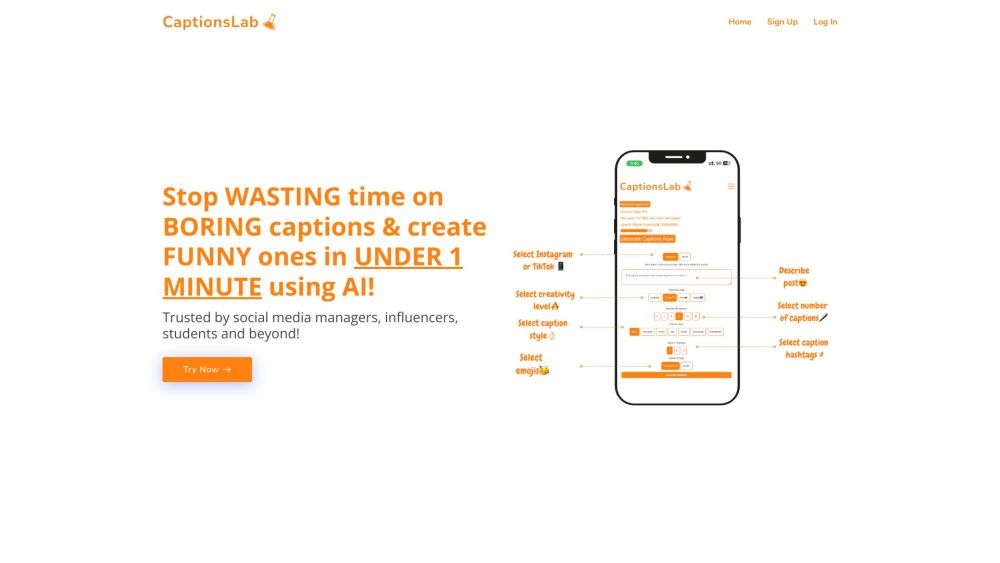
CaptionsLab website preview

CaptionsLab Website screenshot

What is CaptionsLab?

CaptionsLab is an innovative AI-driven platform designed to help users generate funny and engaging captions for Instagram photos and TikTok videos effortlessly. With its diverse range of caption styles and instant generation capabilities, CaptionsLab enhances your social media presence by providing creative and humorous captions that capture attention and entertain your audience.

How to Use CaptionsLab?

Using CaptionsLab is simple and straightforward. First, sign up for a free account on the CaptionsLab website. Then, describe your Instagram photo or TikTok video, choose the style and length of the caption, and specify the number of captions you want. The AI algorithm will then generate several captions within seconds. Customize these captions to fit your specific needs and save your favorites for future use, ensuring your social media posts are consistently engaging and fun.

CaptionsLab's Core Features

- Over 15 caption styles, including witty, humorous, inspirational, and more.

- Adjustable caption length, from short and snappy to detailed and elaborate.

- Generate up to 20 captions at once, providing a variety of choices.

- Platform-specific customization for Instagram and TikTok.

- Creativity level options, ranging from basic to highly imaginative.

- Save and reuse your favorite captions for consistent social media engagement.

CaptionsLab's Use Cases

Who Uses CaptionsLab?

CaptionsLab is a trusted tool for various users, including social media managers, influencers, and students. It is perfect for anyone looking to streamline the caption creation process while boosting the quality and engagement of their Instagram and TikTok posts.

  • CaptionsLab Company

    CaptionsLab is a product of GoDaddy, LLC.

Product source: CaptionsLab official website. Check the provider for current plans, limits and availability.

FAQ

CaptionsLab questions and answers

Product context and practical checks for evaluating CaptionsLab.

What is CaptionsLab used for?

CaptionsLab: Instantly generate hilarious captions for Instagram & TikTok with our AI-powered tool. Boost engagement & make your social media shine!

How do I get started with CaptionsLab?

Using CaptionsLab is simple and straightforward. First, sign up for a free account on the CaptionsLab website. Then, describe your Instagram photo or TikTok video, choose the style and length of the caption, and specify the number of captions you want. The AI algorithm will then generate several captions within seconds. Customize these captions to fit your specific needs and save your favorites for future use, ensuring your social media posts are consistently engaging and fun.

Which capabilities are described for CaptionsLab?

- Over 15 caption styles, including witty, humorous, inspirational, and more.- Adjustable caption length, from short and snappy to detailed and elaborate.- Generate up to 20 captions at once, providing a variety of choices.- Platform-specific customization for Instagram and TikTok.- Creativity level options, ranging from basic to highly imaginative.- Save and reuse your favorite captions for consistent social media engagement.

What projects can I evaluate CaptionsLab for?

Who Uses CaptionsLab?CaptionsLab is a trusted tool for various users, including social media managers, influencers, and students. It is perfect for anyone looking to streamline the caption creation process while boosting the quality and engagement of their Instagram and TikTok posts. CaptionsLab Company CaptionsLab is a product of GoDaddy, LLC.

What should I compare before choosing a CaptionsLab plan?

Check CaptionsLab’s current pricing page for included usage, renewal terms and any credit charges. Compare the cost of a usable result, including retries, rather than assuming that account registration includes free usage.

What inputs should I prepare for a CaptionsLab trial?

Identify the files, text or account connections your task needs. Confirm that the product accepts those inputs and offers controls for reviewing its work.

How can I check the quality of a CaptionsLab result?

Test one representative task and inspect the result for accuracy and completeness. Record where manual corrections or extra tools are needed.

Which export options should I check in CaptionsLab?

Check export formats, integrations and whether you can keep using your work outside the service. Test a real export before committing to a longer plan.

What is a practical way to test CaptionsLab against alternatives?

Choose one task with a clear success condition. Keep the input consistent, record the time spent reviewing and compare the complete workflow cost.

Where is the official CaptionsLab website?

The website linked from this profile is https://www.promptdodo.com. Use the provider’s own documentation, account area and support channels to confirm current product details.

Visit CaptionsLab