AI Chatbot

BudgetGPT

BudgetGPT: Your AI financial coach—budget, track, and optimize spending instantly via chat. Smarter money habits start here.

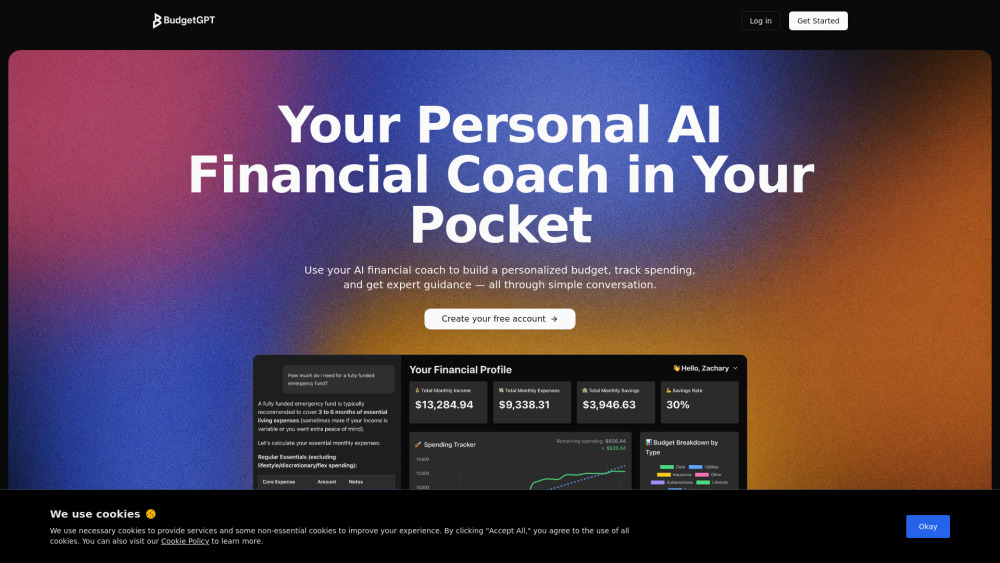
BudgetGPT website preview

BudgetGPT Website screenshot

Introducing BudgetGPT: Your AI Finance Partner

BudgetGPT is an intelligent, conversational financial assistant that transforms how you plan, monitor, and improve your money habits. Leveraging advanced AI, it guides you through budget creation, real-time spending analysis, and actionable optimization strategies—all within a natural, chat-based experience. No spreadsheets, no guesswork—just clear, personalized finance support that adapts as your goals evolve.

Getting Started with BudgetGPT

Launch BudgetGPT, log in or sign up, and begin a guided conversation to define your income, goals, and lifestyle. Instantly connect bank accounts, credit cards, and digital wallets for automatic transaction syncing. Ask questions, request adjustments, or explore “what-if” scenarios—and receive smart, context-aware recommendations tailored to your financial behavior.

Key Capabilities of BudgetGPT

Conversational budgeting—build, revise, and refine your plan using plain-language prompts

Real-time spending tracking with AI-powered categorization and anomaly alerts

Interactive financial dashboard showing trends, forecasts, savings progress, and net worth insights

On-demand financial coaching—get answers on debt payoff, emergency funds, investing basics, and more

Who Benefits Most from BudgetGPT?

Busy professionals seeking an intuitive, zero-friction way to manage cash flow and reduce financial stress.

Young adults building foundational money habits—without juggling complex tools or financial jargon.

Families aiming to align shared goals (like home buying or education) with realistic, adaptive budgets.

Self-directed learners who want continuous, AI-driven feedback—not just data, but financial wisdom.

Product source: BudgetGPT official website. Check the provider for current plans, limits and availability.

FAQ

BudgetGPT questions and answers

Product context and practical checks for evaluating BudgetGPT.

What is BudgetGPT used for?

BudgetGPT: Your AI financial coach—budget, track, and optimize spending instantly via chat. Smarter money habits start here.

How do I get started with BudgetGPT?

Launch BudgetGPT, log in or sign up, and begin a guided conversation to define your income, goals, and lifestyle. Instantly connect bank accounts, credit cards, and digital wallets for automatic transaction syncing. Ask questions, request adjustments, or explore “what-if” scenarios—and receive smart, context-aware recommendations tailored to your financial behavior.

Which capabilities are described for BudgetGPT?

Conversational budgeting—build, revise, and refine your plan using plain-language promptsReal-time spending tracking with AI-powered categorization and anomaly alertsInteractive financial dashboard showing trends, forecasts, savings progress, and net worth insightsOn-demand financial coaching—get answers on debt payoff, emergency funds, investing basics, and more

What should I compare before choosing a BudgetGPT plan?

Check BudgetGPT’s current pricing page for included usage, renewal terms and any credit charges. Compare the cost of a usable result, including retries, rather than assuming that account registration includes free usage.

What inputs should I prepare for a BudgetGPT trial?

Look for text prompts, image references, masks or sketches as appropriate. Compare composition control, supported upload types and the ability to revise a selected area.

How can I check the quality of a BudgetGPT result?

Inspect text, hands, edges, reflections and repeated objects at full size. Check that important product or brand details survive editing.

Which export options should I check in BudgetGPT?

Compare pixel dimensions, transparency, file formats and any enlargement options. Confirm that the downloaded result works in your design or publishing software.

What is a practical way to test BudgetGPT against alternatives?

Prepare a brief with a subject, composition, lighting and required output size. Test a first generation and a targeted revision to see how much control you retain.

What should I review before uploading material to BudgetGPT?

Read the provider’s rules on access, retention, deletion and use of uploaded material. Start with a non-confidential sample that you have permission to use.

Where is the official BudgetGPT website?

The website linked from this profile is https://www.budgetGPT.io. Use the provider’s own documentation, account area and support channels to confirm current product details.

Visit BudgetGPT