AI Content Generator

Blackray

Blackray is an AI-powered tool designed specifically for Product Managers. It offers various features such as an AI Writer for creating complex documents like Product Requirement Documents (PRDs) with customer insights and deep links from connected apps. It also provides a Research Assistant for accessing customer insights from multiple apps and documents, Competitor BI for researching competitors and their product offerings, Collections for organizing links, insights, quotes, and more, and Customer Call Scheduler for scheduling research calls with the right customers. Blackray helps Product Managers streamline their workflow and make informed decisions based on data.

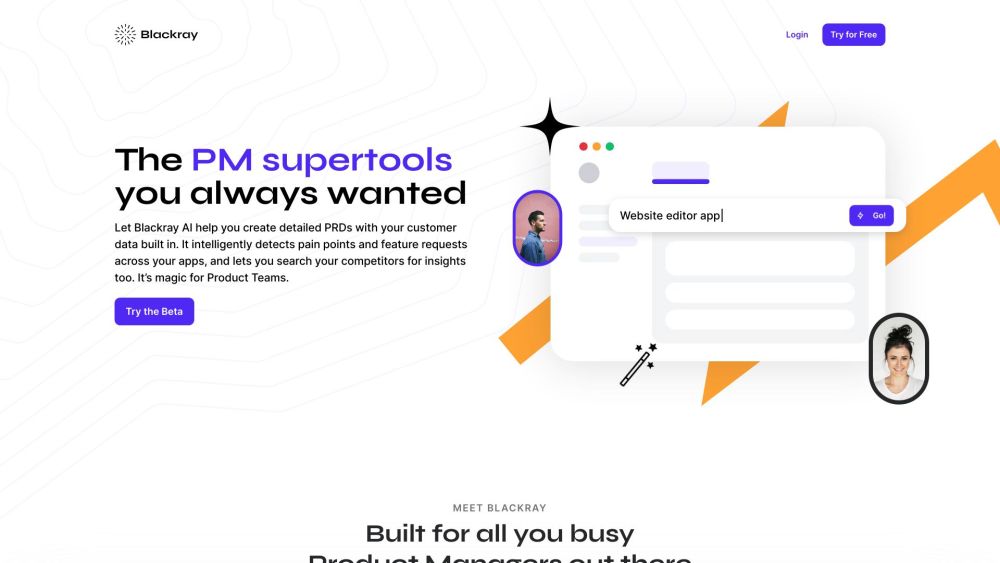
Blackray website preview

Blackray Website screenshot

Understanding Blackray

Blackray is an innovative AI-driven tool tailored for Product Managers, offering a suite of features designed to enhance productivity and decision-making. Key functionalities include an AI Writer that generates detailed documents such as Product Requirement Documents (PRDs), enriched with customer insights and integrated links from connected applications. Additionally, Blackray includes a Research Assistant to gather customer insights from various apps and documents, Competitor BI for analyzing competitor products, Collections for organizing and sharing important data, and a Customer Call Scheduler for efficiently planning research calls. Overall, Blackray aims to streamline the workflow of Product Managers by providing data-driven insights.

Utilizing Blackray

To leverage Blackray's capabilities, Product Managers need to connect their essential apps, including Confluence, Google Suite, and Salesforce. With these integrations, they can utilize the AI Writer to create detailed documents by specifying the required features or product specifications. These documents will automatically include relevant research insights, competitor data, and links from the connected apps. The Research Assistant facilitates access to customer insights by enabling simultaneous searches across multiple apps and documents. The Competitor BI feature aids in analyzing competitor products by allowing users to input competitor names and keywords for targeted searches. Collections help in managing and sharing links, insights, quotes, and other critical information. The Customer Call Scheduler simplifies the process of identifying and scheduling calls with relevant customers from Salesforce, making it easier to gather valuable feedback. Product Managers can also utilize the AI Insights feature to discover feature requests, pain points, and competitor mentions, which can then be incorporated into comprehensive documents using the AI Composer.

Key Features of Blackray

AI Writer for crafting detailed documents with integrated customer insights and links

Research Assistant for compiling customer insights from diverse apps and documents

Competitor BI for in-depth competitor analysis and product comparisons

Collections for systematic organization and sharing of links, insights, and quotes

Customer Call Scheduler for planning research calls with targeted customers

AI Insights for identifying feature requests, pain points, and competitor information

Practical Applications of Blackray

Enhancing document creation with integrated customer insights and links

Easily accessing valuable customer insights across multiple apps

Keeping up-to-date with competitor products and strategies

Efficiently organizing and sharing essential links, insights, and quotes

Scheduling research calls with pertinent customers for feedback collection

Identifying feature requests, pain points, and competitor mentions to guide decisions

Product source: Blackray official website. Check the provider for current plans, limits and availability.

FAQ

Blackray questions and answers

Product context and practical checks for evaluating Blackray.

What is Blackray used for?

Blackray is an AI-powered tool designed specifically for Product Managers. It offers various features such as an AI Writer for creating complex documents like Product Requirement Documents (PRDs) with customer insights and deep links from connected apps. It also provides a Research Assistant for accessing customer insights from multiple apps and documents, Competitor BI for researching competitors and their product offerings, Collections for organizing links, insights, quotes, and more, and Customer Call Scheduler for scheduling research calls with the right customers. Blackray helps Product Managers streamline their workflow and make informed decisions based on data.

How do I get started with Blackray?

Open the official Blackray website and identify the workflow that matches your task. Prepare a brief with a subject, composition, lighting and required output size. Test a first generation and a targeted revision to see how much control you retain.

Which capabilities are described for Blackray?

AI Writer for crafting detailed documents with integrated customer insights and linksResearch Assistant for compiling customer insights from diverse apps and documentsCompetitor BI for in-depth competitor analysis and product comparisonsCollections for systematic organization and sharing of links, insights, and quotesCustomer Call Scheduler for planning research calls with targeted customersAI Insights for identifying feature requests, pain points, and competitor information

What projects can I evaluate Blackray for?

Enhancing document creation with integrated customer insights and linksEasily accessing valuable customer insights across multiple appsKeeping up-to-date with competitor products and strategiesEfficiently organizing and sharing essential links, insights, and quotesScheduling research calls with pertinent customers for feedback collectionIdentifying feature requests, pain points, and competitor mentions to guide decisions

What should I compare before choosing a Blackray plan?

Check Blackray’s current pricing page for included usage, renewal terms and any credit charges. Compare the cost of a usable result, including retries, rather than assuming that account registration includes free usage.

What inputs should I prepare for a Blackray trial?

Look for text prompts, image references, masks or sketches as appropriate. Compare composition control, supported upload types and the ability to revise a selected area.

How can I check the quality of a Blackray result?

Inspect text, hands, edges, reflections and repeated objects at full size. Check that important product or brand details survive editing.

Which export options should I check in Blackray?

Compare pixel dimensions, transparency, file formats and any enlargement options. Confirm that the downloaded result works in your design or publishing software.

What is a practical way to test Blackray against alternatives?

Prepare a brief with a subject, composition, lighting and required output size. Test a first generation and a targeted revision to see how much control you retain.

Where is the official Blackray website?

The website linked from this profile is https://getblackray.com. Use the provider’s own documentation, account area and support channels to confirm current product details.

Visit Blackray