AI Creative Writing

Barrs AI

Transform your music with Barrs AI: Create unique, multilingual lyrics effortlessly. Unleash your creativity with our AI-powered music app!

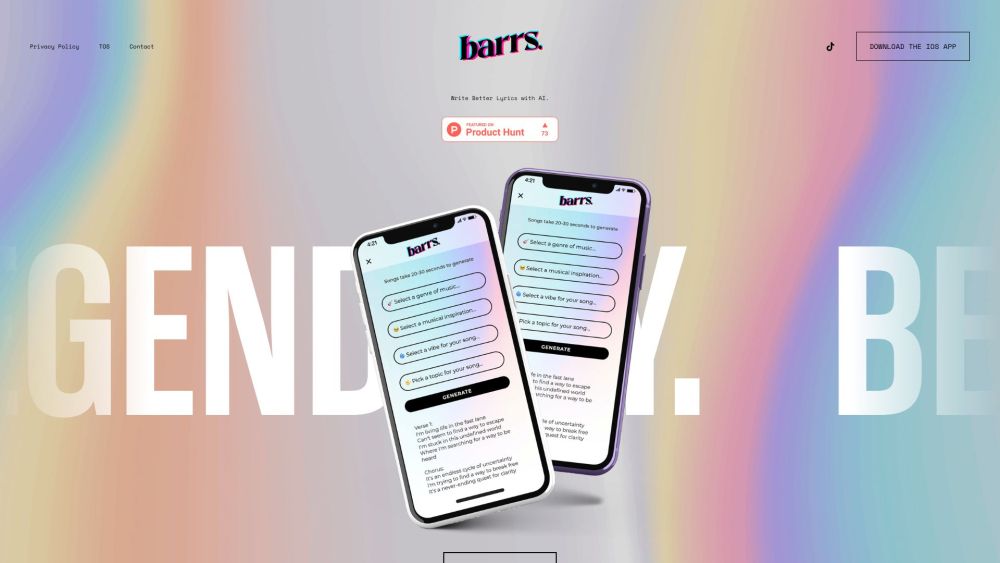
Barrs AI website preview

Barrs AI Website screenshot

What is Barrs AI?

Barrs AI is an innovative application that transforms music creation by leveraging OpenAI technology. It empowers users to create unique lyrics in a variety of languages, enhancing their creative potential and facilitating the songwriting process.

How to use Barrs AI?

Using Barrs AI is straightforward. Download the iOS app and register with your email address. After logging in, you can start generating lyrics by entering prompts or using the special pre-set prompts developed by experienced producers. The app provides endless possibilities for song creation, making it easy to unleash your creativity.

Barrs AI's Core Features

Key features of Barrs AI include: 1. AI-Driven Lyrics Creation: Utilizing OpenAI, Barrs generates unique lyrics in numerous languages. 2. Multilingual Support: The app supports a wide range of languages, allowing users to write lyrics in their language of choice. 3. Expertly Crafted Prompts: Special prompts, refined by seasoned producers, enhance the song generation experience. 4. Copyright-Free Creations: All generated content, including text, media, and music, is copyright-free and available for any use, including commercial purposes.

Barrs AI's Use Cases

Barrs AI can be utilized in various ways, such as: 1. Songwriting: Whether you're a professional or an aspiring songwriter, Barrs AI can help generate fresh lyric ideas and spark creativity. 2. Language Exploration: For those interested in writing lyrics in different languages, Barrs AI offers the ability to create multilingual lyrics effortlessly. 3. Collaborative Projects: Barrs AI is a valuable tool for collaborative songwriting, aiding in the generation and development of ideas among multiple creators.

Product source: Barrs AI official website. Check the provider for current plans, limits and availability.

FAQ

Barrs AI questions and answers

Product context and practical checks for evaluating Barrs AI.

What is Barrs AI used for?

Transform your music with Barrs AI: Create unique, multilingual lyrics effortlessly. Unleash your creativity with our AI-powered music app!

How do I get started with Barrs AI?

Using Barrs AI is straightforward. Download the iOS app and register with your email address. After logging in, you can start generating lyrics by entering prompts or using the special pre-set prompts developed by experienced producers. The app provides endless possibilities for song creation, making it easy to unleash your creativity.

Which capabilities are described for Barrs AI?

Key features of Barrs AI include: 1. AI-Driven Lyrics Creation: Utilizing OpenAI, Barrs generates unique lyrics in numerous languages. 2. Multilingual Support: The app supports a wide range of languages, allowing users to write lyrics in their language of choice. 3. Expertly Crafted Prompts: Special prompts, refined by seasoned producers, enhance the song generation experience. 4. Copyright-Free Creations: All generated content, including text, media, and music, is copyright-free and available for any use, including commercial purposes.

What projects can I evaluate Barrs AI for?

Barrs AI can be utilized in various ways, such as: 1. Songwriting: Whether you're a professional or an aspiring songwriter, Barrs AI can help generate fresh lyric ideas and spark creativity. 2. Language Exploration: For those interested in writing lyrics in different languages, Barrs AI offers the ability to create multilingual lyrics effortlessly. 3. Collaborative Projects: Barrs AI is a valuable tool for collaborative songwriting, aiding in the generation and development of ideas among multiple creators.

What should I compare before choosing a Barrs AI plan?

Check Barrs AI’s current pricing page for included usage, renewal terms and any credit charges. Compare the cost of a usable result, including retries, rather than assuming that account registration includes free usage.

What inputs should I prepare for a Barrs AI trial?

Compare recording length, file types, language support and speaker handling. For voice generation, check pronunciation controls and permission to use any reference voice.

How can I check the quality of a Barrs AI result?

Listen for mispronounced names, unnatural pauses, clipped words and noise. For transcripts, compare the text with the recording and correct speaker labels.

Which export options should I check in Barrs AI?

Check audio format, sample rate, separate tracks, captions and timestamp exports. Confirm that the result works in your editing or accessibility workflow.

What is a practical way to test Barrs AI against alternatives?

Use a short recording with names, numbers and more than one speaker, or a script with difficult pronunciation. Review the exported audio or transcript in full.

Where is the official Barrs AI website?

The website linked from this profile is https://barrs.cloud. Use the provider’s own documentation, account area and support channels to confirm current product details.

Visit Barrs AI